
 İspanya

About 20 minutes of HD video uses a full gigabyte. Several days of light messaging and navigation can fit in the same gigabyte. What you open decides which of those two results you get.
Each app opens data at its own rate. Video quality and hotspot sharing set that rate far more than maps or messages do. A stream works like a wide hose, and a sharper picture pushes more data through every second. A second device on the same hotspot opens another hose.
That rate is how you size a trip. Spend the gigabyte against the heaviest thing you plan to play or share, then see how many days the leftover covers.
How Long 1 GB Lasts for Each Activity
Web browsing can use a gigabyte over many hours; HD streaming may use it in minutes. The table compares common activities when each runs on its own. Rates are approximate and depend on settings and content.
| Activity | Typical data use | 1 GB lasts about |
|---|---|---|
| Text messaging and email | Under 5 MB per hour | Several days of light use |
| Web browsing (text-heavy) | About 60 MB per hour | About 16 hours |
| Google Maps navigation | About 5 MB per hour | About 200 hours |
| Music streaming (160 kbps) | About 72 MB per hour | About 13 hours |
| Social media | About 90 to 156 MB per hour | About 6 to 11 hours |
| Voice call (FaceTime) | About 180 MB per hour | About 5.5 hours |
| Video call (Zoom 720p) | About 1.08 GB per hour | About 55 minutes |
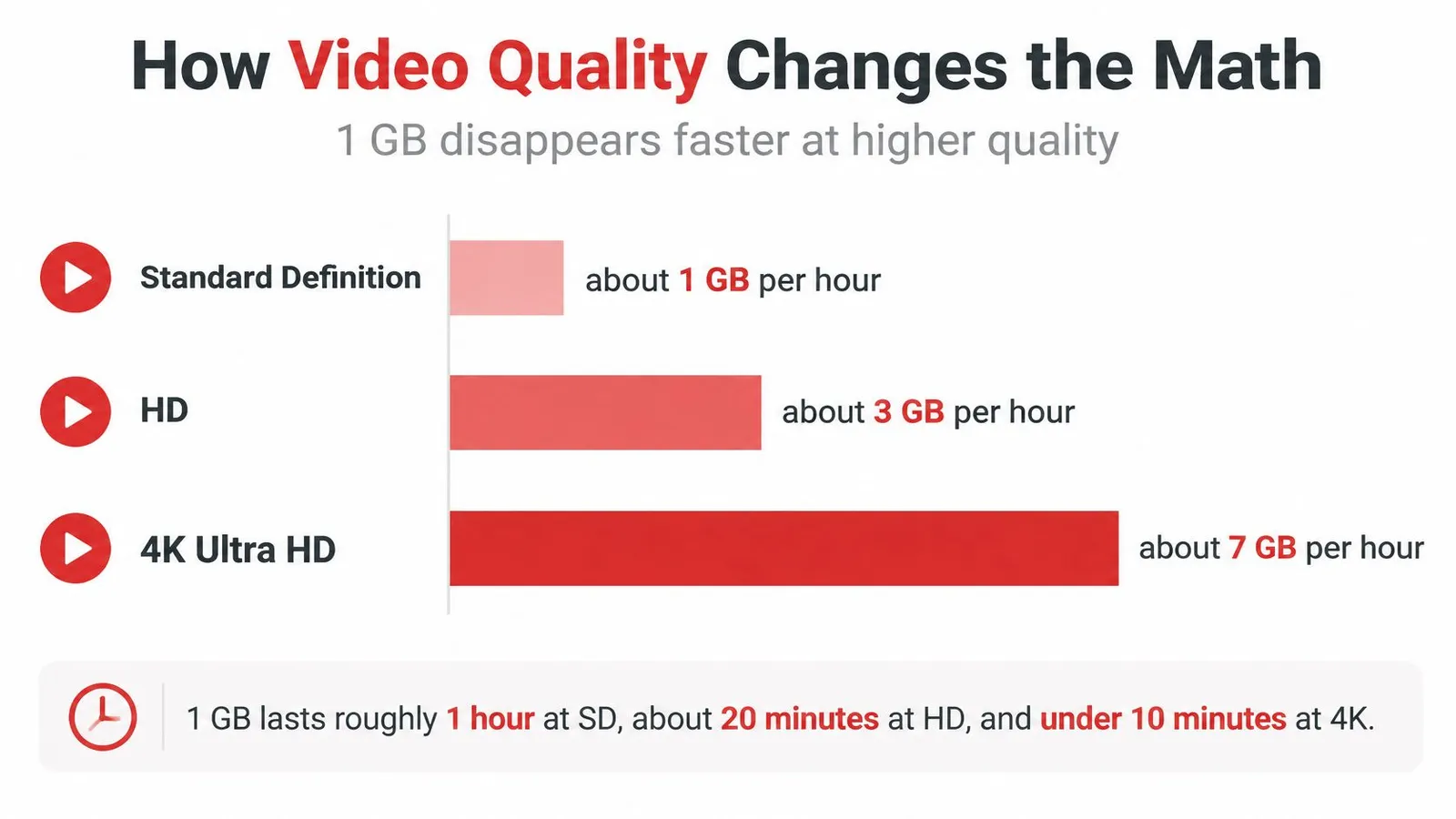
| HD video streaming | About 3 GB per hour | About 20 minutes |
Treat the figures as a guide, not a guaranteed allowance. Saved content can reduce data use, while higher quality settings and background refreshes can increase it.
Each row assumes one activity at a time. A travel day may combine maps, music, calls, and browsing, so add the hours you expect to spend on each. Video usually accounts for the largest share; maps and messages tend to use much less.
Practical rule: Estimate video first, then add the data needed for lighter activities. For help matching trip length to an allowance, use this guide to choosing the right data plan.
Why One Gigabyte Covers Such a Wide Range
Data use is a rate, measured in megabytes per hour. To estimate how long 1 GB lasts, divide about 1,000 MB by the activity's hourly rate. The allowance stays fixed; the activity determines how quickly it runs out.
A gigabyte works like a bucket, and each app draws from it at a different pace. Messages take a small sip, while browsing and social media use more. Autoplay and background syncing can draw data even when you are not actively using an app.
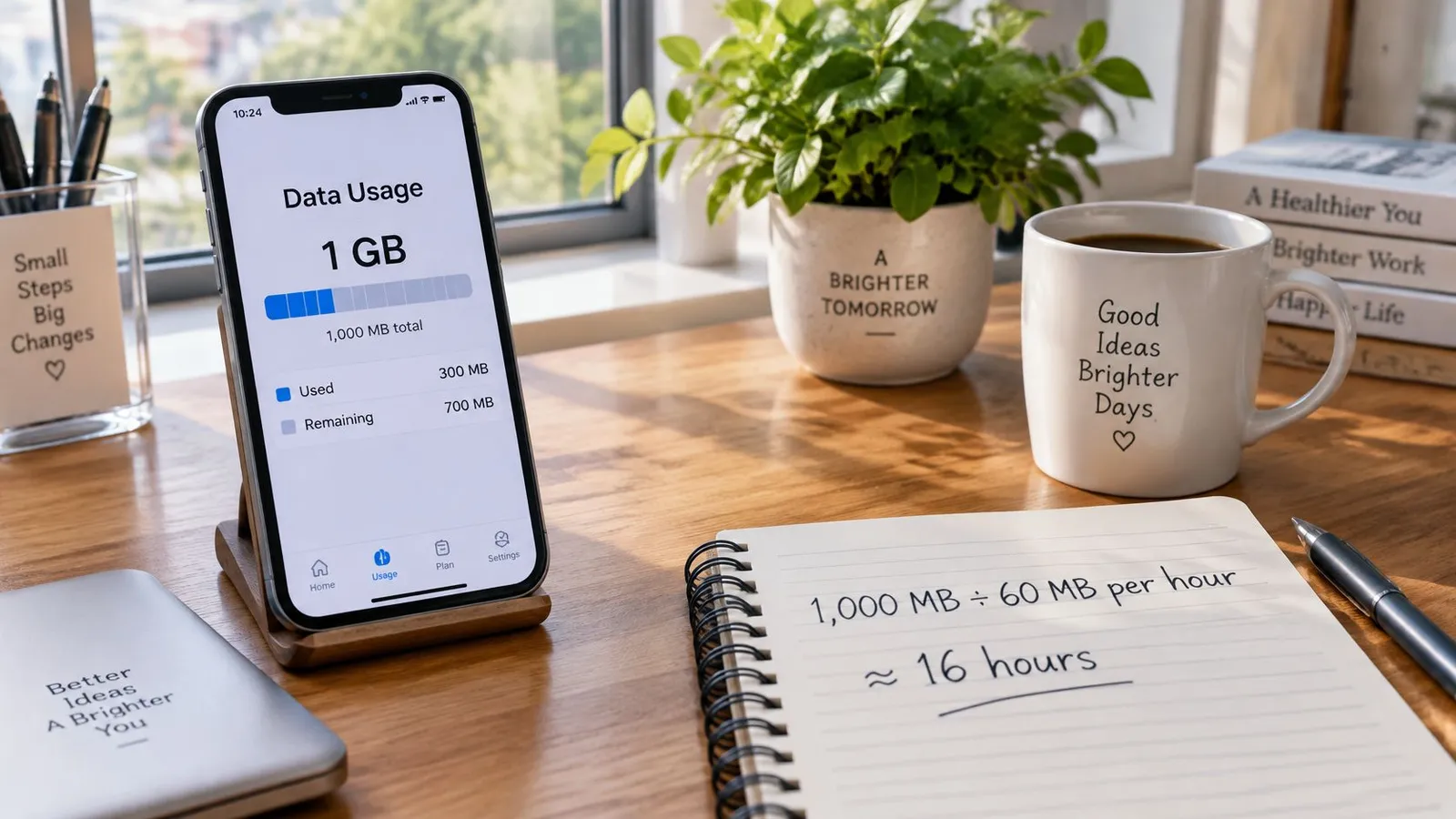
Two worked examples
At about 60 MB per hour, text-heavy browsing uses 1 GB in roughly 16.6 hours: 1,000 divided by 60 is about 16.6. Social scrolling at about 90 MB per hour lasts around 11 hours. More active social use, at about 156 MB per hour, brings that down to roughly 6.4 hours.
These examples show why the number of days alone is a poor guide. A traveler who mainly browses may stretch 1 GB across several days, while frequent social use can use it much sooner. Estimate each activity's hours, multiply by its hourly rate, then add the results.
How Video Quality Changes the Math
A video call can use data in both directions: your phone uploads your camera feed and downloads everyone else's. That makes call quality a different calculation from watching a video, where the phone mainly downloads the stream.
Zoom's bandwidth guide lists about 600 kbps upstream and downstream for high-quality video, 1.2 Mbps each way for 720p, and about 3.8 Mbps upload plus 3.0 Mbps download for 1080p. Add each direction, convert megabits to megabytes, then multiply by the minutes in an hour: those rates work out to about 0.54 GB per hour, 1.08 GB per hour, and more than 3 GB per hour, respectively, before extra network overhead.
| Video-call quality | Data per hour | 1 GB lasts about |
|---|---|---|
| Zoom high quality (600 kbps each way) | About 0.54 GB | About 1 hour 50 minutes |
| Zoom 720p (1.2 Mbps each way) | About 1.08 GB | About 55 minutes |
| Zoom 1080p | More than 3 GB | Under 20 minutes |
Levers that save the most
The amount of data used depends on more than the app. Four settings make a practical difference:
- Lower the video resolution. A lower-quality feed needs less data per second, leaving more of your allowance for other activities.
- Turn off incoming video in a group call. Your phone then downloads fewer camera feeds.
- Switch to audio-only when video is unnecessary. With no picture to upload or download, the call uses less data.
- Set a lower default in your video and meeting apps. Otherwise, a later session may start at a higher quality than you intended.
The connection itself also matters. If video keeps dropping in quality or calls struggle to stay connected, these steps for slow data speeds can help you check what is affecting the connection.
Messaging, Maps and Music
Messages, directions and streamed music can stretch a gigabyte across several days, but settings and downloads change the total. Text uses little data; sending photos or downloading map areas adds more.
Google Maps uses data as you move around, while downloading map areas or viewing satellite imagery can increase consumption. For its typical figure and the FaceTime estimate, refer to the activity table above. Skype calls also use more data than basic messaging, especially when video is on.
The audio ladder
For streaming music, bitrate acts like the width of a pipe: a higher bitrate sends more audio data each second. Using the bitrate figures in this audio bitrate reference, streaming at 24 kbps uses about 10.8 MB per hour, while 96 kbps uses 43.2 MB, 160 kbps uses 72 MB, and 320 kbps uses 144 MB.
| Audio quality | Data per hour | Hours from 1 GB |
|---|---|---|
| 24 kbps (low) | About 10.8 MB | About 92.5 hours |
| 96 kbps (medium) | About 43.2 MB | About 23 hours |
| 160 kbps (standard) | About 72 MB | About 13 hours |
| 320 kbps (high) | About 144 MB | About 6.9 hours |
These are estimates for continuous streaming. A downloaded playlist uses data when you save it, then plays without streaming each track again.
What Breaks a Light Day
Photos in chat: A handful of full-size pictures can outweigh a long exchange of text.
Offline map packs: Downloading a city before you set out spends data up front.
Background refresh: Mail, social apps and cloud photos can continue using data while the screen is off.
A day of messages, navigation and low-bitrate music may use only a small share of a gigabyte. Add frequent photo sharing, downloads or higher-quality audio, and the allowance runs down sooner. For readers interested in how music purchases relate to piracy, see research linking piracy to music purchases.
Hotspot and Multi-Device Use
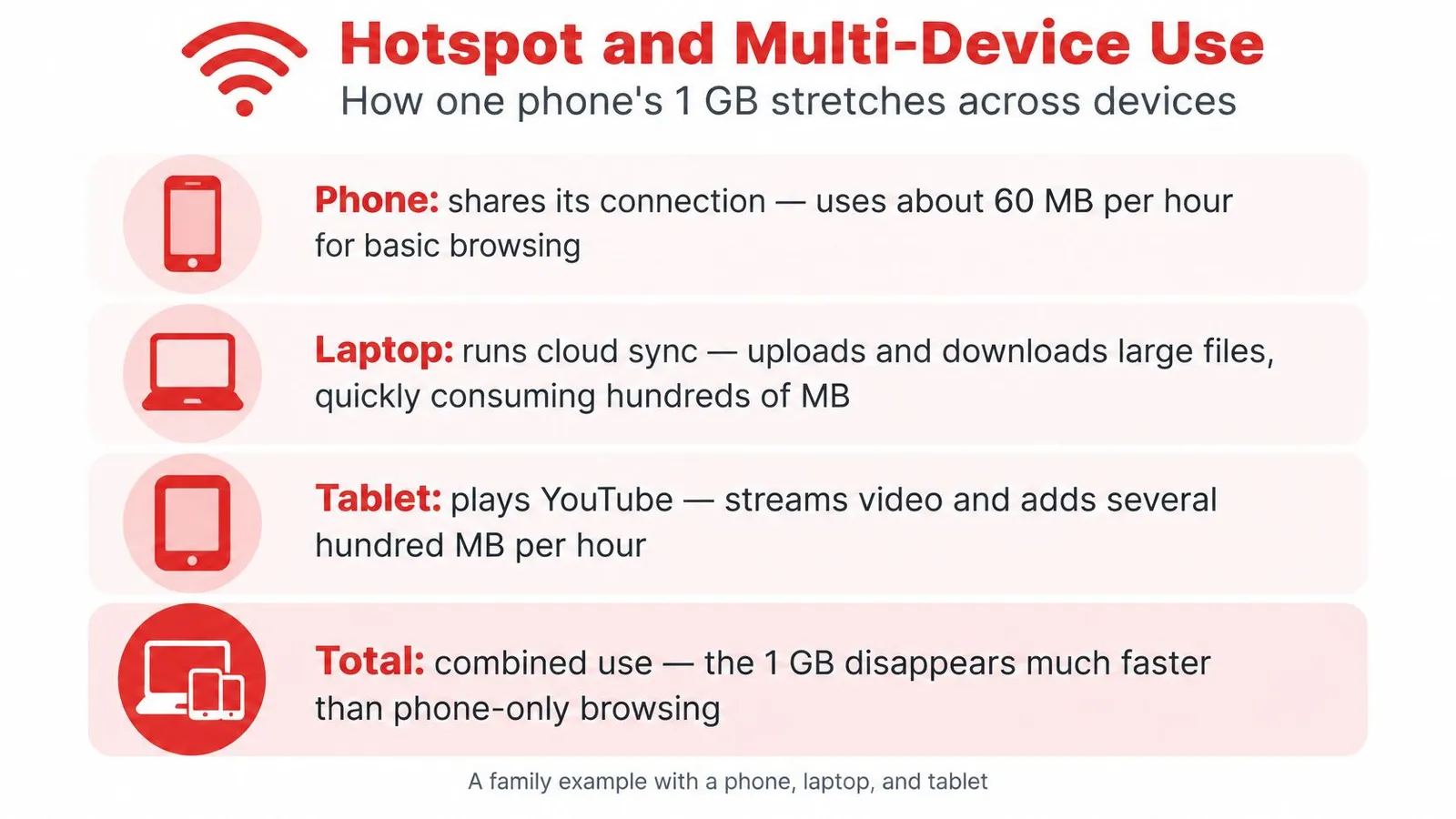
When a phone shares its connection, every device on the hotspot draws from the same data allowance. A laptop syncing files and a tablet streaming video can use far more data than a phone running messages and maps.
For example, HelloRoam's guide to how long 1 GB lasts estimates about 2 hours of YouTube at 480p, 53 minutes at 720p, and roughly 27 minutes at 1080p. Audio-only Zoom can last about 14 to 19 hours. The guide estimates about 1 hour 23 minutes of high-quality Zoom video per gigabyte, while a bitrate calculation suggests nearer 1 hour 50 minutes. Call duration varies with video settings and connection conditions, so treat these as estimates.
A laptop can use data for cloud syncing, operating-system updates, and high-resolution video. Uploads count too: video calls, photo backups, and file syncing all draw from the allowance. Before streaming IPTV over a phone hotspot, check the stream's quality and how long you expect to watch. Travelers deciding between a shared phone connection and a separate device can compare a Japan eSIM with pocket Wi-Fi.
A five-step check before you share
- Turn off auto-downloads on devices using the hotspot.
- Pause cloud backups while connected to mobile data.
- Set laptop updates to Wi-Fi only.
- Limit streaming quality on tablets and laptops.
- Check each device's usage before the day ends, then move heavy-use devices to Wi-Fi if available.
Choose a Data Size That Fits Your Trip
A gigabyte can last a day or disappear during a long video session. Size the plan from the day you expect, then check it against the apps you use.
Illustrative light day: about an hour of maps, messages, and browsing.
Illustrative typical day: the same basics, plus an hour of social media, music, and a short video call.
Illustrative heavy day: several hours of video, or a laptop using your phone's hotspot.
Six steps to a trip total
- List the activities you expect each day.
- Estimate the megabytes for each activity using the hourly rates in the tables above.
- Add the estimates to get a daily total.
- Multiply by the number of trip days.
- Add about 30 percent for extra photos, longer calls, or map downloads.
- Choose an allowance for the buffered total.
In 2023, Samsung's mobile data guide said 1 GB provides about 10 hours of browsing, social media, and email, or about 10 hours of music. Treat that as a rough check, not a guarantee: video quality and hotspot use can change the total quickly.

For the first two days, check your phone's data usage each evening. Compare the amount used with your estimate and adjust the daily figure if needed. If usage is higher than expected, topping up early can help avoid running out mid-afternoon.
Use the same calculation for a country plan. A Spain eSIM starts at $1.79. Compare current eSIM prices with your buffered trip total rather than choosing by trip length alone. RedSim offers 1 GB for 7 days, 5 GB for 30 days, 10 GB for 30 days, and unlimited data for 7 days on its regional and global eSIM plans. Its Fair Usage Policy lowers speed to 1 Mbps after 3 GB of usage per day.
Families can practise English on family trips with short lessons, while keeping video off to limit data use. The calculation stays simple: estimate each activity, total the daily use, multiply by trip days, then add a buffer.
 Yunanistan
 Yeni Zelanda
 Brezilya