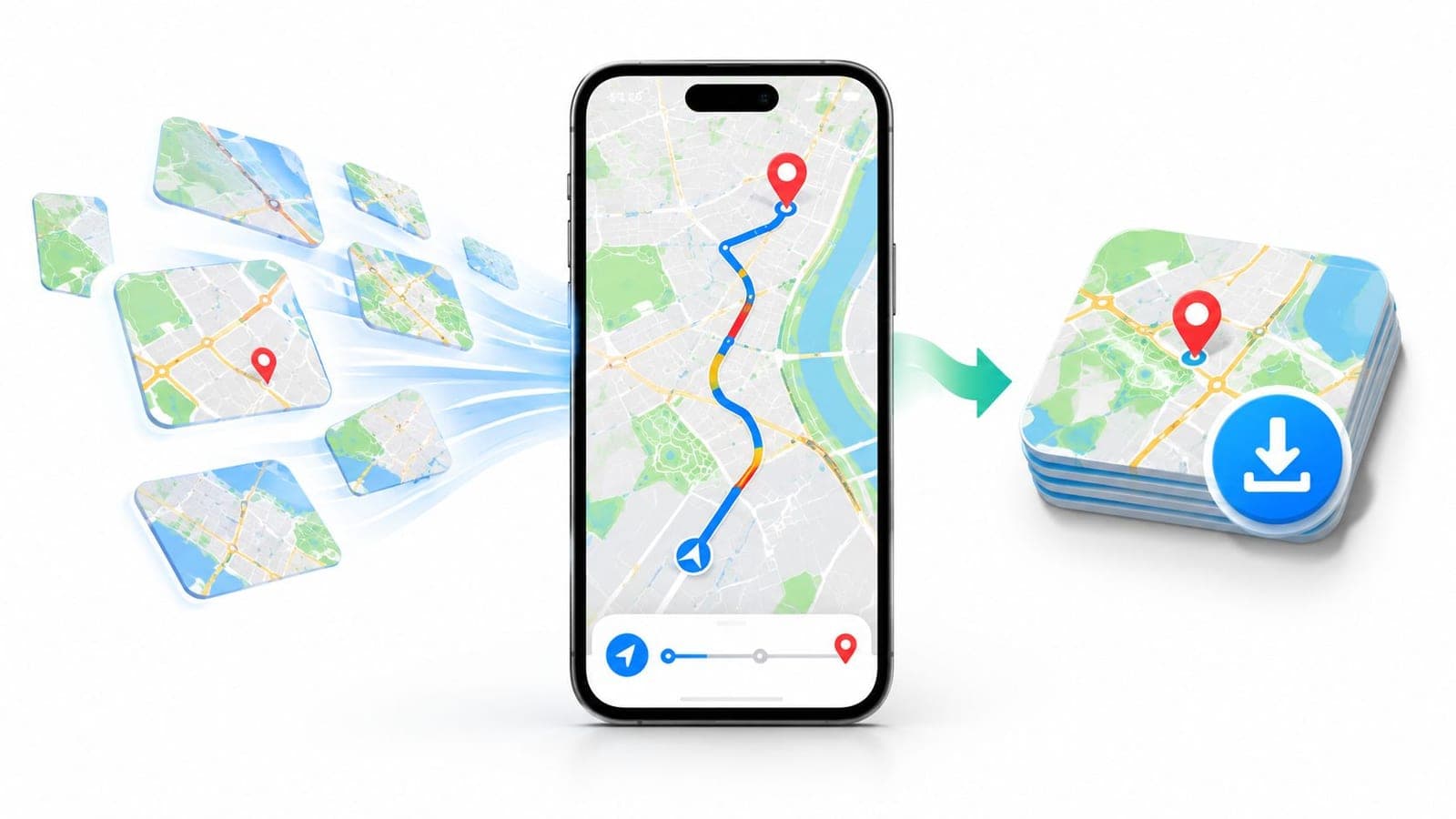
Yes, Google Maps does use mobile data for online maps, searches, traffic, and route updates, with standard turn-by-turn navigation commonly measured at approximately 3–5 MB per hour. Offline maps can shift most of that traffic to a Wi-Fi download made before departure, although live traffic and other current updates then become unavailable.
If the blue dot keeps moving, does the phone still need the internet to know where the road goes? That question exposes the confusion behind does Google Maps use data. A phone can track location through GPS, but fresh map content, place details, and traffic information usually arrive from the network. The distinction matters for travelers who want reliable directions without treating a navigation app as either data-free or as heavy as video streaming.
Does Google Maps Use Mobile Data
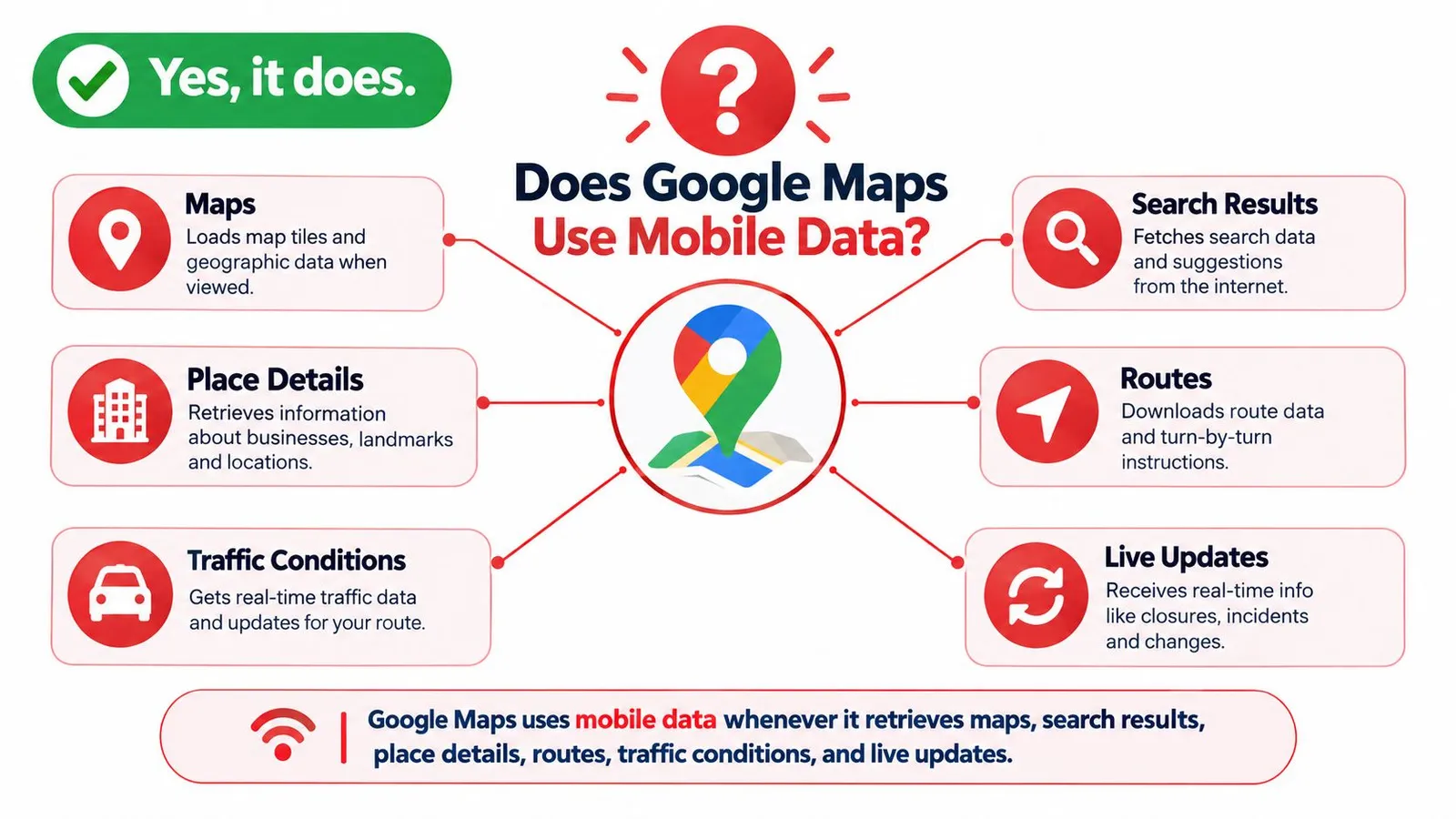
The short answer is yes, when Google Maps is online. The app uses mobile data when it retrieves map tiles, search results, place information, traffic conditions, route updates, or other live content, as described in WhistleOut's guide to Google Maps data consumption. A traveler following a set route isn't downloading the world at once. The app requests the pieces needed for the journey, then requests more as the vehicle moves, the map changes, or conditions shift.
A Simple Way to Picture It
Online navigation resembles asking for small map pages along the way rather than carrying one complete atlas. Each new screen area, search, or reroute can trigger another request. That's why steady driving on a loaded route differs from exploring a new city by panning around, opening place cards, or switching map layers.
The activity also differs from streaming. Ordinary turn-by-turn driving generally consumes relatively little data compared with video or music streaming, based on the source linked above. Repeated exploration and rich visual features can raise consumption, but a modest travel data allowance can often support routine navigation, especially when Wi-Fi and pre-trip downloads handle the larger transfers.
A phone can know where it is without a connection. It still needs a connection to fetch much of what makes that location useful.
Offline preparation changes the pattern rather than changing the answer. A downloaded area lets the app lean on stored content instead of repeated cellular requests. Travelers who prepare that download gain more control, while travelers who stay fully online gain fresher traffic and place information. Neither mode is automatically better. The useful question is which parts of a trip need to stay current.
How Google Maps Uses Your Mobile Data
A typical journey starts before the first turn. A traveler types a destination, and the app returns matches, place details, and route options. Once navigation begins, the display needs map tiles for the surrounding streets, instructions for upcoming turns, and updates if the driver misses a turn or traffic changes. Each request is small on its own. Together, they form a stream of exchanges between the phone and online services.
Location Is Not the Same as Fresh Content
GPS helps the phone determine movement and position. It doesn't supply today's road closure, a restaurant's current details, or a newly calculated route around congestion. Those items come from network-dependent services. That separation explains a common travel surprise: the blue dot still moves after connectivity drops, yet search results may stop loading and traffic colors may disappear.
The distinction also helps travelers judge coverage. Someone checking where service is available for a multi-country trip can review RedSim's Europe coverage information before deciding how much navigation should remain online. Coverage supports live features, but it doesn't make offline preparation pointless.
Why Similar Trips Use Different Amounts
Two drivers can follow the same road and record different usage. One driver loads a route and leaves the screen alone. The other zooms ahead, checks alternative streets, searches for fuel, opens place cards, and turns on satellite view.
- Map movement: Panning and zooming ask for tiles that weren't needed for the original route.
- Search activity: Each destination, category search, and place card can bring in fresh details and photos.
- Route changes: Missed turns and congestion can prompt recalculation and new instructions.
- Visual layers: Satellite imagery and Street View require richer imagery than a standard road map.
The pattern is best understood as activity-driven, not distance-only. Distance matters because a longer trip usually covers more map area. Screen behavior matters because every new view gives the app more to fetch. A calm, fixed route and an exploratory sightseeing session may both be called navigation, but they don't ask the network for the same work.
Which Google Maps Features Use the Most Data
Standard turn-by-turn navigation is the baseline. The route is known, the visible area changes gradually, and the app mainly maintains guidance. Usage rises when travelers ask for more detail, more alternatives, or more imagery than basic directions require.
Features That Add Requests
Search and place lookups seem light because a name or address is just text. The result can include several businesses, ratings, photos, opening information, and new map areas. One search isn't necessarily a problem. A day spent comparing hotels, restaurants, parking, and attractions creates many more exchanges than a single drive between two saved points.
Traffic and rerouting add another layer because road conditions change. The app checks current conditions and may revise the route. That live element is valuable in a congested city, yet it's still an online service rather than part of a stored street map.
Repeated zooming and panning are easier to overlook. A traveler who keeps zooming in to inspect neighborhoods, then out to scan the wider region, asks for different levels of map detail. The screen feels instant, but each detailed view can require material the phone didn't already hold for that area and scale.
Rich Imagery Creates the Clearest Jump
Satellite view and Street View shift the task from simple road graphics toward image-heavy views. One benchmark estimates satellite view at approximately 15–20 MB per hour, compared with much lower figures for standard navigation, according to Firsty's measurements of Google Maps usage. Street View serves a different purpose, helping travelers recognize an entrance or intersection, and it's most sensibly used briefly rather than left as the main way to explore a route.
| Maps activity | Likely data pattern | Practical control |
|---|---|---|
| Steady turn-by-turn driving | Lowest online baseline | Start the route and limit screen changes |
| Traffic checks and rerouting | Moderate, rises with changing conditions | Keep online where delays matter most |
| Searches and place cards | Variable, rises with frequency | Save key places before departure |
| Panning and repeated zooming | Spiky during exploration | Explore on Wi-Fi when possible |
| Satellite view and Street View | Highest among common map views | Use briefly, then return to standard maps |
No fixed share applies to every feature. Frequency, trip length, map detail, and network conditions all change the result. A practical self-check is simple: steady guidance sets the floor, exploration creates the spikes. Travelers who recognize that pattern can control the spikes without giving up directions.
Estimated Data Usage During Trips
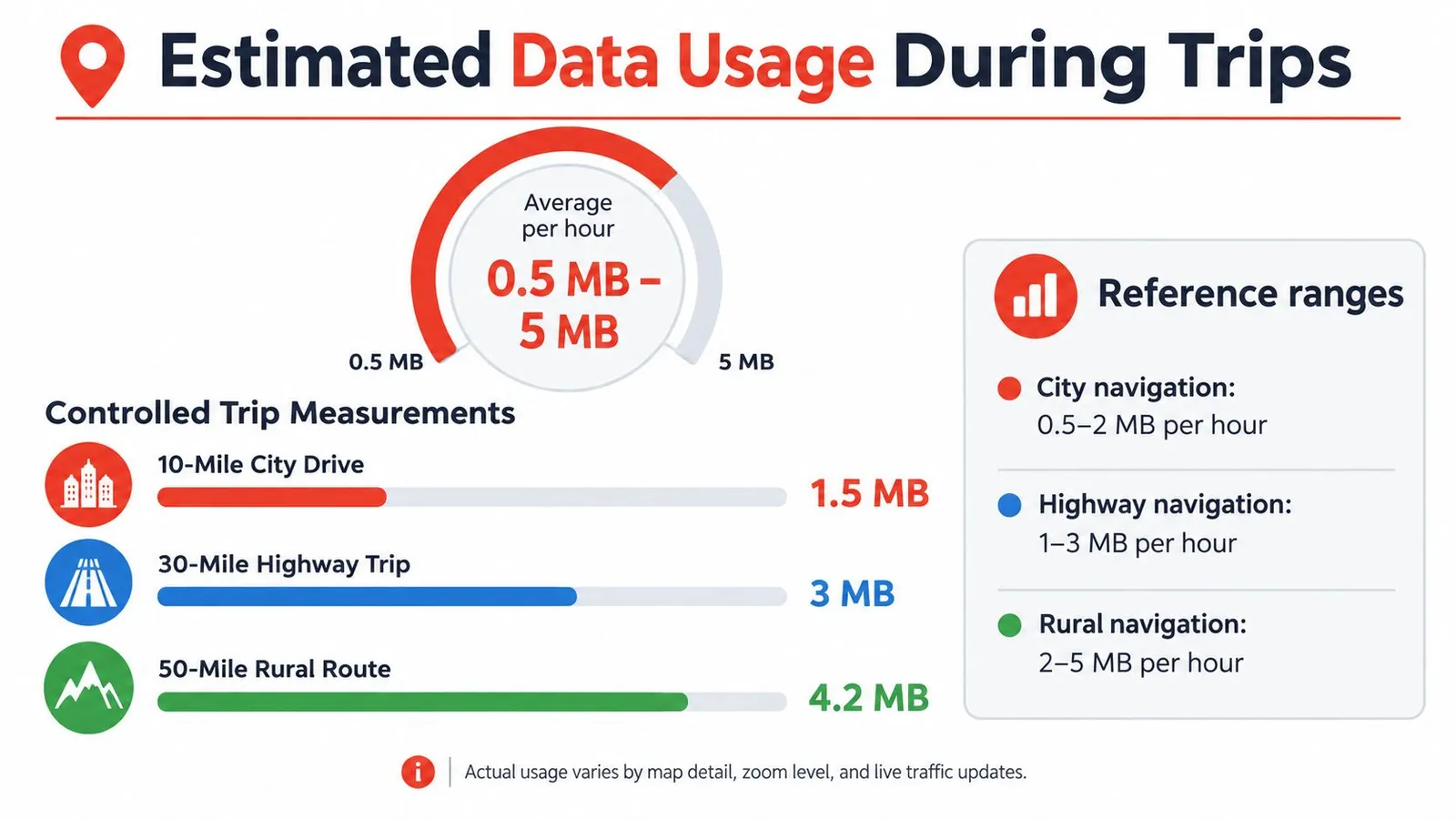
Benchmarks help travelers plan, provided they're treated as reference points rather than promises. A controlled comparison reported approximately 0.67 MB per 10 miles and 0.73 MB per 20 minutes of navigation, using an iPhone 7 across repeated trips. Those details and the trip figures appear in the WhistleOut measurement cited earlier. The figures show how light basic online guidance can be under controlled conditions, but a different phone, route, or browsing pattern can produce a different total.
Reading the Hourly Ranges
Standard navigation is commonly placed at approximately 3–5 MB per hour, while navigation with live traffic can rise to about 7–10 MB per hour, based on the Firsty benchmark linked in the previous section. Satellite view sits higher, so the view choice can matter more than a small difference in driving time. At those measured rates, a 10 GB plan could theoretically support roughly 1,000–3,300 hours of the stated navigation modes, according to the same Firsty benchmark. That calculation is useful only as a scale check, since real phones also use data for messages, photos, browsing, and other apps.
Travelers comparing plan sizes can look at current RedSim eSIM prices alongside likely non-map activity. Maps alone rarely explain the whole travel data budget.
Four Trip Patterns
A mostly online highway drive with a fixed route should sit near the basic navigation pattern unless the driver repeatedly changes the view. A traffic-heavy commute asks for current conditions and possible alternatives, so planning around the live-traffic range is more sensible. A sightseeing day is less predictable because searches, place cards, zooming, and short walks between stops keep restarting the exchange.
An offline-downloaded road trip moves most map retrieval to the earlier Wi-Fi download. Ongoing navigation can then use little or no cellular data for covered roads, although live services remain separate. The planning method is to estimate driving hours under the right mode, add room for exploration and other apps, and avoid converting one benchmark into a guaranteed itinerary total.
Planning principle: Use benchmarks to choose a sensible range, not to predict an exact trip total.
Reduce Google Maps Data Usage While Traveling
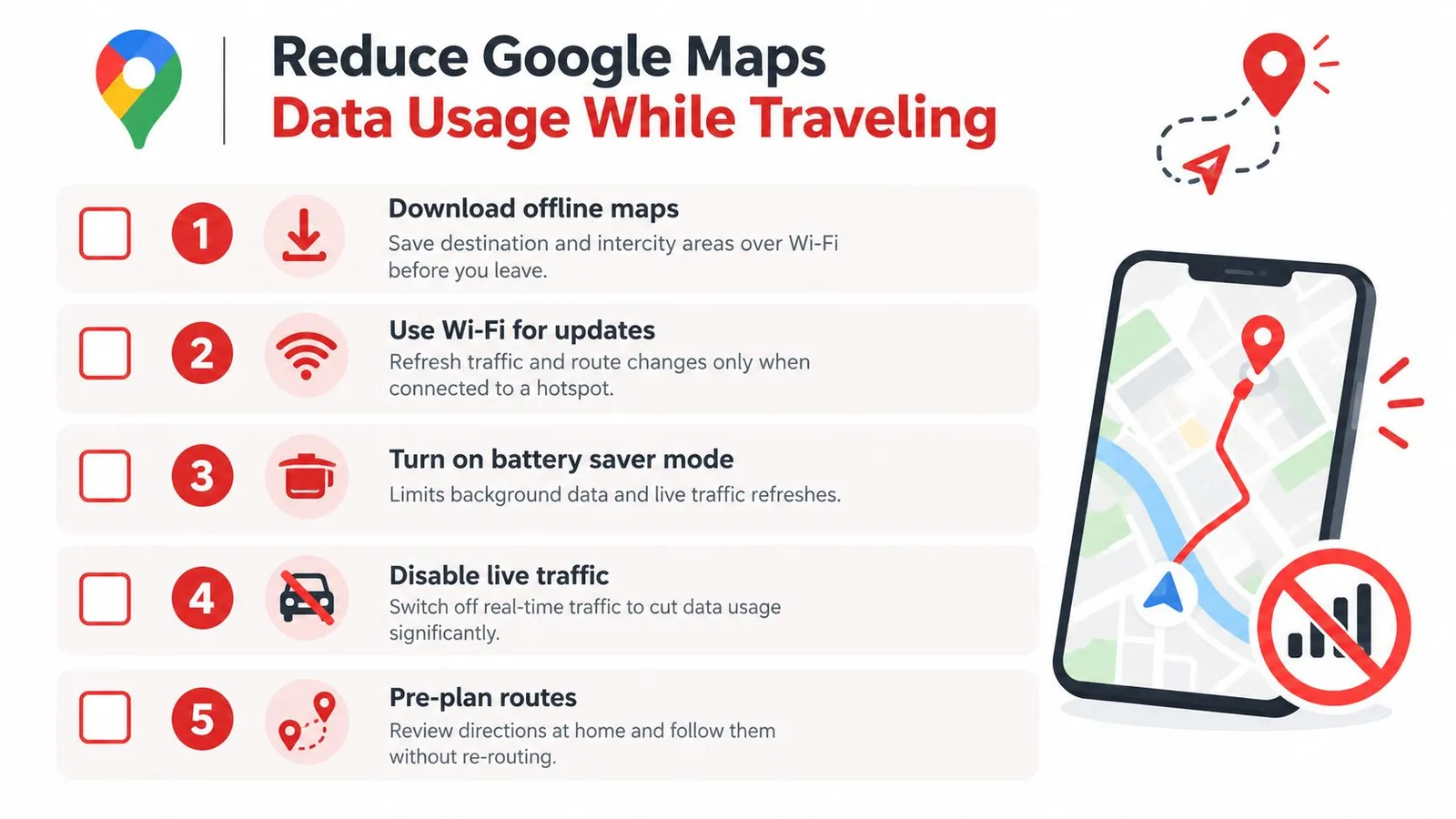
The strongest low-data setup combines preparation with selective connectivity. It doesn't require turning the phone into a paper map. It asks travelers to move predictable downloads to Wi-Fi and reserve cellular data for information that must be current.
Prepare the Map Before Departure
- Download each destination area on Wi-Fi: Include the city, airport approach, hotel area, and likely day-trip stops.
- Add intercity corridors: A city download alone may not cover the road between two destinations.
- Check the full route inside the saved area: Google's support guidance explains that offline navigation requires the complete route to lie within the downloaded map, as set out in Google's offline maps support documentation.
- Save essential places: Hotels, stations, parking, and meeting points are easier to find when they're already marked.
- Update downloads before leaving Wi-Fi: Stored content needs periodic updating, so an old download shouldn't be assumed current.
Google also describes offline maps as a way to find your way when a connection is slow or unavailable, while live traffic and dynamic alternate routes remain network-dependent. That trade-off should be planned, not discovered at a junction.
Keep Online Use Deliberate
Standard map view is the sensible default for most driving. Satellite view can help identify terrain or a building layout, then it can be switched off. Travelers can also limit unnecessary panning, avoid reopening the same searches, and postpone broad destination browsing until Wi-Fi is available.
A small data reserve still has clear jobs. It can fetch a new address, provide live traffic near a congested arrival, support transit information, or reroute after a road closure outside the download. Travelers unfamiliar with embedded SIM technology can read RedSim's explanation of what an eSIM is before choosing how to provide that reserve.
For a trip across Europe, Europe & UK eSIM is one factual option, from $1.96, with 1GB for 7 days at $2.55, prepaid travel data for 1 to 30 days, 5G, and instant QR delivery. The practical point isn't to keep every feature online. It's to make live help available when a stored map no longer has the answer.
Online and Offline Navigation Scenarios
An online city drive shows the value of staying connected. A driver crossing an unfamiliar center at peak hour needs current congestion, possible alternatives, parking searches, and quick rerouting after a missed turn. Data use is higher than on a fixed offline route, but the extra requests serve decisions that change minute by minute.
A rural journey can work differently. The route is downloaded the night before, including the departure town, destination, and corridor between them. GPS continues to show position along stored roads, and the driver follows turn-by-turn guidance without needing repeated map downloads. The limitation is equally clear: the phone can't invent fresh traffic or online place details that weren't downloaded. Road conditions are treated as they were when the area was saved, and a new search outside the covered area may wait for a connection.
Sightseeing and Shared Travel
A sightseeing day sits between those extremes. Travelers walk between attractions, search for lunch, check transit, zoom into neighborhoods, and compare several place cards. An offline city map handles the stored streets, while a connection remains useful for new searches and changing plans. Limiting satellite browsing and saving likely stops in advance keeps the online portion purposeful.
A family sharing one connection through a hotspot adds another variable because several phones can draw from the same allowance. One phone can handle navigation while others avoid duplicating searches and map exploration. If guidance becomes sluggish, RedSim's help guidance for slow data speeds gives travelers troubleshooting context before they assume the map itself has failed.
Offline navigation isn't a broken version of Google Maps. It's a deliberate exchange of live updates for independence and predictability.
The scenario rule is based on certainty. Known routes suit offline preparation, changing city conditions favor some live data, and spontaneous exploration benefits from a mixture. Destination density matters too. A compact old town with saved stops is easier to prepare than a large metropolitan area where plans change every hour.
Plan the Right Balance of Online Data
Google's offline history shows that the two-mode approach isn't new. In June 2012, Google announced offline map downloads for Android covering regions in more than 150 countries, and broader offline maps followed in November 2015 with turn-by-turn driving directions, destination search, and selected place information, according to Google's look back at 15 years of Maps. Offline downloads also defaulted to Wi-Fi to help prevent large mobile data charges. That history reinforces the same travel lesson: stored maps handle the predictable part, while live data handles change.
A Pre-Departure Decision Check
- Route certainty: Fixed airport, hotel, and intercity routes are strong candidates for offline downloads.
- Traffic importance: Dense cities and tight connections justify keeping live traffic available.
- Search expectations: Spontaneous restaurants, transit changes, and new attractions need online access.
- Coverage risk: Rural corridors and border crossings deserve wider downloaded areas.
- Other data demands: Photos, messaging, work tools, and entertainment should sit in the same budget as maps.
Travelers choosing an allowance can use RedSim's guidance on choosing the right plan to frame that wider budget. The map decision shouldn't be isolated from everything else the phone will do.
Offline maps aren't the same as making every part of Google Maps offline. Downloads can reduce or nearly eliminate ongoing map-download traffic, yet live traffic, fresh place updates, and some searches still depend on connectivity. A balanced setup downloads the destination and corridor, confirms route coverage, uses standard map view, and keeps a reserve for change.
The proportionate conclusion is reassuring. Google Maps isn't generally a traveler's largest data user during ordinary navigation. Treating it as completely data-free would still be a mistake. Prepare what's predictable, connect for what's changing, and the answer to does Google Maps use data becomes manageable rather than worrying.
Travelers who want a controlled reserve for live traffic, fresh searches, and rerouting can choose a country, regional, or global eSIM through RedSim before departure. Pairing that connection with offline maps downloaded on Wi-Fi keeps routine navigation light while preserving access when plans change.


 중국
중국