
 Spain
The flights are booked, the hotel confirmation is saved, and the remaining question is whether the phone will work after landing. For a week in Thailand, a traveler might need maps, ride bookings, restaurant searches, and messages home, but still need the usual phone number for a bank's security code.
The best cell phone plans for international travel solve both problems: affordable data abroad and a sensible arrangement for the home line. The right choice combines a plan type, a data allowance, and phone settings that prevent accidental home-carrier data use. A low advertised price alone isn't enough.
Which Travel Plan Type Fits Your Trip
Travel plan types at a glance
| Plan type | Best for | Main strength | Main trade-off |
|---|---|---|---|
| Home carrier international add-on | A short visit with limited use or essential cellular calls | No new SIM or app needed | Daily or usage-based fees, with possible delayed billing |
| Country eSIM | Trips to one country | Often an economical starting point | Another country may require another plan |
| Regional eSIM | Loops through neighbouring countries | One plan covers several borders | Included countries and network access need checking |
| Global eSIM | Routes crossing regions | One profile for a broad itinerary | Convenience may cost more than narrower coverage |
| Local SIM | Long stays with an unlocked phone | Access to local-number and local-rate options | Physical handling and a separate number may be necessary |
For a straightforward holiday in one destination, a country eSIM is a sensible first comparison. For a route through neighbouring countries, a regional eSIM can reduce separate purchases and profile management.
An eSIM is a digitally installed mobile-service profile, not a separate internet device. The explanation of how eSIMs work helps distinguish the installation method from the actual package being purchased: coverage, data, and validity still determine usefulness.
Match coverage to the actual itinerary
A Thailand-only holiday doesn't need worldwide coverage. A Thailand, Vietnam, and Singapore itinerary calls for checking whether a regional package explicitly includes every stop, rather than assuming that “Asia” means every Asian destination.
Home-carrier roaming deserves a separate check before any purchase. For example, the European Commission's roaming history explains that EU “Roam Like at Home” protections operate within their geographic scope and fair-use conditions, not automatically in destinations such as Thailand or Japan.
Practical rule: Compare country coverage for a single-country trip, regional coverage for a neighbouring-country loop, and global coverage against separate regional packages for an intercontinental route.
A regional or global profile also doesn't promise an uninterrupted connection at a border. Travelers should check partner networks, covered countries, and any instructions for reconnecting after crossing.
How to Check Your Phone Is Ready for a Travel Plan
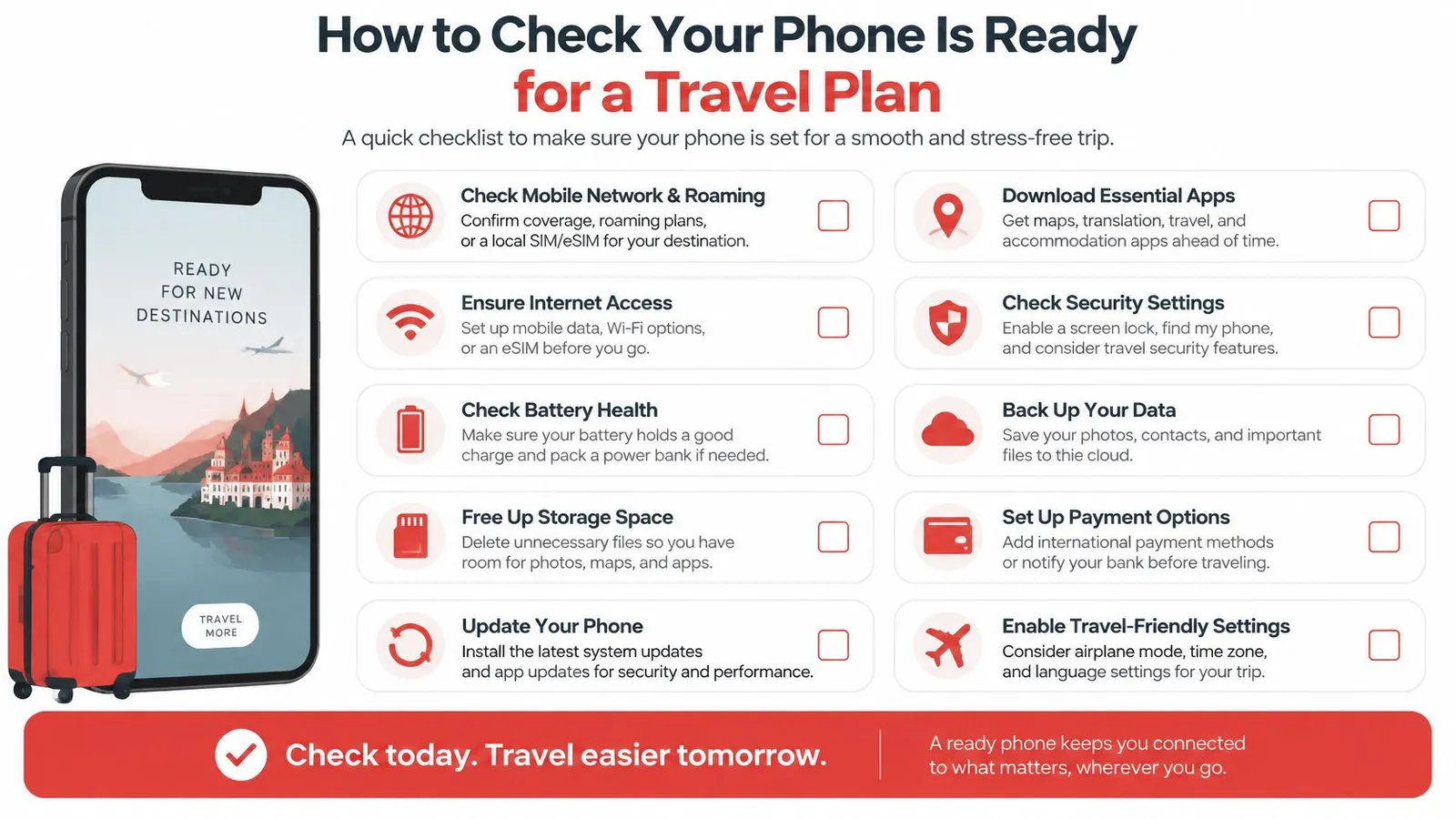
Phone compatibility comes before payment. In 2024, travel eSIMs accounted for approximately one-quarter of all consumer eSIM profile downloads, according to ABI Research, but popularity doesn't establish compatibility with a particular handset.
Complete the checks before buying
Confirm carrier status. The home carrier can confirm whether the handset accepts another provider's service. On an iPhone, the carrier-lock information appears under Settings, General, About; Android menus differ by manufacturer. A common mistake is confusing a paid-off phone with a phone confirmed to accept another provider's service.
Check the exact model's eSIM support. Look under Cellular, Mobile Data, or SIM Manager for an option such as Add eSIM. The compatible-device guide provides a useful starting point, but the model's purchase region also matters. A camera that scans QR codes doesn't itself establish eSIM support.
Match the handset to destination networks. Compare the phone's supported network technologies and bands with the plan's partner-network details. A cheap package offers little value if the handset can't register on the available network. Assuming that a familiar phone model has identical specifications everywhere is an avoidable slip.
Decide which home-line functions remain necessary. Banking texts, incoming calls, and account authentication may depend on the existing number. Confirm that the phone supports the intended simultaneous-line arrangement. Switching the home line off without considering authentication can leave a traveler unable to sign in.
Prepare an accessible installation backup. Save the purchase email and any manual installation details securely, with access from another device if possible. A QR-code screenshot stored only on the phone being configured may be awkward to scan, and installation codes shouldn't be shared publicly.
For broader departure preparation, HeyLocals pre-departure guidance can sit alongside the phone checklist, helping travelers organize practical arrangements before leaving.
The result should be a clear compatibility decision, not a hopeful purchase. Any uncertainty about device compatibility or supported service should be resolved while home-carrier support and reliable Wi-Fi are still available.
How Much Data Your Trip Really Needs
Approximate data use by activity
| Activity | Approximate data use |
|---|---|
| Messaging and email | Measure representative use, including attachments |
| Web browsing and social feeds | Check app usage after a normal browsing session |
| Music streaming | Use the app's selected audio-quality estimate |
| Video calls | Measure a test call at the intended quality |
| Standard video streaming | Check the streaming app's mobile-data setting |
| HD video streaming | Use the service's estimate for the selected resolution |
App settings provide a better estimate than a universal hourly figure. Autoplay, video resolution, attachments, and downloaded content can change consumption substantially, so the useful starting point is the phone's own per-app mobile-data record.
Turn ordinary use into a trip allowance
On iPhone, review Cellular or Mobile Data usage; on Android, search Settings for App Data Usage. Note the measurement period, then observe representative activity rather than treating an old billing-period total as a daily average.
For a hypothetical week in Thailand, a traveler could separate planned use into three groups:
- Essential mobile use: Maps, transport bookings, translation, and messages away from accommodation.
- Flexible mobile use: Social feeds, music, and casual browsing that can be reduced.
- Wi-Fi-first use: Film downloads, photo backups, software updates, and lengthy video meetings.
Suppose the traveler's own measurements suggest a modest allowance would cover essential use, but streaming would require the next available tier. The useful comparison is then between buying that larger tier and deliberately keeping streaming on Wi-Fi, not between unrelated headline prices.
For a remote worker, the calculation changes. Measured video-call consumption should be multiplied by the expected meeting schedule, with laptop use included rather than treated as free.
Compare the cost of usable data
In 2024, average mobile-roaming data cost $8.57 per gigabyte, compared with $5.50 per gigabyte for travel-eSIM users, according to Juniper Research. Those are reported averages, not current quotes or the price of a particular tier.
The guide to choosing the right plan can help match measured needs to available packages. The final allowance should include room for unexpected navigation, changed accommodation, or an unplanned work call.
A data tier should cover the trip's necessary use without depending on perfect Wi-Fi availability.
A package with generous data but insufficient validity is still the wrong package. Both the allowance and the expiry date must fit the itinerary.
Starting Prices for Common Country and Regional Plans
Starting prices for common RedSim plans
| Plan or destination | Starting price (as listed) | Plan type |
|---|---|---|
| Thailand | $2.06 | Country eSIM |
| Italy, UK, France, Greece, Germany | $2.19 each | Country eSIM |
| Spain | $1.79 | Country eSIM |
| Japan | $2.20 | Country eSIM |
| United States and Turkey | $2.69 each | Country eSIM |
| Mexico | $2.94 | Country eSIM |
| United Arab Emirates | $3.69 | Country eSIM |
| Asia regional, 1 GB for 7 days | $2.89 | Regional eSIM |
| Global, 1 GB for 7 days | $6.64 | Global eSIM |
A starting price tells you where the destination's smallest paid tier begins. It does not tell you whether that tier has enough data or enough days for your trip, so treat the table as a first filter. Once two or three suitable options remain, compare their data allowances, validity periods, and coverage through the plan price listings and at checkout.
Compare equivalent packages
The Asia regional and global rows offer a useful like-for-like comparison because each includes 1 GB for 7 days. The Asia regional plan starts at $2.89, while the global plan starts at $6.64. For a one-week route through Thailand, Vietnam, and Singapore, the regional plan covers the relevant area at a lower entry price. A global plan becomes more relevant when the itinerary crosses several regions or when future trips make broader coverage useful.
Country prices require more care because the smallest tier can differ by destination. Before comparing two country plans, place the same questions beside each one: how much data is included, how many days it lasts, and whether it covers every stop on the route. A weekend visit using hotel Wi-Fi has a different requirement from a month of navigation, messaging, and work calls.
Larger packages solve a different problem from entry-level tiers. RedSim lists a global 10 GB plan for 30 days at $38 and an Asia unlimited plan for 7 days at $25. The first suits longer multi-region travel with a defined allowance. The second suits heavier use inside Asia during a shorter trip.
Before selecting an unlimited package, read its fair-use conditions, speed restrictions, and tethering terms. The word unlimited describes the data allowance, yet it leaves open how quickly a work call or shared laptop connection will perform under the plan's conditions.
Reconcile listing differences before payment
Product listings can display different tiers and package combinations from a summary table. The Spain eSIM listing shows a starting price of $1.79, which is why Spain appears separately in the table above rather than in the $2.19 country group.

At checkout, identify four details before paying: destination, data allowance, validity period, and final amount. Those four details define the practical value of the purchase. A low entry price can cost more across the trip if the allowance runs out early and requires repeated additional purchases.
Buying standard: Choose the lowest total price that covers the whole route and expected usage.
Top-up availability also affects the calculation. RedSim allows top-ups on active eSIMs without issuing a new QR code, so a smaller first purchase can work when you are confident you can add data quickly. For example, a traveler on a one-week Thailand trip might begin with a modest tier for maps, messaging, and bookings, then top up if several days of tethering or video calls use more data than expected.
Keep the home line in the final comparison as well. The travel eSIM should carry mobile data while the home line remains available for calls and texts under settings that prevent it from using roaming data. That arrangement lets you price the trip's data separately instead of paying your home carrier's roaming rate for every gigabyte.
Sharing Data With a Laptop or Family
Tethering permission is a purchase requirement, not an assumption. A phone can have a functioning hotspot feature while the selected mobile plan restricts its use.
For a family, the practical question is also who carries the connected phone. A shared hotspot won't help a family member who takes a separate excursion or leaves the accommodation independently.
Set up sharing deliberately
Confirm the selected package permits tethering. Check the package terms, including any separate hotspot allowance or speed restriction. An unlimited phone-data label shouldn't be read as unlimited laptop sharing.
Enable Personal Hotspot or Mobile Hotspot on the connected handset. First confirm that mobile data is assigned to the travel profile. Otherwise, sharing can use the wrong line.
Set a strong hotspot password. Avoid an open connection or an easily guessed password. Turn the hotspot off after use so devices don't reconnect unnoticed.
Connect the laptop or tablet, then limit background activity. Mark the connection as metered where supported, pause cloud backups, and stop game or operating-system downloads. A laptop may treat the phone's Wi-Fi hotspot like an unrestricted home connection unless configured otherwise.
Plan for people, not just devices
A parent checking reservations and a child streaming video share the same allowance, even though their activities feel separate. Families should agree which activities belong on accommodation Wi-Fi and which need mobile access.
For families coordinating transport, accommodation, and different arrival times, family travel support services from MyAirlinesTrip can complement that practical preparation. Connectivity still needs its own arrangement, especially when family members split up.
Business travelers should test the full working setup, including the laptop, meeting application, and headset. A phone displaying a strong signal doesn't establish that a video meeting will remain stable.
Crowded networks, indoor reception, and hotspot battery drain can all affect working conditions. A charged power bank and an alternative Wi-Fi location provide more useful backup than buying extra data alone.
Stop Surprise Charges Without Losing Your Number
A common mistake is leaving home-line data roaming enabled while assuming the new travel package handles everything. Background traffic can then use the home carrier if the phone's data selection or switching settings allow it.
The safer arrangement separates the two lines' jobs. The travel profile handles mobile internet, while the home line remains available only for functions the traveler has deliberately retained.
| Setting | Risky arrangement | Controlled dual-SIM arrangement |
|---|---|---|
| Mobile-data selection | Home line still selected | Travel line selected |
| Home-line data roaming | Enabled | Disabled |
| Automatic data switching | Allowed without review | Disabled where available |
| Home-number access | Assumed unnecessary | Retained when needed for authentication |
| Cellular calls | Answered without checking rates | Used only with understood charges |
Data protection isn't complete roaming protection
The FCC's international roaming guide explains that charges can apply separately to voice, voicemail, SMS, and internet access, and may appear after an additional billing cycle. Disabling home-line data roaming therefore doesn't make every remaining home-line activity free.
Keeping the line registered may help preserve access to bank texts, but authentication-message delivery and charges depend on the carrier and service. Calls, outgoing texts, voicemail retrieval, and call forwarding require their own checks.
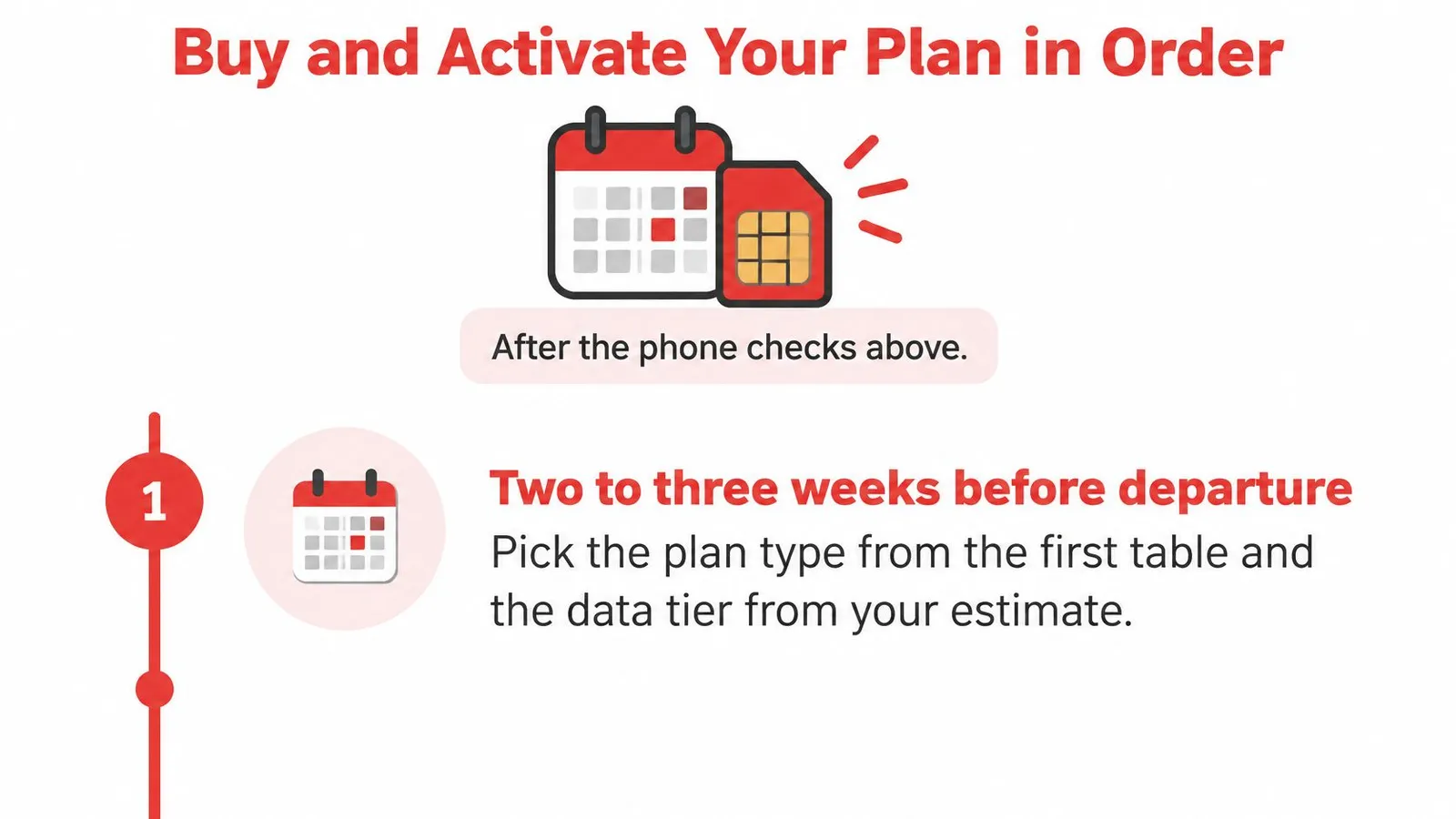
The following timeline graphic provides a planning reminder before the final settings review.
Review the switches that affect the bill
- Automatic cellular-data switching: Disable any option that permits the phone to move mobile data back to the home line.
- Incoming calls: Confirm the applicable rate before answering. A familiar caller ID doesn't establish domestic pricing.
- Voicemail and forwarding: Review how unanswered calls are handled abroad. If voicemail isn't needed, arrange any changes before departure.
- Wi-Fi calling: Check the home carrier's overseas billing rules before relying on it. App-based calls over the travel connection are a separate option.
- Downloads and backups: Pause automatic app updates, photo uploads, and large file synchronization on mobile data.
- Usage warnings: Enable an early allowance warning and a later top-up reminder wherever the app or handset supports them.
Provider usage tracking and handset counters serve different purposes. The provider view helps show package consumption, while the phone's per-app view helps identify which application used it; neither should be assumed perfectly instantaneous.
For a banking-code-only home line, the traveler should avoid treating it as a general calling line merely because it remains active. If strict protection from every possible home-carrier roaming charge is necessary, carrier-level restrictions may be needed, with possible consequences for calls or authentication.
The cheapest advertised data plan can still produce the more expensive trip if the phone uses the wrong line. Good configuration protects the budget in a way that a low package price cannot.
Buy and Activate Your Plan in Order
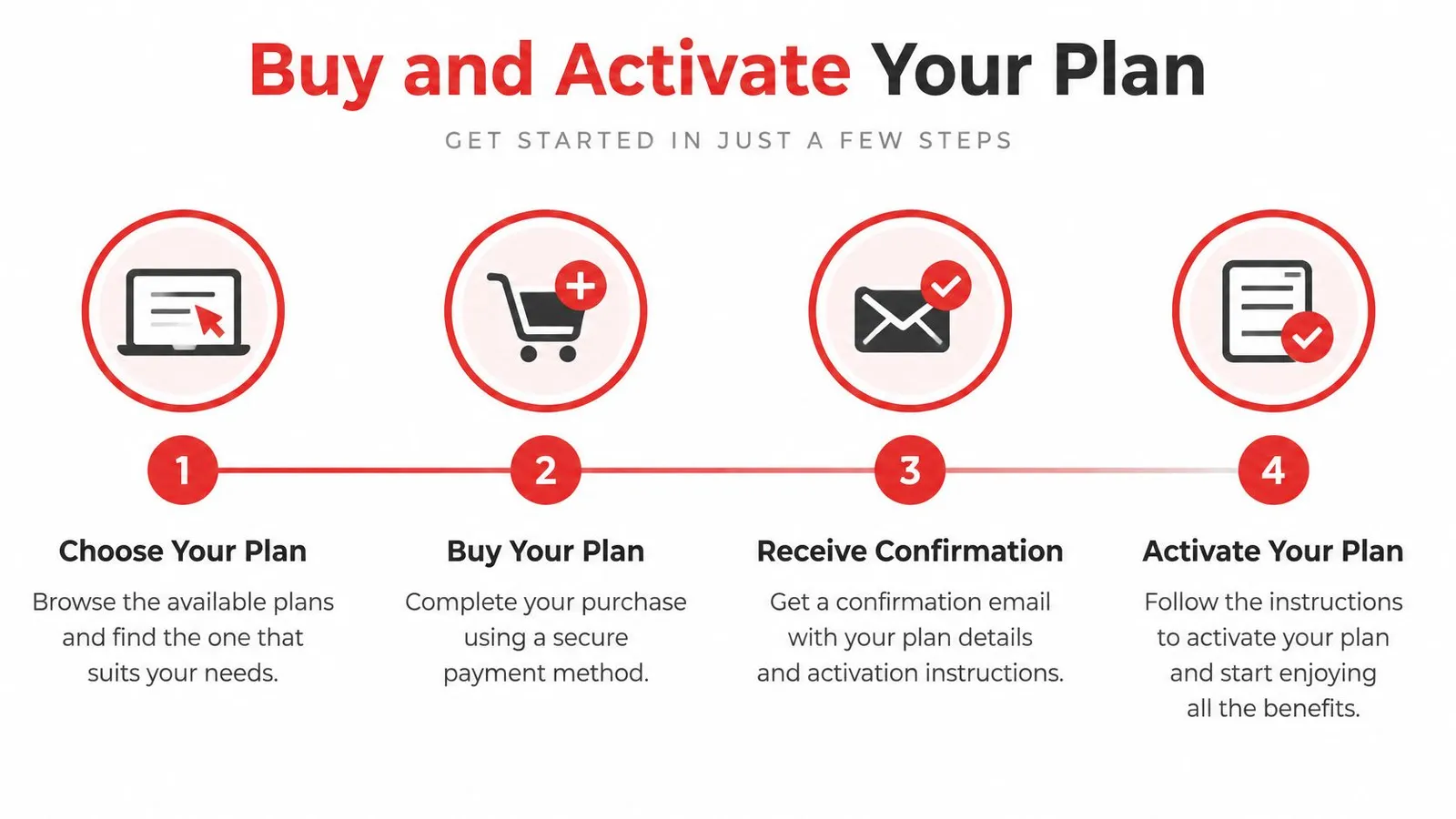
After compatibility and billing decisions are settled, purchase and setup should follow a deliberate sequence. Installation and activation aren't necessarily the same event, so the package's start rule matters.
Follow the purchase-to-arrival sequence
Before departure, finalize the route and allowance. Select the coverage area from the actual overnight stops and any transit destinations where mobile service is needed. Choose an allowance from expected activity, rather than buying whichever package appears first.
At purchase, review validity and refund eligibility. Confirm the expiry rules, activation deadline, and selected data tier before payment. RedSim offers full refunds for unused, unactivated eSIMs, so eligibility should be checked before installation or activation changes the purchase's status.
Install with reliable Wi-Fi available. Follow the setup instructions, using the supplied QR code, supported app installation, or manual details. Read whether validity begins at installation or first eligible network connection, and avoid deleting the profile as a troubleshooting shortcut.
On arrival, enable the travel service and test it. Apply the planned line settings, enable roaming on the travel profile if its instructions require it, and open a small webpage with Wi-Fi disconnected. If service fails, check the selected network and any supplied access-point settings before changing unrelated options.
During the trip, monitor and adjust. Check remaining data before long journeys, remote excursions, or work sessions. Active packages can be topped up without a new QR code, subject to the available options for that plan.
Keep device changes separate from travel setup
A repair or replacement phone can complicate a carefully prepared departure. Travelers facing that situation can consult eSIM transfer support from Phone Repair Direct before assuming an installed profile will move automatically.
The final decision is simple: purchase coverage for the complete route, install while reliable help is available, and activate according to the package's start conditions.
RedSim offers country, regional, and global travel-data plans for 200+ destinations, with 1-click installation and 24/7 support. Visit RedSim to compare coverage and data allowances for the planned itinerary, then pair the chosen package with a home-line setup that keeps essential number access under control.

 Morocco
 Greece

 Germany