

Mobile internet accounted for 93.09% of Morocco's internet subscriptions at the end of 2024, according to telecom regulator figures reported by Hespress. Travelers aren't entering a country where mobile connectivity is unusual. The key question is whether a particular travel eSIM can reach a useful network along the planned route.
The best eSIM for Morocco therefore isn't automatically the cheapest package or the one advertising the highest speed. A city break, an Atlas trekking itinerary, and a laptop-heavy extended stay need different buying decisions.
Quick Picks for the Best eSIM in Morocco
Choose by route first, trip length second, and data allowance third. A Morocco-only itinerary generally suits a country package. A cross-border journey calls for a package that explicitly includes every destination, while an extended stay with substantial downloads deserves a local prepaid comparison.
Best eSIM options for Morocco at a glance
| Option | Best for | Starting price | Data and validity |
|---|---|---|---|
| Morocco country eSIM | Single-country trips, cities and coast | From $2.60 | 1 GB for 7 days costs $3.39; available validity runs from 1 to 30 days |
| Global eSIM | Trips that cross borders | From $6.15 | 1 GB for 7 days costs $6.15; available validity runs from 7 to 60 days |
| Local Moroccan prepaid SIM | Long stays and heavy data | Shop-priced tourist packs | Choose a registered prepaid bundle sized for the stay |
The starting price and the example package aren't necessarily the same offer. Travelers should match the checkout allowance and expiry date to the actual journey rather than treating the lowest displayed price as a complete holiday package.
Morocco recorded 17.4 million tourist arrivals in 2024, according to the Moroccan government. For visitors arriving with transport bookings, accommodation messages, and navigation to manage, installation reliability matters more than a small saving on an unsuitable package.
What makes each option worthwhile
A country package avoids paying for geographical coverage that the traveler won't use. It's the sensible starting point for Marrakech, Fes, Casablanca, or a coastal itinerary, provided its partner network serves the route.
A global package makes sense when its destination list matches the whole journey. “Global” isn't a promise that every country is included, and geographical neighbors don't necessarily share the same regional package.
RedSim also offers regional plans across Africa, Asia, the Caribbean, Europe, Europe+, the Middle East, North America, Oceania, and South America. Its plan comparison page helps distinguish country, regional, and worldwide options before purchase.
Buying rule: Extra destinations are useful only when the itinerary includes them. Network access and usable data should come before a longer coverage list.
A local prepaid SIM remains the alternative worth pricing for sustained use. Convenience has value, but it doesn't make a travel eSIM the cheapest answer for every stay.
eSIM Versus a Local SIM for Morocco
A traveler spending a week visiting city sights has different priorities from someone renting an apartment and working remotely for a month. The first needs a working connection on arrival. The second needs affordable capacity and possibly a Moroccan phone number.
An eSIM removes the physical-card purchase from the arrival routine. Installation can happen before departure, although installation and activation aren't always the same event. The package's activation trigger must be checked before enabling it early.
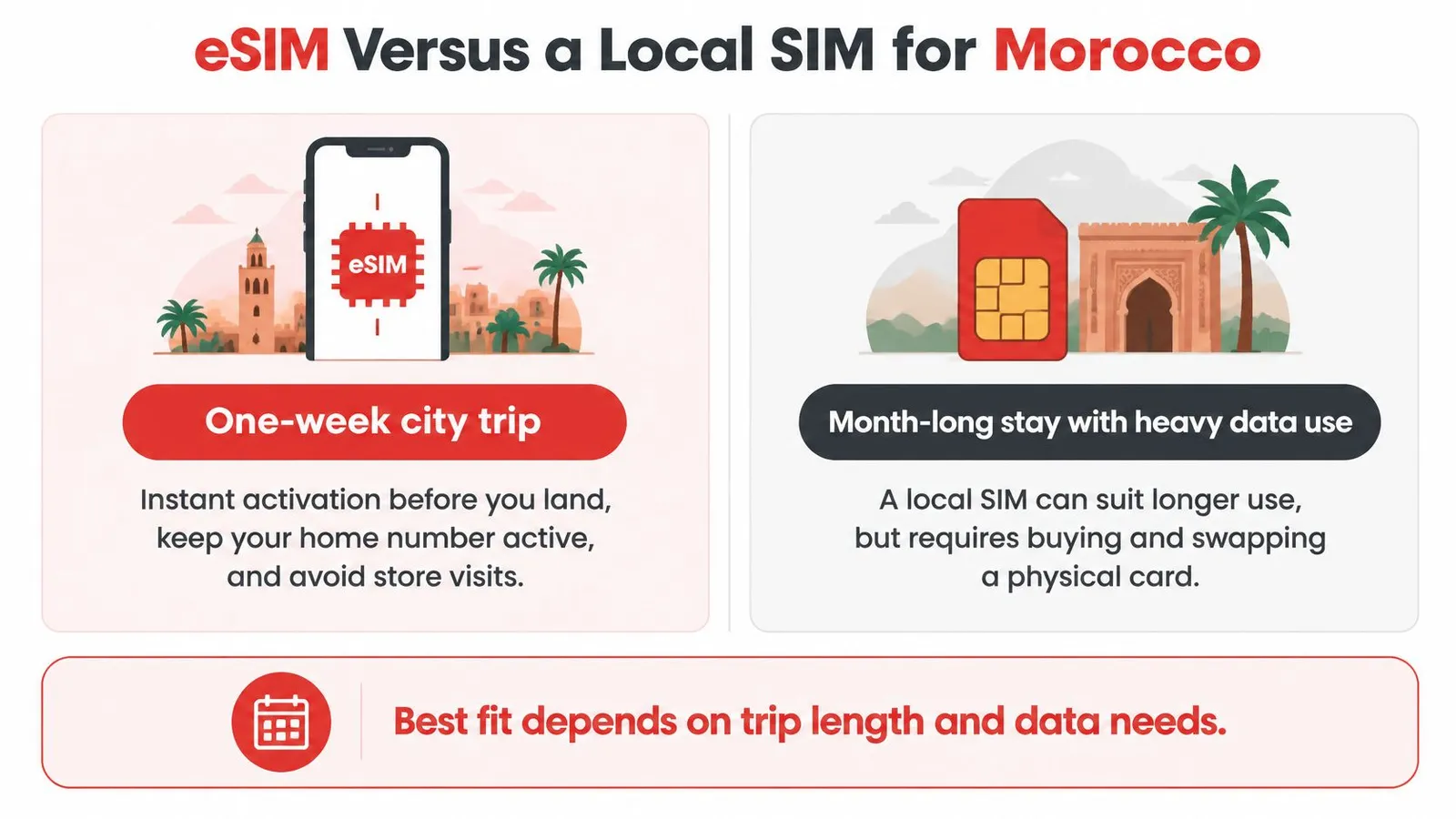
eSIM versus local Moroccan SIM
| Factor | Travel eSIM | Local Moroccan SIM |
|---|---|---|
| Setup | QR delivery and installation before arrival | Passport needed for shop registration |
| Phone number | Home number can remain on a separate active line | Moroccan number |
| Heavy-data cost | Compare the full allowance and top-up cost | Often more economical for substantial use |
| Best for | Short trips and quick arrival | Long stays and high data use |
Recent tourist-pack examples include 29 GB for 119 MAD and 50 GB for 199–200 MAD, according to Marrakist's Morocco SIM guide. These are useful local comparison points, not guaranteed prices at every airport counter or shop.
Compare the whole arrangement
A local SIM involves registration with official identification, typically a passport. Travelers should confirm the bundle allowance, expiry, and included calling services before leaving the counter, rather than accepting a verbal promise of “plenty of internet.”
Physical-card swapping can also affect access to the home line on phones without a suitable dual-SIM arrangement. An eSIM avoids that particular swap, but the phone still needs to support the intended combination of active lines.
The advertised network generation shouldn't decide the purchase. A reliable connection with an adequate allowance is more useful than a premium speed label that the phone or roaming agreement can't use.
For travelers unfamiliar with digital profiles, the explanation of how eSIMs work clarifies the difference between the installed profile and its data package.
The practical verdict is straightforward: short trips favor pre-arranged connectivity; longer stays with large transfers favor a serious local-price comparison. A Moroccan number can settle the decision when local services require ordinary calling rather than app-based communication.
How Much Data to Buy for Your Trip
Workload determines the allowance, not headline speed. Maps and messages create a different budget from laptop backups, video meetings, and streaming on a shared hotspot.
The sizing approach below separates light use from navigation and social media, then from work and shared-device use.
Data size by travel workload
| Your use | Suggested data | Watch out for |
|---|---|---|
| Light use, maps and messaging | 5 GB | Video calls and photo backup |
| Regular navigation and social media | 10 GB | HD video and automatic app updates |
| Remote work, hotspot or several devices | 20 GB or more | Laptop tethering and cloud sync |
| Family sharing one hotspot | Add each device's estimated requirement | Every connected device draws from the same allowance |
For performance context, Morocco's median mobile download speed reached 45.18 Mbps in early 2025, according to Ookla-derived figures in DataReportal's Digital 2025 Morocco report. Treat that as a national benchmark. A particular hotel room, mountain road, or roaming package may deliver considerably less.
Count the hidden devices
A quick worked example: each adult budgets 5 GB, and a shared tablet receives another 5 GB. The result is a 15 GB planning estimate before any reserve gets added.
The bigger problem is often an unattended laptop. Once connected to a hotspot, it may start synchronizing cloud folders or downloading updates as though it were on home broadband.
- Pause background transfers: Disable cellular photo backup and app-store updates.
- Meter the hotspot: Mark the connection as metered on the laptop where supported.
- Watch actual consumption: Use the app's usage display and the phone's per-app cellular counters.
Regional convenience has a price. The Africa eSIM is listed from $18.94 for 1 GB over 7 days, and travelers should confirm which countries the regional plan includes before assuming Morocco qualifies. A single-destination trip usually does better on a country-specific Morocco plan, which starts at $3.69.
The plan-sizing guide helps match allowances to activities. Connectivity also belongs in the wider budget for travel beyond airfare, alongside transfers and other arrival expenses.
A modest allowance with an available top-up suits uncertain use, since extra data can be added to an active eSIM without a new QR code. A work-critical itinerary needs enough headroom to avoid buying emergency data during a meeting, and anyone expecting heavy daily use should still weigh that total against local tourist-pack pricing before committing.
Which Networks Your eSIM Needs to Reach
Which Moroccan operator does the package use? That question matters more than the logo on the eSIM storefront.
Morocco's principal operators are Maroc Telecom, Orange Maroc, and inwi; commonly used LTE bands include 800 MHz B20, 1800 MHz B3, and 2600 MHz B7, while 5G uses 3.5 GHz n78, according to the eSIM Compatibility Checker's Morocco device guide. These details explain why apparently similar phones and packages can behave differently.
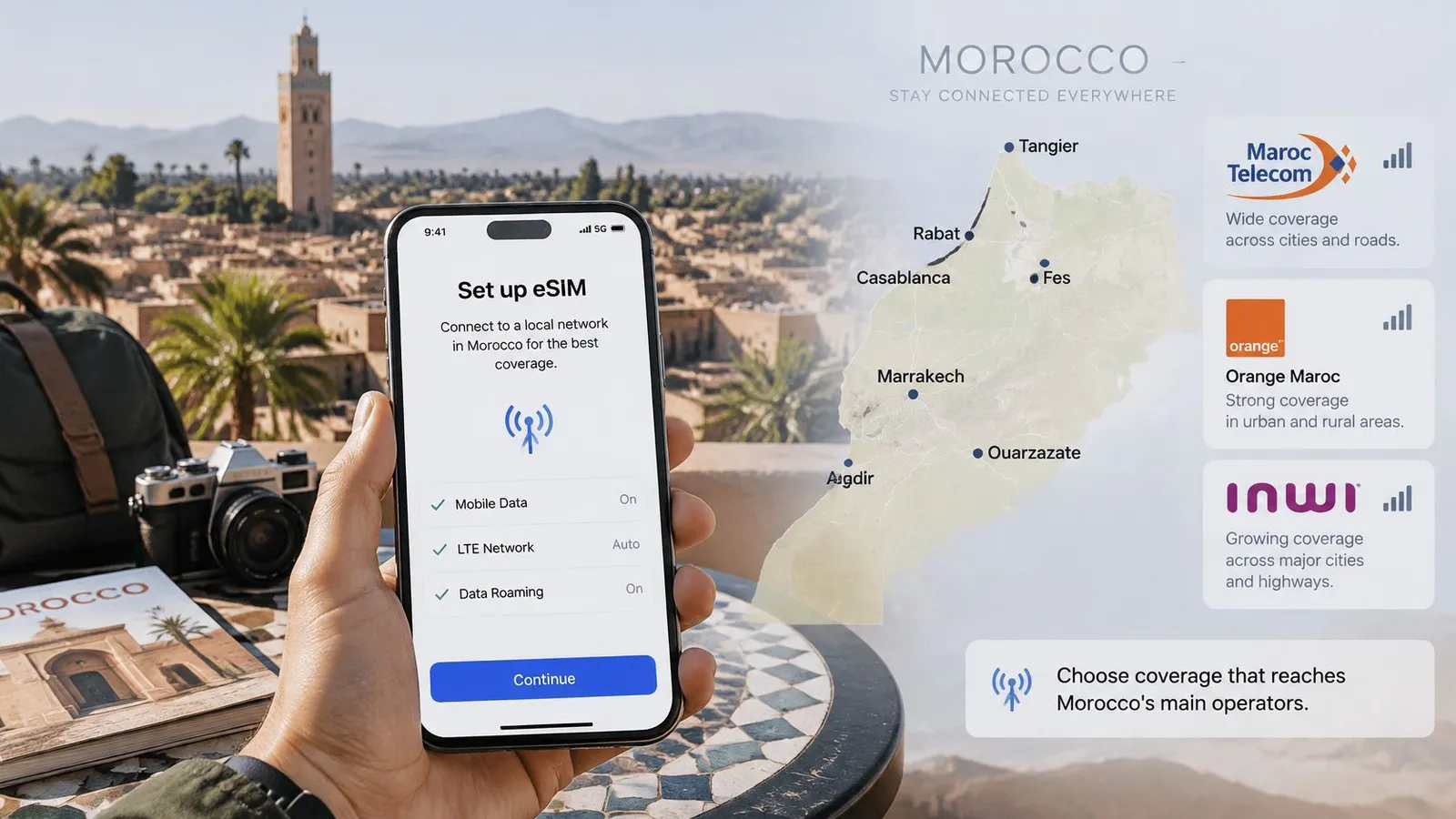
Lower-frequency LTE generally travels farther and penetrates buildings better. Higher-frequency LTE adds capacity where more people are connected, while a 5G connection also requires compatible hardware and an eligible roaming agreement.
Check the phone and the roaming agreement
The phone must be carrier-free, eSIM-compatible, and suitable for the local radio bands. A phone supporting the technology doesn't mean that the purchased package includes access to it.
Automatic network selection chooses among permitted partners. Manual selection can help when automatic attachment fails, but it cannot enable use of an operator excluded by the package.
A visible operator in the phone's network list isn't proof that the eSIM is allowed to use it.
Multiple permitted partners can improve resilience when coverage changes along a drive. They can't create service where no participating operator has a usable signal.
Coverage by route
| Route | Expected coverage | What to do |
|---|---|---|
| Marrakech to Essaouira | Generally steadier on the main tourist corridor | Confirm the package's partner coverage along the drive |
| Fes to Chefchaouen | Generally steadier around established destinations | Check road sections, not only city centers |
| Atlas Mountains trekking | Less consistent | Download offline maps before the trek |
| Merzouga and remote desert legs | Less consistent beyond settled areas | Save navigation and accommodation details offline |
| Dakhla and outlying journeys | Confirm the exact route rather than assuming urban service extends outward | Check partner coverage before departure |
These are planning expectations, not route guarantees. eSIMrat's Morocco coverage discussion highlights the difference between established urban connectivity and less consistent mountain or Saharan coverage.
A town-center speed test won't establish reception inside a valley or at a remote camp. For work-dependent journeys, the accommodation should confirm its own connection arrangements, and important calls should be scheduled away from uncertain road legs.
Hotspot, Calls and Two-Factor Codes Explained
A data-only eSIM doesn't automatically include ordinary calls or SMS. Internet calling through an app uses data; dialing a telephone number through the phone's normal calling service requires a suitable voice line or calling product.
The package description should explicitly identify any included calling or texting service. A data allowance alone isn't evidence that either is included.
Keep the right line available
The home SIM can remain active for calls and incoming texts if the handset supports the arrangement. Travelers should check their home carrier's roaming terms, because keeping a line active doesn't make its chargeable services free.
Banking and email services may send authentication codes to the home number. Before departure, travelers should test available authenticator apps, save recovery codes securely, and confirm how important accounts handle overseas logins.
- Ordinary calls: Use the active voice line and understand its roaming charges.
- Texted login codes: Keep the receiving number available or arrange another supported authentication method.
- App calls: Use the travel data connection, subject to the app and connection working normally.
This distinction prevents a common misunderstanding: preserving a home number doesn't transfer it onto the travel data package.
Sharing the connection
RedSim supports hotspot sharing with laptops, tablets, and other phones. The connected devices consume the purchased allowance, so a shared connection needs a group budget rather than a phone-only estimate.
A hotspot also makes the host phone responsible for everyone's connection. Its battery, location, and availability matter, especially when family members separate during the day.
Home-line data roaming should remain off, and automatic cellular-data switching should be disabled where available. Otherwise, a phone may fall back to the wrong line when travel data becomes unavailable.
Before a work session or shared journey, the phone's cellular settings should show the travel profile as the selected data line. That check is more useful than assuming the most recently installed profile took priority.
How to Install Your eSIM Before You Land
Installation works best on a dependable connection before departure. Airport Wi-Fi is a poor place to discover that the email is inaccessible, the phone is locked, or the package instructions weren't saved.
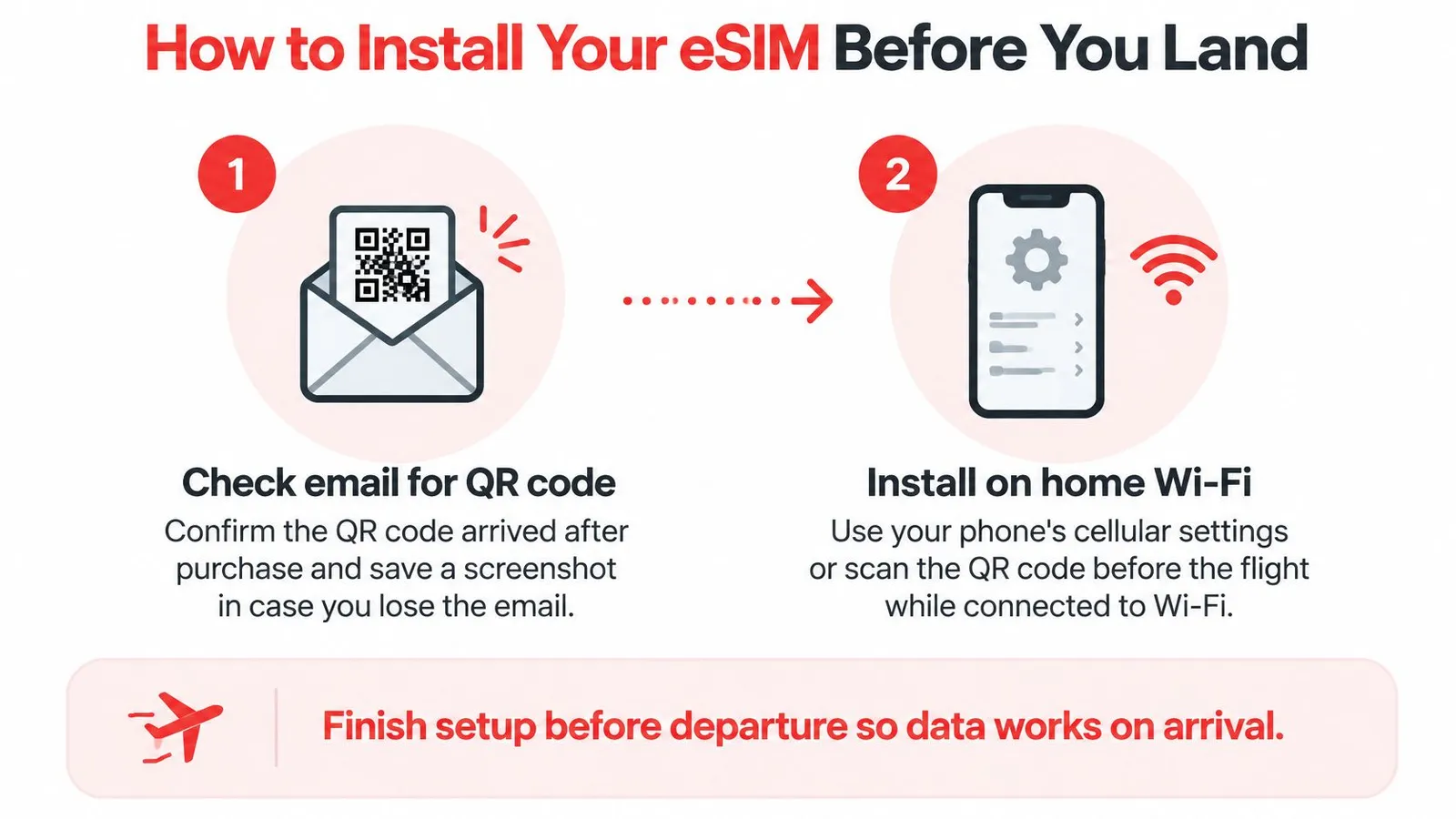
Prepare the profile
Find the purchase email and save the instructions. Keep the QR code accessible offline and private, since it contains installation credentials. When the code is on the same phone, use a supported in-app installation option or display it on another screen.
Install over home Wi-Fi. Use the phone's cellular settings or the app's installation workflow on a compatible device. Check the activation trigger first so an early installation doesn't unintentionally start the package's validity.
Give the line a recognizable label. A name such as “Morocco data” makes later settings easier to verify. Leaving both lines with similar default names increases the chance of changing the wrong one.
Select the travel profile for cellular data. Keep the home line selected for voice only when that matches the traveler's calling and authentication needs. Turn off automatic data switching so the home line isn't used as an unnoticed fallback.
Connect after arrival
Enable roaming on the travel profile when instructed. Travel eSIMs commonly need this because they connect through roaming partners. Enabling the profile without enabling its required roaming setting can leave the phone registered but unable to load anything.
Start with automatic network selection. Allow the phone to attach to a permitted partner. Manual selection is a troubleshooting step, not a way to gain access to every operator listed on screen.
Test a useful task before leaving the airport. Load a fresh web page and search for the accommodation in a map app. A signal indicator alone doesn't prove that data is passing.
The installation help guide is useful to save alongside the purchase email. Menu names differ between iPhone and Android models, so the correct profile matters more than matching every label word for word.
Departure check: An installed profile, saved instructions, and a known activation trigger prevent more trouble than an airport speed test.
A working connection should show cellular service and load fresh content without Wi-Fi. If it doesn't, keep the installed profile in place while troubleshooting rather than immediately deleting it.
Fixing Slow Data and Dropped Signal
No usable connection after landing doesn't necessarily mean the eSIM is defective. First, confirm that the intended profile is enabled, selected for data, and configured according to its roaming instructions.
If those settings are correct, refresh the connection in a controlled order. Repeatedly changing several settings makes it harder to identify what solved the problem.
Refresh network registration
- Toggle airplane mode: Turn it on, then off, allowing the phone to register again.
- Restart the handset: This can clear a stalled connection without removing the profile.
- Select a permitted partner manually: Choose only an operator identified for the package, then test fresh content again.
A rejected network selection often means that the operator isn't available under the roaming agreement. Cycling through every visible network won't overcome that restriction.
Slow service needs a different diagnosis from absent service. A connected phone may have weak reception, a busy local network, a depleted allowance, or background transfers competing with the foreground app.
Separate allowance problems from signal problems
Check the package balance and the phone's usage list before buying more data. Move away from an interior room or obstructed location if reception is weak, and pause large transfers before testing ordinary browsing.
The slow-data troubleshooting guide provides a focused checklist. An exhausted eligible package can be topped up on the active profile without installing another QR code.
A support message should include the phone model, location, selected operator, and screenshots of the relevant settings, with sensitive details hidden. Round-the-clock WhatsApp and email support is available, and unused, unactivated profiles are refundable in full.
Network refreshes and settings checks are handset tasks. Repeated registration rejection, an activation error, or a purchased package missing from the account needs support rather than more random changes.
Pick Your Morocco Plan Before You Fly
Buy the package that fits the route, not the package with the most impressive label. A Morocco-only holiday normally calls for country coverage. A journey continuing elsewhere needs explicit destination inclusion, while a long stay with substantial transfers deserves local prepaid pricing.
The Morocco eSIM lists Orange as its network and offers prepaid travel data with instant QR delivery. That's a specific partner disclosure, not evidence of access to every Moroccan operator.
Complete the purchase checks
- Device readiness: Confirm eSIM support and carrier compatibility for the exact handset.
- Route suitability: Check the named partner against overnight stops, road journeys, and remote excursions.
- Allowance fit: Include laptop use, shared devices, uploads, and a sensible reserve.
- Communication needs: Establish whether ordinary calls, SMS, or a Moroccan number are necessary.
- Arrival readiness: Save installation instructions and finish the permitted preparation before departure.
For a first international journey, MaxiJournal's travel planning guide for first-time adventurers places connectivity alongside the rest of the departure arrangements. Mobile service is most useful when booking details and essential navigation also remain accessible offline.
The final decision shouldn't require comparing every travel eSIM brand. A clearly disclosed partner, suitable allowance, understandable expiry, and workable support process are stronger buying criteria than an unsupported “best overall” badge.
A city visitor can prioritize arrival convenience. A driver heading into remote terrain should prioritize route-specific access and offline preparation, while a long-stay remote worker should compare the total cost of sustained use.
RedSim offers country, regional, and global travel data packages with digital installation and active-profile top-ups. Visit RedSim to choose coverage for the planned Morocco itinerary, confirm the package details, and prepare the connection before departure.
 Greece

 Germany

 Japan