 Egypt
Search for the best eSIM for Egypt and you'll get a wall of price-per-gigabyte tables. Almost none of them answer the question that decides whether you're online when the wheels touch down: which Egyptian networks does the plan reach, and will your phone accept it?
Take two travelers on the same flight. One buys the cheapest small plan, tries to install it in the arrivals hall, and finds the phone is carrier-locked. The other pays a little more for a plan that roams across Egyptian operators, installs it at home on Wi-Fi, and sets it as the default data line before boarding. Same destination, same week, completely different trip.
This guide works through the three factors that settle the outcome: network access, install timing, and whether you need an Egyptian phone number. Data size and price come after those, and they're far easier to judge once the first three are decided.
Quick Picks for the Best eSIM in Egypt
Trying to choose before you fly? Start with the job your connection needs to do, then match it to the simplest setup.
| Option | Best for | Starting cost | Setup |
|---|---|---|---|
| RedSim Egypt eSIM | Egypt-only data use | From $3.19 for the smallest tier | QR code delivery, usable on compatible unlocked phones |
| RedSim Middle East or Global eSIM | Trips that continue beyond Egypt | Middle East from $6.16 | QR code delivery, regional or global coverage |
| Local SIM from Vodafone or Orange | Long stays that need an Egyptian number | Set by the operator at the branch | Branch visit with passport and paperwork |
| Home carrier roaming | Very short trips already covered by a roaming add-on | Your carrier's Egypt roaming rate | Usually no setup, but fees can be high |
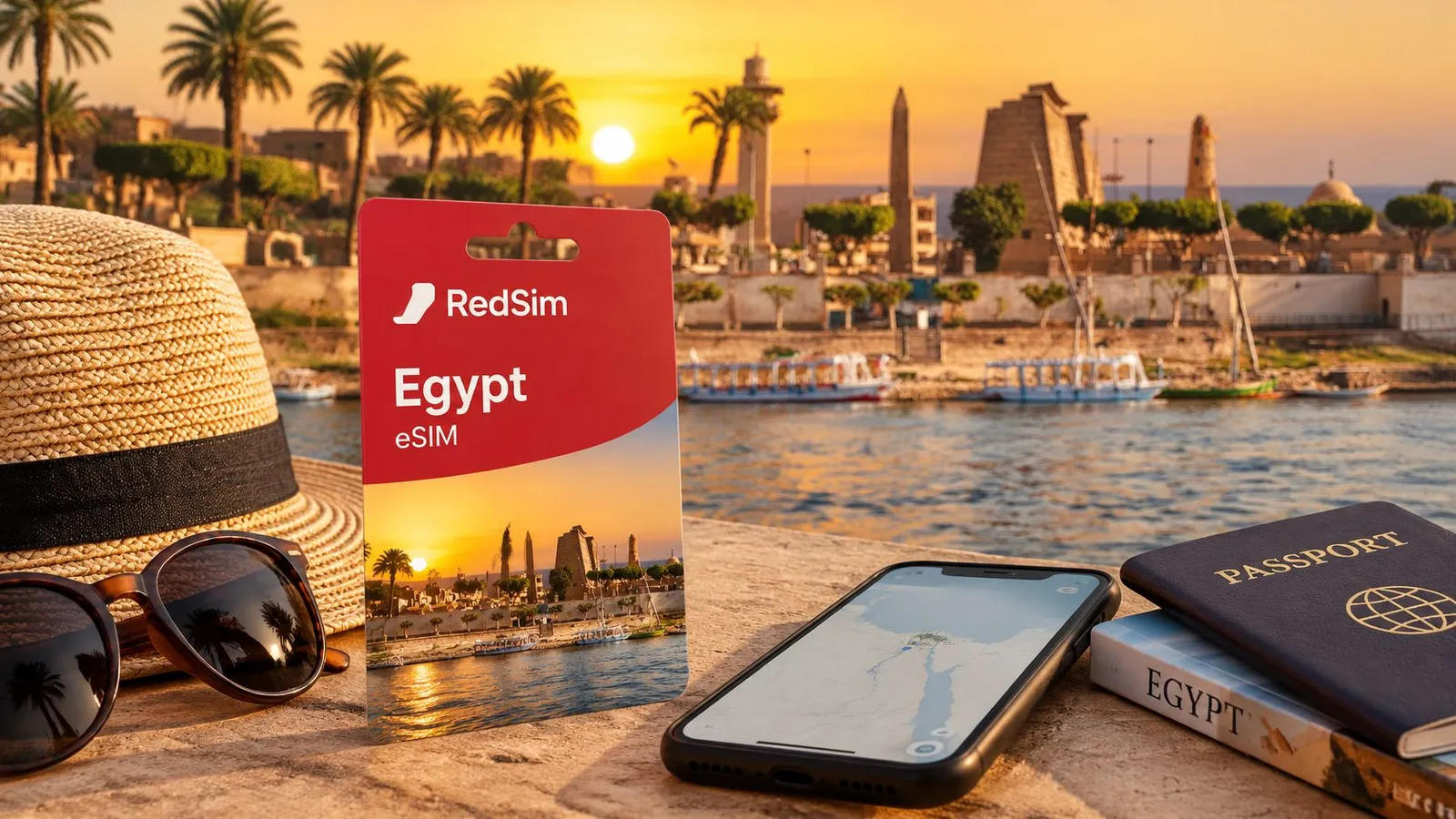
The short answer for most data-only travelers is the RedSim Egypt eSIM. It starts at $3.19 for the smallest data tier, which makes it a sensible first check if your phone is compatible and you do not need a local Egyptian number. Think of it as buying a small data key before the trip: you collect it by QR code, install it while you still have Wi-Fi, and avoid trying to sort out settings in arrivals.
For a wider route, choose coverage by geography rather than by price per gigabyte. RedSim's Middle East eSIM starts at $6.16 for 1 GB over 7 days, with larger choices including 5 GB for 30 days at $15.25, 10 GB for 30 days at $28.95, and unlimited data for 7 days at $40. Its Global eSIM fits travelers moving between regions, with plan durations up to 30 days. A route such as Cairo, Amman and Dubai is easier to manage with one regional or global plan than with separate purchases at every stop.
A local SIM has a different purpose. It can give you an Egyptian number, which matters if you are renting an apartment, arranging local services, or staying for an extended period. The trade-off is the branch visit and passport-based registration, plus the time spent getting the SIM working after arrival.
Home carrier roaming is the simplest option only when your existing plan already includes Egypt. Check the rate before you assume you are covered. Roaming charges can turn a few map searches and ride-hailing requests into a bill that would have paid for a dedicated data plan.
Practical rule: If your trip is Egypt-only and you need data rather than a local number, compare data size and validity on a data-only eSIM. The real decision is whether the plan reaches the networks you will use, whether you install it before landing, and whether your phone accepts eSIMs at all.
Which Egyptian Network Matters Most
| Operator | Connection time | Standout strength |
|---|---|---|
| WE | 97.7% | Fastest overall download at 26.2 Mbps |
| Orange | 97.3% | Second-highest connection time of the four |
| e& Egypt | 97.1% | Fastest 5G downloads at 77.2 Mbps |
| Vodafone | 96.6% | Led 5G availability and coverage experience |
The connection-time column comes from OpenSignal's March 2025 Egypt mobile network experience report, which measured the percentage of time users had a mobile connection at 97.7% for WE, 97.3% for Orange, 97.1% for e& Egypt and 96.6% for Vodafone over a 90-day window from November 2024 to January 2025.
Read that again. The gap between the best and worst operator is about one percentage point. Basic signal presence is close to universal across all four, which means the decision rarely comes down to "which network works in Egypt." They all do.
The differences that matter show up in speed and 5G. OpenSignal's September 2025 report found that WE recorded the fastest overall download experience at 26.2 Mbps, Vodafone led 5G availability and coverage experience, and e& Egypt recorded the fastest 5G downloads at 77.2 Mbps. Those are averages across a whole country, not a promise for your hotel room.
Why the fastest operator isn't automatically your pick
Connection presence is not the same as speed or indoor performance. Congestion, thick walls, basement restaurants, geography and backhaul capacity all move the number around, and no operator escapes that.
Now match the figures to the itinerary. A traveler moving between Cairo, Alexandria and the Red Sea resorts crosses dense urban cells, open coastal stretches and long intercity roads. On that route, coverage continuity beats peak speed every time. A plan that reaches multiple Egyptian networks and switches automatically will hold a signal where a single-network plan drops to nothing.
Egypt's four operators launched commercial 5G in June 2025, but a 5G handset only gains speed in locations the network covers. Choose a plan that falls back to LTE cleanly, leave automatic network selection on, and treat the "fastest network" label as a tiebreaker rather than the main criterion.
Check Your Phone Is Compatible First
Before any money changes hands, confirm the phone will accept a travel eSIM at all. Two failures cause most of the panic at arrivals: the handset has no eSIM support, or it's locked to a home carrier that refuses a foreign profile.
Run this checklist at home, in this order.
- Find your IMEI. Dial
*#06#and the number appears on screen. Write it down. Support teams ask for it when an install fails, and it takes thirty seconds to have ready. - Look for the eSIM menu. On iPhone, open Settings, then Cellular, and look for Add eSIM. On Android, the path varies by manufacturer, but Settings, then Network and Internet, then SIMs will get you close. If there is no eSIM entry anywhere, the phone only takes a physical SIM and a travel eSIM won't install.
- Confirm the phone is free of carrier restrictions. A carrier-locked handset can reject an eSIM from a different provider. Your carrier can confirm lock status, and most release it once a contract is paid off.
- Check 5G band support on the manufacturer's specification page if you care about speed. A 5G phone runs faster in covered city areas; 4G remains the everyday fallback and works everywhere.
- Confirm dual-SIM capability. Dual-SIM or dual-eSIM lets the home line stay active for incoming bank codes while the Egypt line carries data. That's the setup this guide assumes.
Phones sold in some regions ship with different eSIM rules, so confirm with the seller if the handset was bought secondhand or imported. A full list of supported handsets sits on the RedSim compatible devices page.
While you're handling documents and cards at the airport, a case with a slot for a physical ID keeps things in one place. Travelers who prefer that often pick up handcrafted leather card holder cases so their passport card and hotel key aren't buried in a bag.
How Much Data and How Long You Need
How much data will the phone use once you leave the hotel Wi-Fi? Sizing goes wrong in one direction almost every time: people buy too little. Heavy browsing is rarely the cause. App updates, photo sync and message backups keep running whether you are looking at the screen or not.
| Trip profile | Suggested data | Plan length | Why it fits |
|---|---|---|---|
| Light use: maps and messages | 1 to 3 GB | 7 days | Navigation and messaging only; tight for video calls |
| Typical trip: maps, rides and cloud sync | 5 GB | 7 to 14 days | Resilient to app updates and background sync |
| Heavy use: video calls and laptop hotspot | 10 GB or more | 14 to 30 days | Covers hotspot sharing for several devices |
| Long stay or work from Egypt | 10 GB or more | 30 days | Fewer top-ups and a stable monthly allowance |
Take the 3.4 GB figure from a ten-day trip. That total already includes your usual daily use plus a buffer, yet it still does not fit a tiny tier. One app update that starts on hotel Wi-Fi and falls back to mobile data can use several hundred megabytes before you notice. Buy 5 GB. The spare gigabytes are the margin that keeps maps and ride apps working through that surprise, not a prize for the lowest price per gigabyte.
Duration is the easier half. A short Cairo and Luxor visit fits a 7-day plan. A two-week route or a working stay belongs on a 30-day plan. Run out on day nine and navigation, messages and ride-hailing stop until you find Wi-Fi or add data. A few unused days at the end of a longer plan avoid that gap. Install the plan before you fly so it is ready on landing, instead of sorting connectivity after you arrive.
The one-step way to size your plan
Open your phone's data usage screen tonight, on home Wi-Fi, and read the daily average for the last month. Multiply that by your trip length, then add a buffer of about a third for maps, ride-hailing and photo uploads that you don't do at home.
If the number lands at 3.4 GB for a ten-day trip, buy 5 GB. If it lands at 8 GB, buy 10 GB or plan to top up.
Top-ups matter here. RedSim issues top-ups on an active eSIM without a new QR code, so starting with a smaller tier and adding data mid-trip is a workable strategy rather than a gamble. The guide to choosing the right plan walks through the tiers if you want a second opinion before checkout.
For a concrete starting point, the Egypt eSIM offers prepaid data plans from 1 to 30 days with instant QR delivery.
Travel eSIM or Local SIM for Egypt
A family of three flies into Cairo, takes the train to Luxor, and needs maps, messages and hotel bookings. Nobody needs to phone an Egyptian landline. For that family, a data-only eSIM solves the whole problem and a local SIM solves a problem they don't have.
That framing matters because most comparisons treat the two as cheap versus expensive versions of the same thing. They're different products with different jobs.
The local SIM route. Egypt's telecom regulator requires foreign customers buying a local SIM to visit an operator branch, present an original valid passport and residency document, and accept a line validity tied to the residency period; the rules also cap each foreign customer at five voice and five data lines per operator, according to the NTRA rules on mobile SIM sales to individuals. You get an Egyptian number, local calling and local SMS. You also get a queue, paperwork and a shop that may not be open when your flight lands.
The data-only eSIM route. Nothing to queue for. The home number stays in the phone for incoming bank and verification texts. What you give up is an Egyptian number, so any service that sends a code by local SMS, or any business that expects to call you back on a domestic line, won't work the same way.
Decision shortcut: If the answer to "do I need an Egyptian phone number?" is no, buy the eSIM. Everything else is detail.
Run these five questions before you choose.
- Will anyone call or text an Egyptian number to reach you? Hotels, drivers and tour operators sometimes do.
- Do any apps you rely on send SMS codes to a local number? Local ride-hailing and delivery apps are the usual culprits.
- Will you tether a laptop? Hotspot support decides this, not data size.
- Are you staying past 30 days? Longer stays tilt toward a local line, since plan lengths run out.
- Do you want your home number reachable? Dual-SIM keeps it live either way, and the explainer on what an eSIM is covers how the two lines coexist.
One more practical note for anyone paying as they go: a travel money card that avoids foreign transaction fees pairs well with a local data plan, and spending crypto abroad without markup explains how that works for nomads who top up in stablecoins.
How to Install Your Egypt eSIM Before Landing
The install that holds up is the one you finish at home, on Wi-Fi you already use, days before the flight. Doing it in the arrivals hall means trusting airport Wi-Fi you have never tested, while you are tired and holding a suitcase. Timing is the choice here. A cheap plan that never finishes installing is only a QR code stuck in an inbox.
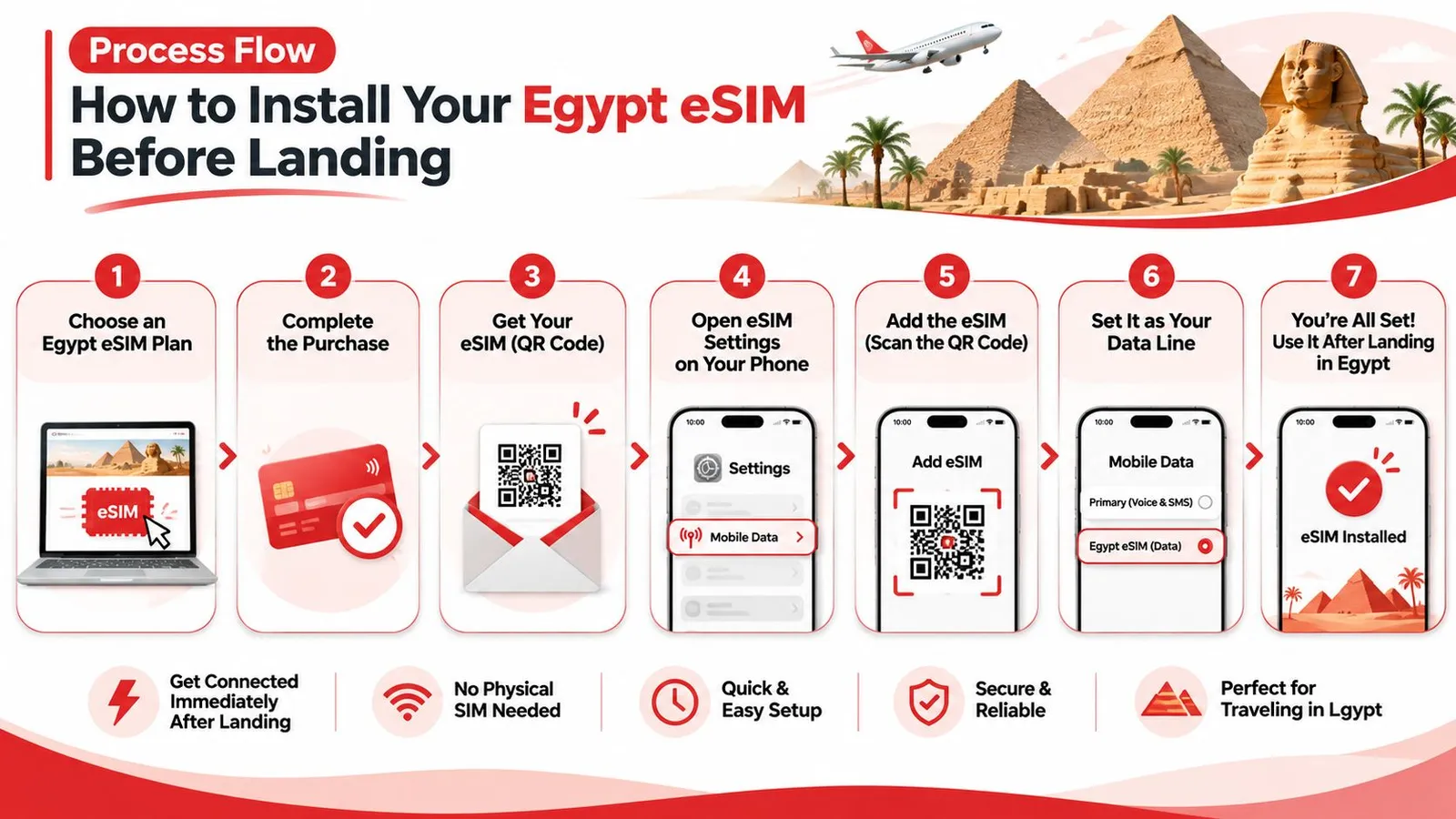
A travel eSIM works like a boarding pass you save before you leave the house. You can store it, name it, and leave it switched off. It does not use data until you turn that line on after you land.
Each step below exists because the next one fails when you skip it.
- Save the QR code to your photos. Screenshot the delivery email and keep the order confirmation. Email apps log out, and a QR code you cannot open is a QR code you cannot scan.
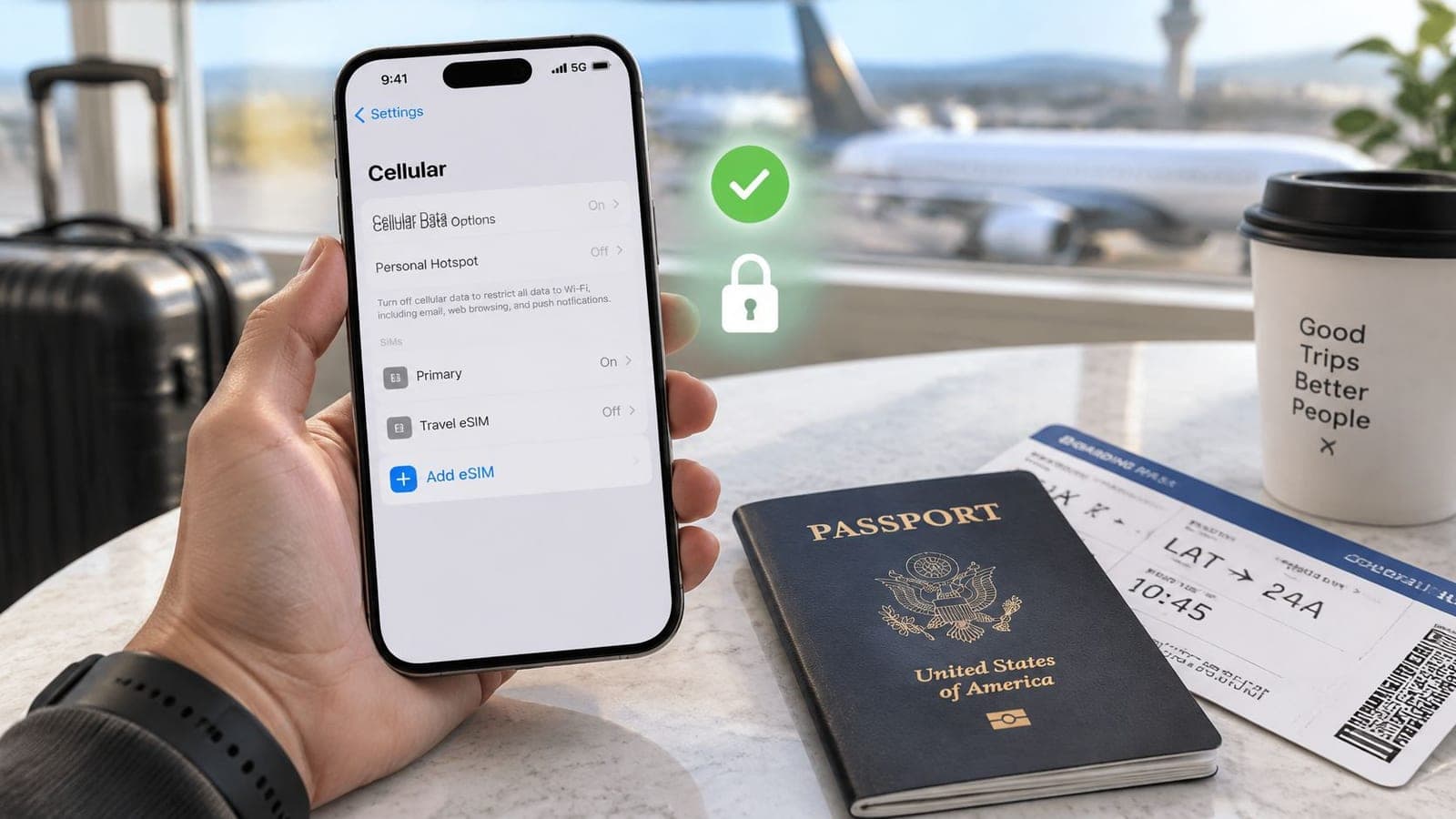
- Open Settings, then Cellular or Mobile, then Add eSIM. Choose the option to scan a QR code and point the camera at the screenshot. If the scan fails, use the manual activation address and code that came with the order.
- Name the new line "Egypt". Two lines both labeled Primary and Secondary is how traffic stays on the wrong line for days.
- Turn on data roaming for the Egypt line only. A travel eSIM reaches a local network by roaming, so roaming has to be on for that line. Switch data roaming off for your home line so ordinary app use does not fall back onto it.
- Set the Egypt line as the default data line. App traffic follows that one setting. Do it while you are still on home Wi-Fi and can see both lines clearly.
- Set network mode to 5G Auto, not 5G only. Locking the phone to 5G only makes it hunt for a signal that may not be there. The battery drains, and calls drop in places without 5G. Auto uses 5G where it exists and falls back where it does not.
- On arrival, switch the Egypt line on and test it. Load a web page in the browser, then open the app and watch usage appear. Three signs mean you are done: bars on the Egypt line, a page that loads in a couple of seconds, and usage ticking up.
Leave the line installed and off until you are on the ground. If one of those three signs is missing, the setup walkthrough shows the fix for that stage.
Hotspot Sharing and Fixes for Common Problems
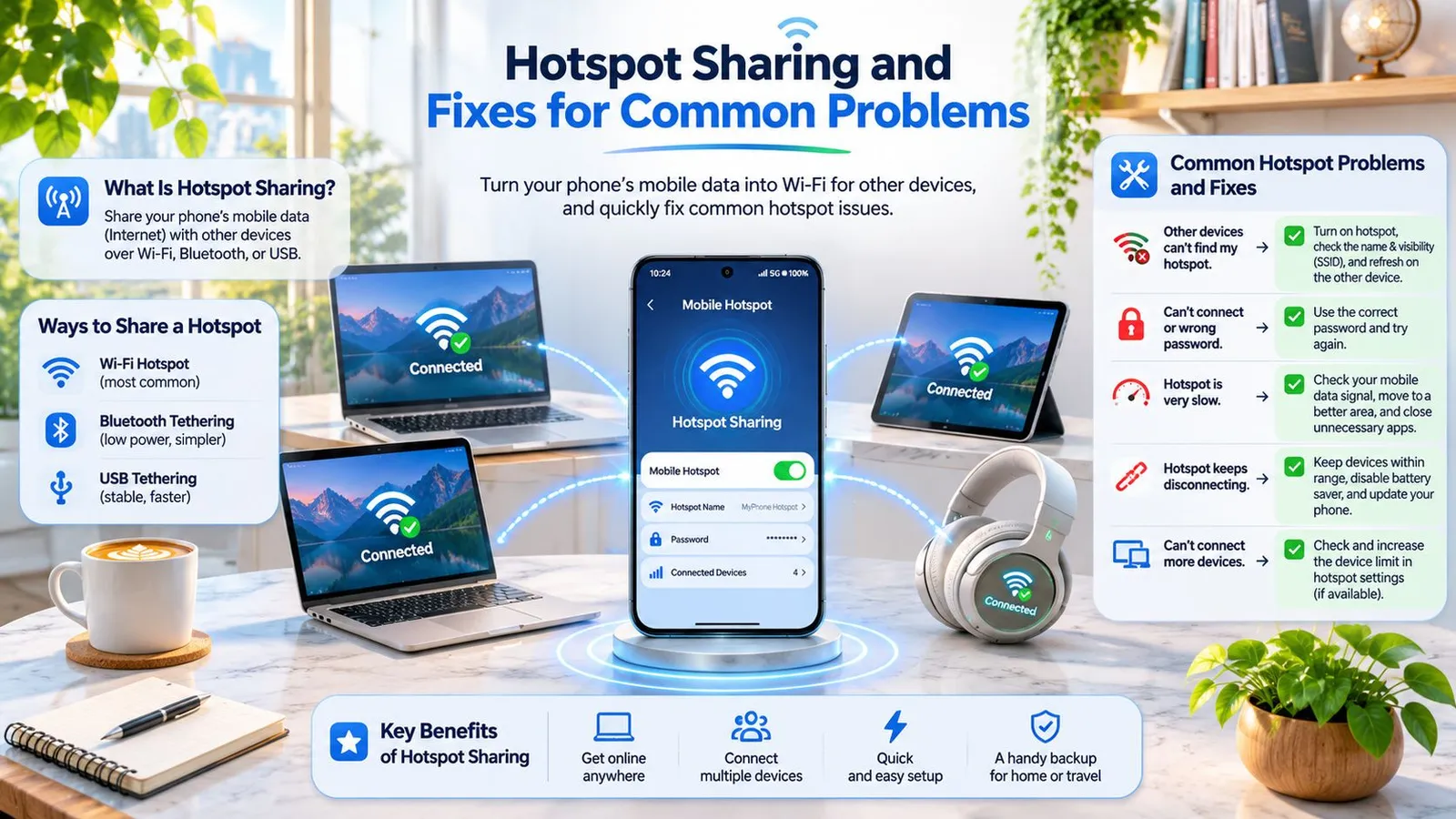
Once data loads on the Egypt line, turn on Personal Hotspot and you can share the connection with a laptop, a tablet or a partner's phone. Families and remote workers get the most from this, and it's the reason hotspot support belongs on your buying checklist rather than in the fine print.
Keep the number of connected devices low. Every device draws from the same allowance, and a laptop that starts a cloud backup can consume more in ten minutes than a phone does in a day. Two devices at a time is a sensible ceiling.
When something stops working
- No signal at all. Toggle airplane mode on and off, confirm automatic network selection is enabled, then move toward a window or outdoors. This fixes most cases in under a minute.
- Signal but no data. Check that data roaming is on for the Egypt line and that it's set as the default data line. Nine times out of ten this is the fault.
- Sudden slow speeds. Look at the network indicator. If the phone dropped to 4G in a busy area, that's congestion, not a broken plan. Disconnect extra hotspot devices and retest.
- Data running low. Check real-time usage in the app and top up. No new QR code is needed, and the plan keeps running.
- QR code already used or install fails. Contact 24/7 WhatsApp support with the order confirmation and the phone's IMEI. This one needs support, not a hotel-room fix.
Two things worth doing before you install: read the refund terms for unused eSIMs, since an unactivated plan is normally refundable and an activated one isn't, and save the support contact somewhere offline. The guide to fixing no signal after landing covers the arrival scenario step by step if you'd rather have it open on the plane.
Rule of thumb: if the problem appeared after a settings change, undo the change. If it appeared without one, it's coverage or congestion, and moving 50 metres usually settles it.
Final Checklist Before You Depart
Price per gigabyte is the easy comparison. The checks that decide whether you have data on landing are install timing and, if you need a local number, registration rules.
The QR can arrive the moment you pay. The line is on the phone only after you finish the install steps, on Wi-Fi, at home. Airport Wi-Fi is a poor place to discover a half-finished install.
Need an Egyptian number? Finish the branch paperwork before you leave. Residency documents are much harder to arrange mid-trip. Data-only travel skips that step.
Four actions, in order:
- Finish local SIM registration before you leave if you need an Egyptian number.
- Buy, then install at home on Wi-Fi, following the numbered steps rather than improvising at the airport.
- Store the QR code and order confirmation somewhere you can open without a data connection.
- Recheck current prices and tiers on the Egypt plan page before you pay, because plan prices change.
Regional plans sit alongside the Egypt options for anyone adding a second country, with nearby destinations starting at prices such as $2.95 for Bahrain, $2.27 for Israel, $3.26 for Jordan and $3.69 for Morocco.
RedSim Egypt plans run from 1 to 30 days, with 5G where the network supports it. The QR arrives instantly, and you still install it yourself before you board. Plans include hotspot sharing, real-time usage tracking in the app, 24/7 WhatsApp support, and full refunds on eSIMs you never activate. Compare the current Egypt tiers and pick your data size at RedSim.