
 Japan
Japan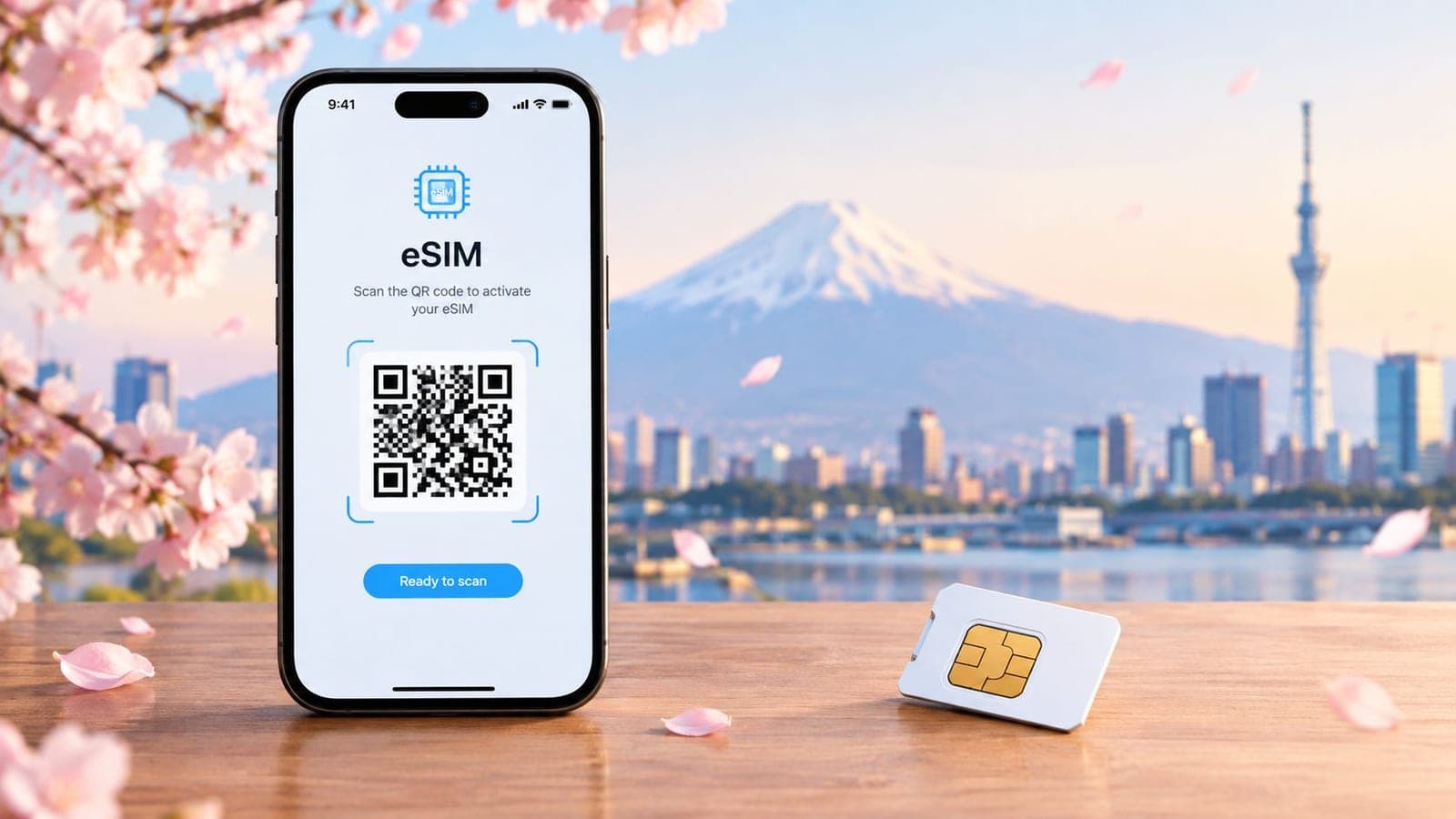
For most travelers, eSIM is the better sim card for Japan choice because Japan's mobile market is already highly mature, with 178.43244 mobile cellular subscriptions per 100 people in 2023, and that makes digital, flexible connectivity easy to fit into how the country works. Physical SIM still makes sense for older phones, locked devices, or trips where a local number matters more than setup speed.
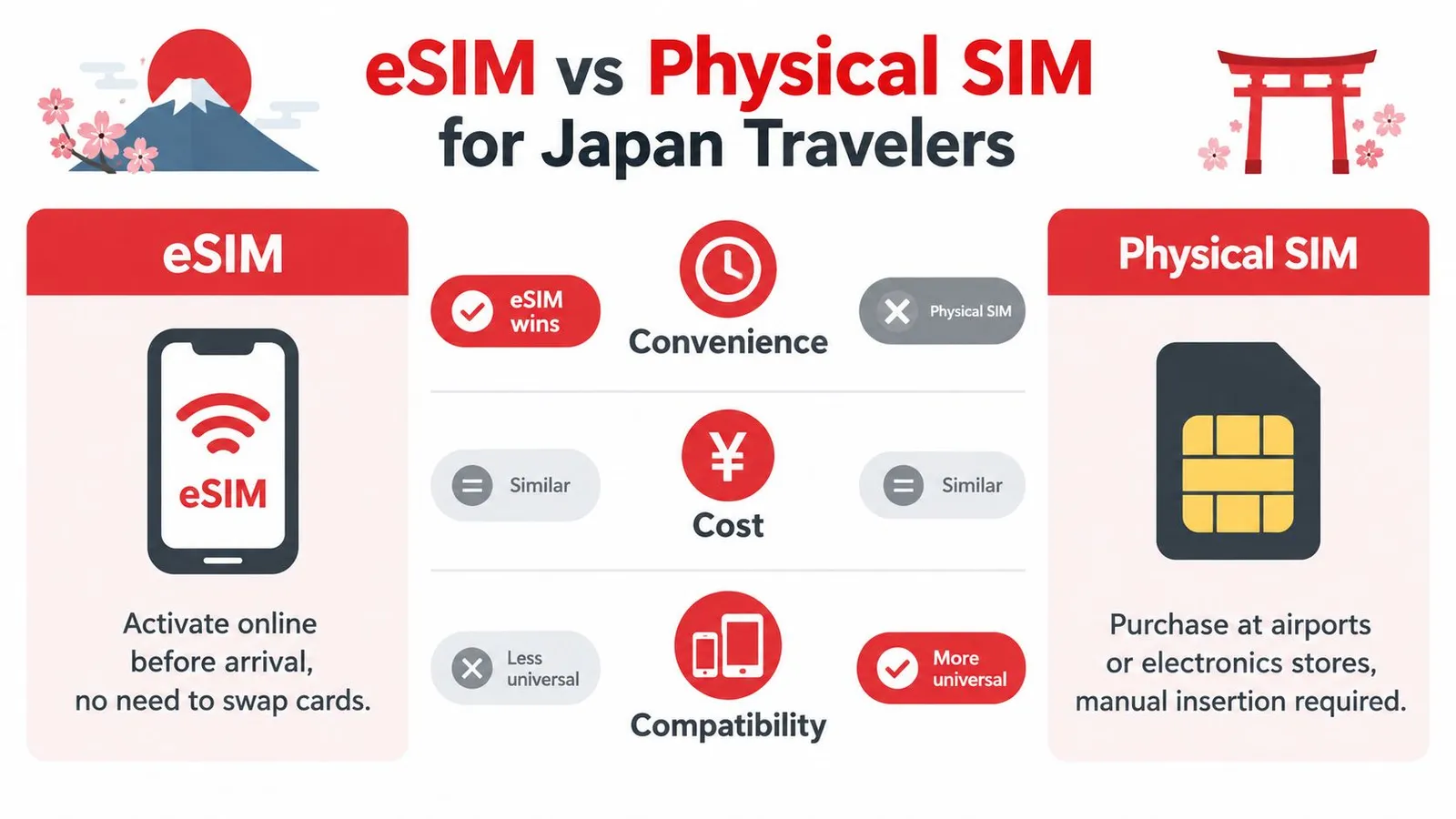
eSIM wins on convenience and cost predictability for compatible phones, while physical SIM can be the safer backup for older devices or travelers who need a local number for calls and SMS. That trade-off matters more in Japan than many visitors expect, because mobile data isn't just for checking messages. It's what keeps maps, train changes, digital tickets, translation apps, and hotel logistics moving without friction.
A lot of guides reduce the decision to eSIM versus pocket WiFi. That misses the more useful question. The right pick depends on carrier geography, device compatibility, 2026 ID verification for SIM and eSIM purchases, and whether a fixed-data plan will serve the trip better than an unlimited headline.
Why Your Japan Connectivity Choice Defines the Trip
A weak connection in Japan rarely feels like a minor inconvenience. It usually shows up at the exact wrong moment: after landing, inside a station maze, when a ticket app needs to refresh, or when a hotel sends check-in details that won't load.
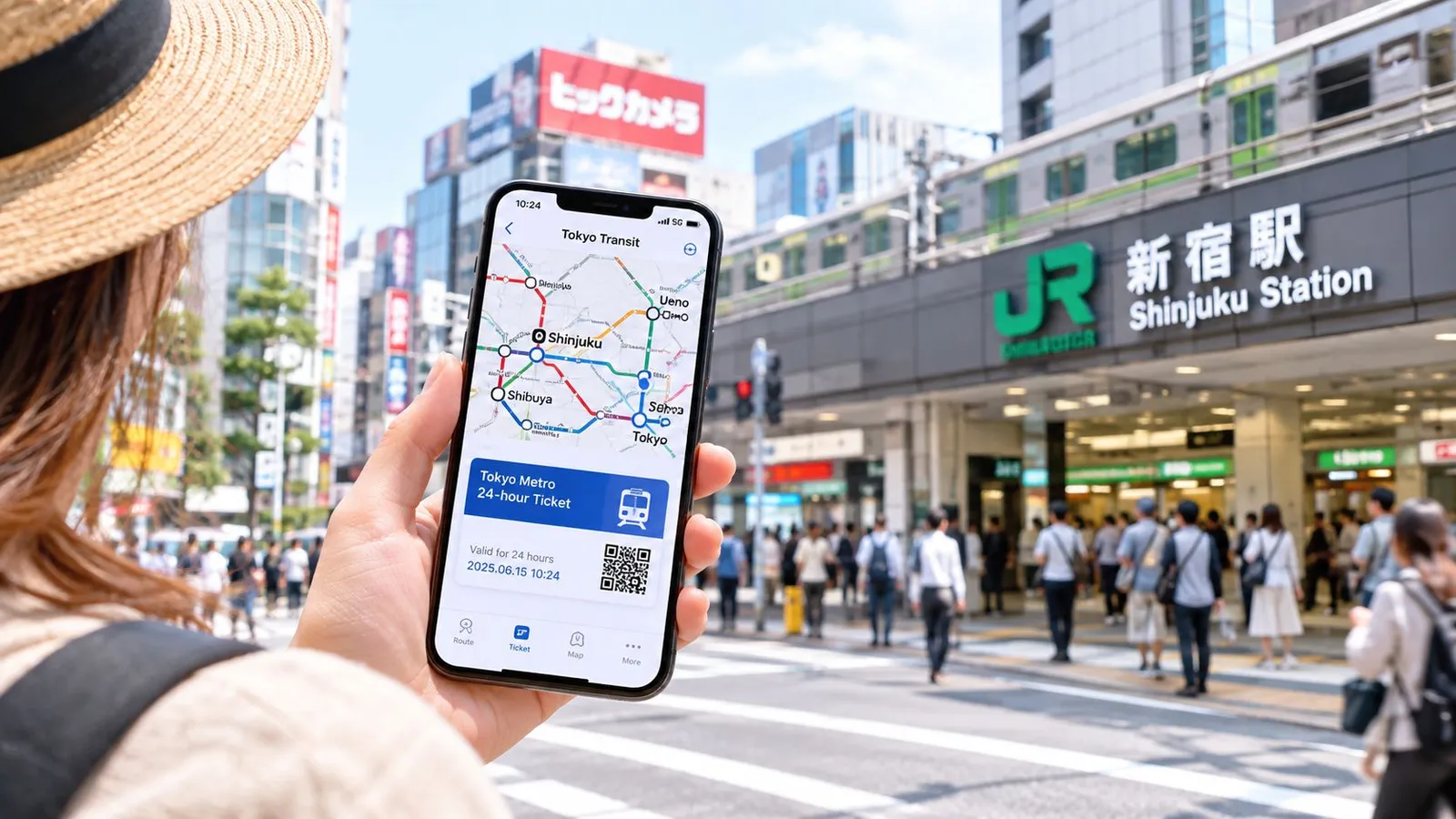
Japan rewards travelers who arrive connected. A phone handles route changes, mobile boarding passes, reservation emails, QR entry systems, and translation in real time. Travelers who leave SIM planning until arrival often burn the first stretch of the trip dealing with airport counters, compatibility problems, or data settings they could have sorted before takeoff.
Why this matters more in Japan
Japan's transport system is efficient, but it also expects the traveler to keep up. Platforms change. Train apps update live. Ticketing and reservations increasingly happen through apps and web links. When connectivity fails, the trip slows down.
That's one reason Japan's telecom environment matters. Japan's mobile market is one of the most SIM-saturated in the world, with annual mobile cellular subscriptions at 178.43244 per 100 people in 2023, up from 168.60294 in 2022, 159.51612 in 2021, and 154.43221 in 2020, according to FRED's Japan mobile cellular subscription series. In practice, that points to a market built around dense, everyday mobile usage, not occasional access.
Practical rule: In Japan, connectivity isn't a travel extra. It's part of the trip's operating system.
The decision that separates smooth trips from messy ones
The biggest mistake isn't choosing the wrong brand first. It's choosing the wrong format and network model for the itinerary.
A city-only traveler with a compatible iPhone can usually keep things simple with eSIM. A traveler heading into mountain areas, carrying an older Android, or needing voice fallback has a different risk profile.
A sim card for Japan should be chosen the same way a rail pass or hotel location is chosen. Based on where the traveler is going, what device they're carrying, and what has to work the moment they land.
eSIM vs Physical SIM for Japan Travelers
Most travelers should decide this before comparing providers. Once the format is wrong, every later decision gets harder.
| Factor | eSIM | Physical SIM |
|---|---|---|
| Setup | Installed digitally, often before arrival | Insert card after pickup or delivery |
| Best for | Recent unlocked phones | Older phones or devices without eSIM |
| Backup value | Easy to keep home SIM active on some phones | Tangible spare if the phone supports tray swap |
| Voice and SMS expectations | Often data-first for travel products | May still be data-only, so check carefully |
| Arrival workflow | Usually fastest | More steps if bought after landing |
| Device risk | Fails if phone is locked or not eSIM-capable | More universal across phones |
Where eSIM clearly wins
eSIM is usually the cleanest option for short trips. There's no tray swap, no tiny card to lose, and no airport pickup dependency. Installation can happen before boarding, then activation can happen on landing.
Japan's market has had time to mature here. IIJ's eSIM launch announcement and market update notes that the country's first eSIM service launched in 2019, and by March 2024 SIM card-type MVNO contracts with 30,000 or more contracts reached 16.36 million, with MVNO SIM-card contracts accounting for 9.8% of mobile telecommunications contracts in Japan. That matters because it shows SIM flexibility in Japan is no longer niche.
For travelers who need a basic refresher on the format itself, this eSIM explainer is a useful starting point.
Where physical SIM still makes sense
Physical SIM remains the safer pick when the phone is older, carrier-locked, or unreliable with eSIM support. It also appeals to travelers who want a visible backup they can remove and reinsert if something goes wrong.
There's another issue many travel guides skip. Most tourist products are data-only. Recent travel coverage notes that regular Japanese mobile contracts generally require a residence card, and 2026 ID-verification rules now require passport-style verification even for SIM and eSIM purchases, including data-only products, as covered in Roafly's Japan tourist SIM discussion. That means travelers shouldn't assume a travel SIM will behave like a full domestic plan with ordinary calling and SMS.
A physical card doesn't automatically solve the local-number problem. Plenty of physical tourist SIMs are still data-only.
The fastest elimination rule
Choose eSIM if the phone is not carrier-locked, compatible, and the trip mainly needs data for navigation, tickets, work apps, and messaging.
Choose physical SIM if the device can't use eSIM, if a manual fallback feels safer, or if the traveler needs to keep options open for a voice-capable plan.
Where to Buy a SIM Card for Japan
Buying channel affects convenience more than most travelers expect. The best place to buy depends on whether support, speed, or flexibility matters most on arrival day.
Airport counters and in-person pickup
Airport counters work best for travelers who want someone nearby if setup fails. That can help with older devices, SIM tray swaps, or uncertainty about whether the phone is available for use with a different carrier.
The trade-off is time. Counters can mean waiting after a long flight, and they're the least appealing option for travelers who already know what they need. Convenience-store and electronics-store purchases can also work, but they still leave activation and troubleshooting to the traveler after arrival.
Online physical SIM orders
Pre-ordering a physical SIM is the middle path. It suits travelers who want a card ready in advance without committing to digital installation.
This works well when:
- The phone lacks eSIM support: A shipped or pickup card avoids compatibility surprises.
- The traveler wants a spare: A physical card can be kept as a simple fallback.
- The itinerary starts outside a major airport flow: Pre-arranged delivery reduces arrival-day friction.
Digital eSIM purchase
For most short-term visitors, digital delivery is the easiest path. The traveler buys online, receives installation details by email or app, and can prepare before boarding.
One option is RedSim's Japan eSIM page, which lists the included network for each plan. That matters because provider comparison should start with the underlying network, not just the headline price or data amount.
What to check before buying
A traveler should confirm four things before paying:
- Phone status: Compatible with the chosen format.
- Network used: Especially important for rural routes.
- Plan type: Data-only or something broader.
- Verification flow: Passport-style identity checks can apply even on visitor products.
The last point catches people off guard. Buying a sim card for Japan isn't only about finding stock. It's about making sure the plan fits the trip's real communication needs, especially if app-based calling won't be enough.
Installing Your Japan eSIM Step by Step
The cleanest installs happen before leaving the airport Wi-Fi zone. That gives the traveler one last safety net if the plan doesn't provision correctly.
The fast path on compatible phones
On current iPhone and Android models, the easiest workflow is one-tap installation through the provider app or the order page opened on the same device. Travel install guides commonly describe this no-QR path, and eSIM Japan's installation guide says the add-eSIM flow takes roughly a minute or less once opened.
Content-owner setup notes put RedSim's one-click installation at about two minutes on Wi-Fi on a compatible phone, using the app or order page with no QR scanning needed.
A practical sequence looks like this:
- Connect to stable Wi-Fi: Airport Wi-Fi or hotel Wi-Fi is enough if it's steady.
- Open the install link on the phone itself: Don't send it to another device if one-tap install is available.
- Approve the add-eSIM prompt: The phone should open the native cellular setup flow.
- Label the line clearly: “Japan Data” avoids confusion later.
- Set mobile data to the new eSIM: Keep the home line active only if needed.
Travelers who want provider-specific setup screens can check RedSim's setup help.
The QR fallback
Some phones still need QR setup. That isn't a problem. It just adds one extra dependency, which is a second screen or printed code.
For QR installation, the traveler should:
- Open cellular settings: Look for Add eSIM or Add Cellular Plan.
- Scan the code from another screen: A laptop or a second phone makes this easy.
- Enter manual details only if required: Some providers also include a manual activation path.
- Finish and label the plan: This prevents switching mistakes later.
Don't leave the arrivals area until mobile data has actually passed traffic with Wi-Fi turned off.
How to verify it's really working
A visible eSIM isn't the same as a working connection. Before walking away, the traveler should turn off Wi-Fi and test a real data action.
Use a short checklist:
- Load maps: Route calculation is a quick real-world test.
- Open a browser: Confirm pages load on cellular only.
- Check hotspot if needed: Especially for laptop users.
- Restart once if the line looks present but idle: Phones sometimes need one clean network refresh.
If the eSIM doesn't appear in cellular settings at all, the likely issue is an incomplete install. If it appears but no data flows, the problem is usually line selection, activation timing, or local settings rather than the concept of eSIM itself.
Choosing the Right Data Plan and Duration
The wrong data plan costs more than the sticker price. In Japan, the mistake is paying for "unlimited" on a network that slows after a daily threshold, or buying a cheap fixed plan that runs out halfway through a regional trip.
Japan travelers usually choose between fixed buckets such as 5 GB, 10 GB, or 20 GB over 7 to 30 days, and unlimited-style plans with fair-use conditions, as noted in Japan Wireless's comparison of Japan eSIM options. The better pick depends on trip length, hotspot use, and where the route goes. Carrier geography matters more in Japan than many first-time visitors expect, especially once the itinerary leaves Tokyo and Osaka.
Start with usage, not marketing labels
For most visitors, maps, translation, messaging, train apps, and light photo uploads fit comfortably inside a fixed plan. Fixed data is often the better buy because the price is lower and the usage pattern is predictable.
Unlimited-style plans make sense for a narrower group:
- travelers tethering a laptop
- heavy video users
- people sharing one connection across multiple devices
- travelers who do not want to monitor usage at all
The trade-off is simple. Unlimited plans often cost more, and some providers apply speed controls after heavy use. Fixed plans are cheaper, but running out mid-trip is annoying if top-ups are awkward or overpriced.
Match the plan to the trip, not the busiest day
| Trip profile | Usually the smarter approach |
|---|---|
| Weekend city break | Small fixed plan |
| One to two weeks, normal phone use | Mid-size fixed plan with easy top-up |
| Multi-city trip with regular streaming | Larger fixed plan or unlimited-style plan |
| Remote work or daily hotspot use | Unlimited-style plan after checking speed policy and network |
A few patterns hold up in practice:
- Short urban trips: A fixed plan is usually enough. Hotel and café Wi-Fi often cover the heaviest usage.
- Rail-heavy itineraries: Data use rises fast on train days because travelers stream, upload photos, and re-route plans on the move.
- Rural or mountain routes: Buy enough headroom upfront. If the provider makes top-ups difficult, saving a few dollars at purchase can backfire.
- Long stays: Compare the cost of one large package against a smaller plan plus top-up. In Japan, that math is not always obvious.
Duration matters as much as data size
A 10-day plan for a 12-day trip is a common failure point. Some plans expire by calendar day, not by the hour you activated them. Others start counting from the first network connection in Japan. That matters for overnight arrivals and late departures.
The new 2026 ID-verification rules also affect planning at the margin. Data-only tourist products are still the simplest option, while some voice-capable or longer-term products can involve more checks and narrower eligibility. Travelers trying to save money by buying a local plan after arrival should confirm the activation rules first, not assume every counter or convenience store option works the same way.
If you want a faster way to size the package, see guidance on choosing the right plan for your trip length.
One practical rule works well: buy for your normal day, not your most data-hungry day. Then choose a provider that makes topping up straightforward if the trip changes.
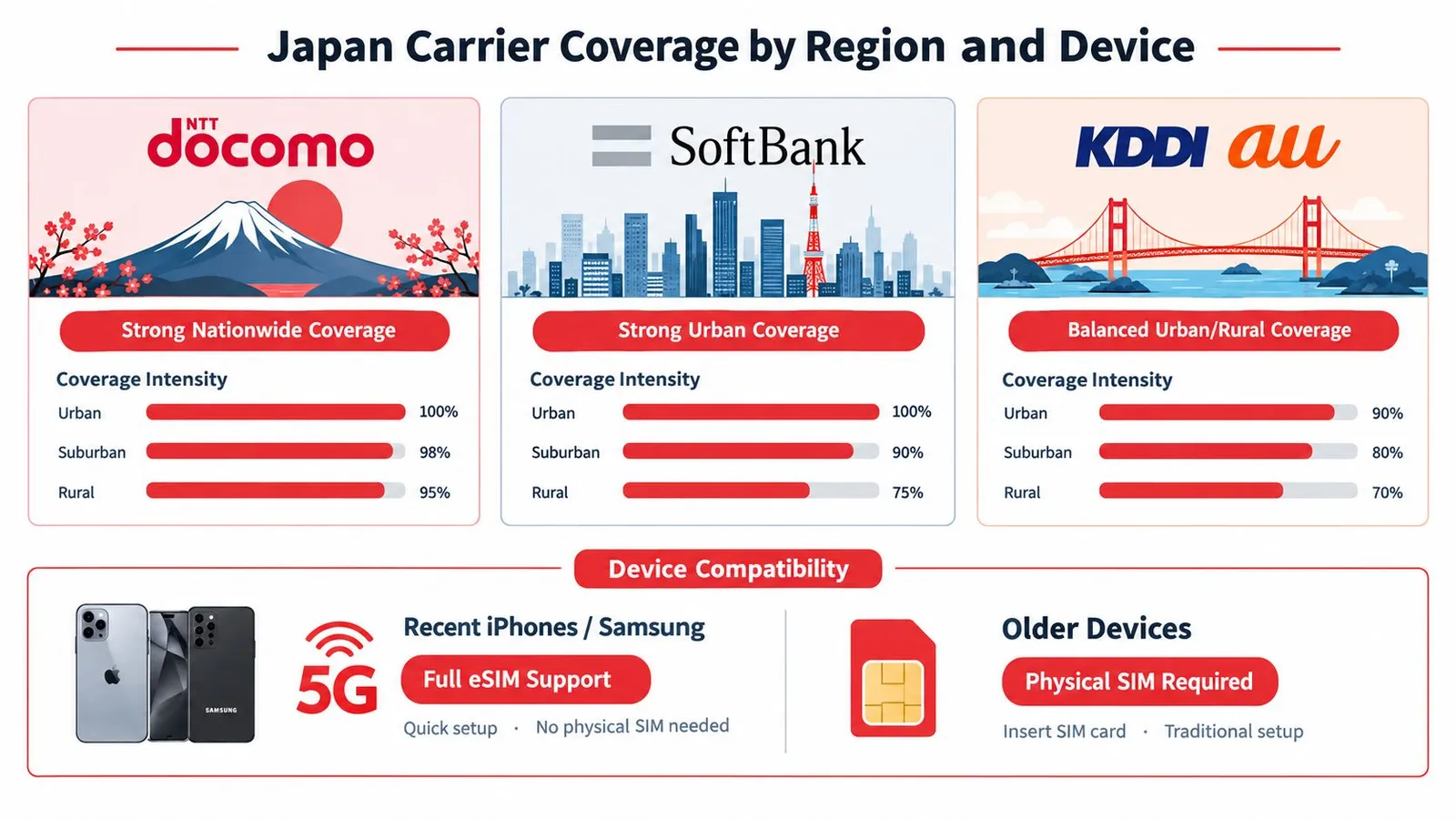
Japan Carrier Coverage by Region and Device
A cheap plan on the wrong network becomes expensive the first time the signal drops where the itinerary matters most.
Match the carrier to the route
Recent coverage guides consistently describe Japan's main carriers as NTT docomo, KDDI (au), SoftBank, and Rakuten Mobile, with docomo strongest for rural and mountainous travel, au strong outside dense cities, SoftBank strongest in urban corridors, and Rakuten more limited outside populated areas, as summarized by Drift Asia's Japan coverage guide.
That means network choice should follow the map:
- Docomo: Best fit for Hokkaido, mountain routes, and harder-to-reach areas.
- au: Strong all-around option for mixed itineraries.
- SoftBank: Solid urban choice for Tokyo, Osaka, and major corridors.
- Rakuten Mobile: Better suited to denser areas unless the provider clearly explains roaming support.
A second public coverage analysis makes the same geography point and emphasizes docomo for mountains, remote islands, and Hokkaido, with au as the strongest broad alternative and Rakuten weaker in deep rural areas but improving through partner roaming. That's covered in Travel Sim Asia's carrier coverage guide.
Pick the network for where the train ends, not just where the flight lands.
Device support still matters
Even with the right carrier, performance depends on the phone. Newer iPhones and major Android flagships usually handle Japan travel eSIM plans cleanly. Older devices are more likely to push the traveler toward physical SIM, especially if 5G support or eSIM support is uneven.
That's why “best sim card for Japan” is the wrong question on its own. The better question is which network-device combination fits the route.
Troubleshooting Japan SIM and eSIM Issues
Most trip-ending SIM problems aren't exotic. They're usually one of a few predictable failures that can be checked in order.
Start with the fast checks
If data isn't working after landing, the traveler should do the basics first:
- Turn off Wi-Fi and test on cellular only: Otherwise the phone can look connected when it isn't.
- Toggle airplane mode: This forces the phone to reattach to the local network.
- Confirm the correct line is selected for mobile data: Dual-SIM phones often point data to the wrong line.
- Check that mobile data is enabled in settings: This gets missed more than people think.
- Restart the phone once: It clears a lot of half-finished provisioning states.
For a more detailed provider-side checklist, this no-signal-after-landing help page covers the common recovery path.
Common causes that get overlooked
A plan can show as installed and still fail in use. Usually that means one of three things:
- Wrong network fit for the location: Urban performance doesn't guarantee rural stability.
- Data-only misunderstanding: The SIM works, but calling or SMS doesn't because the product was never meant to include them.
- Hotspot assumptions: Some travelers test only the phone itself, then discover later that tethering needs separate confirmation.
When to stop self-fixing
If the line appears in settings, the phone is not locked, mobile data is on, and a restart plus airplane toggle doesn't restore service, support should be contacted. It's better to escalate early than to keep changing settings blindly.
Verify the basics first. Escalate second. Random setting changes usually make diagnosis harder.
A sim card for Japan works well when the setup, network, and usage expectations all match. Most failures come from one of those three being out of sync.
RedSim offers Japan travel eSIM plans with instant delivery, QR or one-click installation, and plan options that run on au, SoftBank, NTT docomo, or Rakuten Mobile depending on the product. Travelers who want to compare network-backed options before arrival can visit RedSim and check the listed Japan plans against their route, device, and data needs.


 Portugal