The flight is booked, the hotel confirmation is saved, and the phone's listing says open. It seems reasonable to expect maps, messages, and mobile data to work after landing. Yet international connectivity depends on more than that label, and checking the missing details before departure is much easier than sorting them out beside an airport baggage carousel.
The Moment You Land and Your Phone Says No Service
Consider a hypothetical traveler arriving abroad with a factory-free smartphone and a newly purchased travel plan. The installation appears complete, but the phone displays No Service. The hotel address is in an email, the airport Wi-Fi needs another login, and the traveler can't open a ride-booking app.
That screen doesn't identify the cause. A carrier restriction, an unsuitable device variant, or a network configuration problem can leave a traveler with the same frustrating result. Buying or renting a phone described as open is therefore a starting point, not a guarantee of service.
The promise and the missing checks
The useful question isn't only whether the phone is exact handset, chosen subscription, and destination network can work together.
Before buying a travel plan, a traveler should separate these checks:
- Carrier permission: Can the handset accept a subscription from another operator?
- Network compatibility: Does the exact device model support the destination's mobile technologies and frequency bands?
- eSIM support: If the chosen plan is digital, does that device's hardware and regional version support it?
These questions address different obstacles. Treating them as interchangeable makes troubleshooting harder because changing a setting can't replace missing hardware.
Arrival rule: A purchased plan and a completed installation aren't proof that a phone can connect at the destination.
Preparation beats airport guesswork
A traveler who records the phone's model, confirms its ready status, and saves the installation instructions has a clearer starting point if service fails. Instead of repeatedly scanning an installation code, that traveler can investigate the connection without confusing it with the purchase.
For someone already at the airport, the no-signal-after-landing guide offers a place to begin troubleshooting. Keeping those instructions available over Wi-Fi is more practical than relying on mobile data that hasn't connected yet.
The central lesson for free smartphones for international use is straightforward: permission to change carriers and readiness to connect abroad are different things.
What Unlocked Really Means
A SIM gives a phone a mobile subscription identity. A physical SIM provides that identity through a removable card; an eSIM provides it through a digital profile on supported hardware. Neither should be confused with the phone's ability to communicate with a particular network.
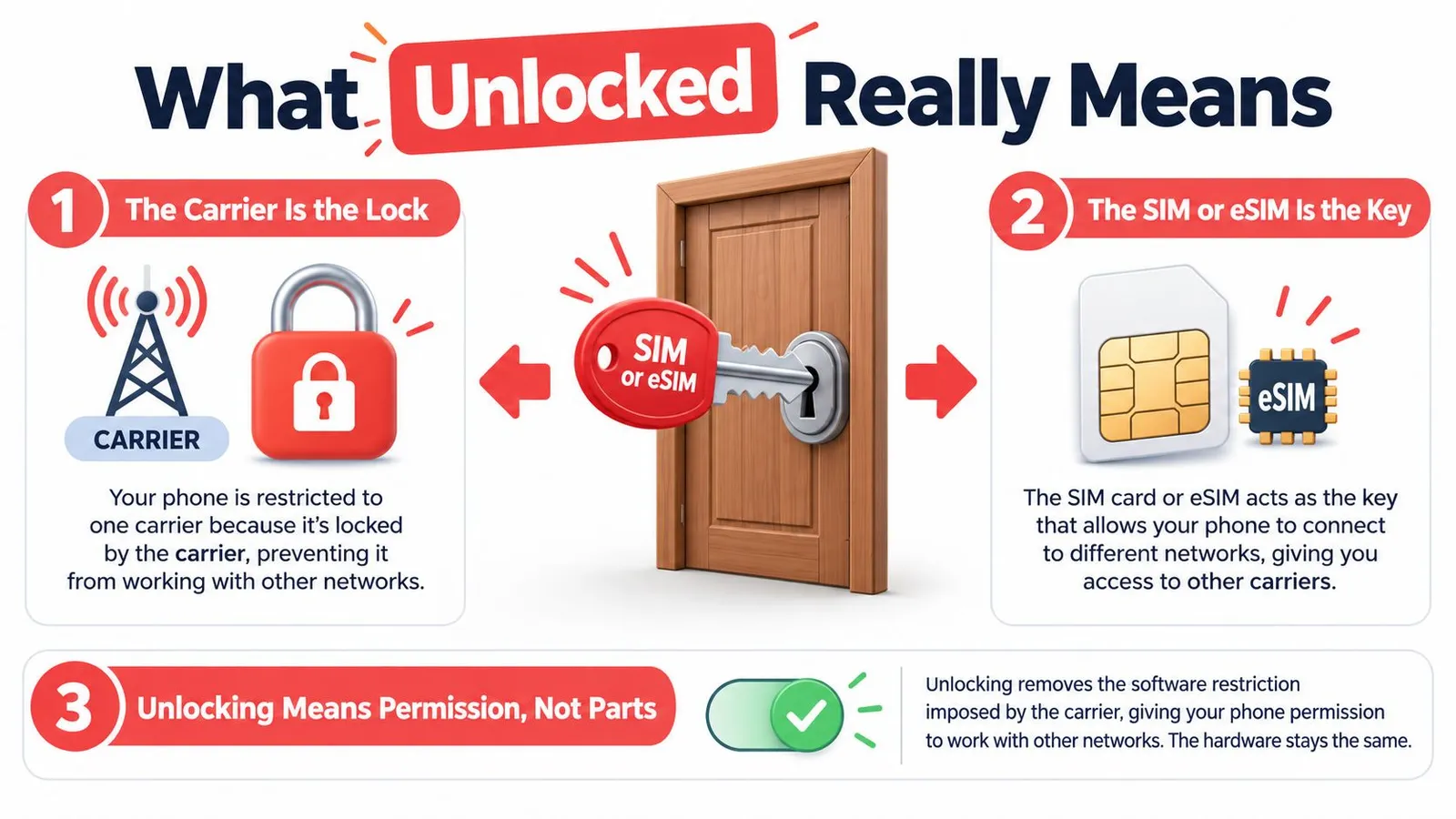
A door-and-key analogy helps. The carrier restriction is the lock, and the new SIM or eSIM is a different key. Releasing the restriction lets the phone accept that other key, but it doesn't rebuild the door or change what lies beyond it.
Permission isn't a hardware upgrade
The FCC's guidance on cell phone unlocking explicitly distinguishes removal of carrier restrictions from compatibility: removing a carrier restriction doesn't add missing radio technologies or frequency bands, and a phone without a carrier restriction may still be incompatible with a foreign network.
That distinction matters when shopping. A seller's model free of a carrier lock answers a question about carrier restrictions, not every question about international use. A traveler comparing phones should still request the exact model information rather than relying on the product's marketing name.
It also helps to keep carrier locking separate from a screen passcode. Entering a passcode grants access to the handset; carrier unlocking concerns which operator's subscription the handset may accept.
Confirming the handset's status
On supported iPhones, the relevant check is Settings > General > About. The carrier-lock field should display No SIM Restrictions, as described in the international-use guidance accompanying the SIM-restriction checks.
Android owners should confirm their device's status with the original carrier rather than assume every manufacturer uses the same settings menu. If the status remains unclear, the carrier is the appropriate contact for confirmation and any activation requirements.
- Check the actual device: A listing or purchase receipt isn't a substitute for verifying the handset that will travel.
- Resolve restrictions early: Ask the original carrier about freeing the handset before purchasing another operator's plan.
- Test when possible: Trying another carrier's SIM or eSIM can help establish whether the phone accepts a different subscription.
A successful test is useful evidence about carrier permission. It still leaves destination compatibility to be checked separately.
eSIM and Physical SIM Side by Side
An eSIM and a physical SIM serve a similar purpose through different formats. The comparison is like a digital boarding pass and a paper boarding pass: both provide access credentials, but the way a traveler receives, stores, and uses them differs.
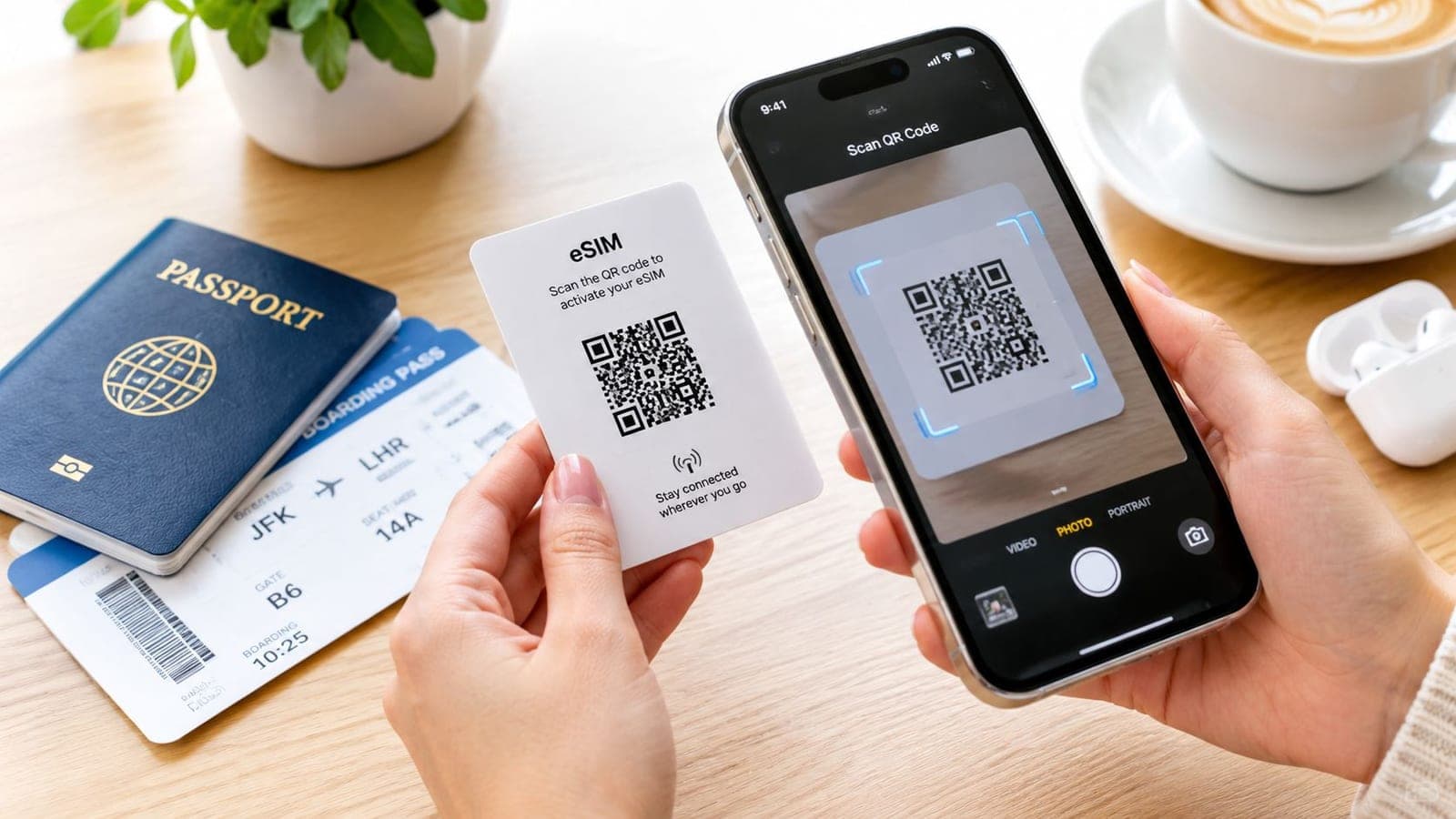
The physical option is a removable card. With eSIM, the traveler installs a mobile profile on compatible built-in hardware, typically through an installation workflow such as a QR code. The explanation of how eSIM works provides useful background for travelers encountering the term for the first time.
eSIM vs Physical SIM for International Travel
| Feature | eSIM | Physical SIM |
|---|---|---|
| Installation | A digital profile is installed on supported hardware | A removable card is inserted into a compatible SIM tray |
| Switching devices | Requires checking the provider's transfer or replacement process | The card can be moved to another compatible, unlocked handset |
| Dual-SIM behavior | Depends on the device's supported combination of active lines | Depends on the device's tray and dual-SIM capabilities |
| Travel fit | Suits travelers who prefer digital setup before departure | Suits travelers whose phones support physical SIMs but not eSIM |
| Preparation | Confirm eSIM support and follow the installation instructions | Confirm card format, tray availability, and network compatibility |
The format alone doesn't determine which option will work. A traveler with a ready phone that lacks eSIM support needs a physical-SIM option or a different compatible device. Conversely, a handset without a physical SIM tray requires an appropriate digital subscription.
Installation and service are separate milestones
Apple's international eSIM guidance states that an iPhone must not be carrier-locked to use another carrier while traveling. It also supports the practical approach of installing a travel eSIM over Wi-Fi, retaining the home SIM for SMS-based authentication, and selecting the travel line for cellular data where the device supports that arrangement.
That setup separates the traveler's familiar phone number from the subscription supplying internet access. Keeping the home line available can be useful, but the traveler should confirm international SMS availability and charges with the home carrier rather than assume every banking code will arrive.
A scanned QR code confirms progress with installation, not successful service at the destination.
Travelers should also distinguish installation from activation. Before starting, they should read the selected plan's instructions to establish when its validity begins. Installing ahead of departure is helpful only when that timing fits the trip.
Bands, VoLTE, and the Language Your Phone Must Speak
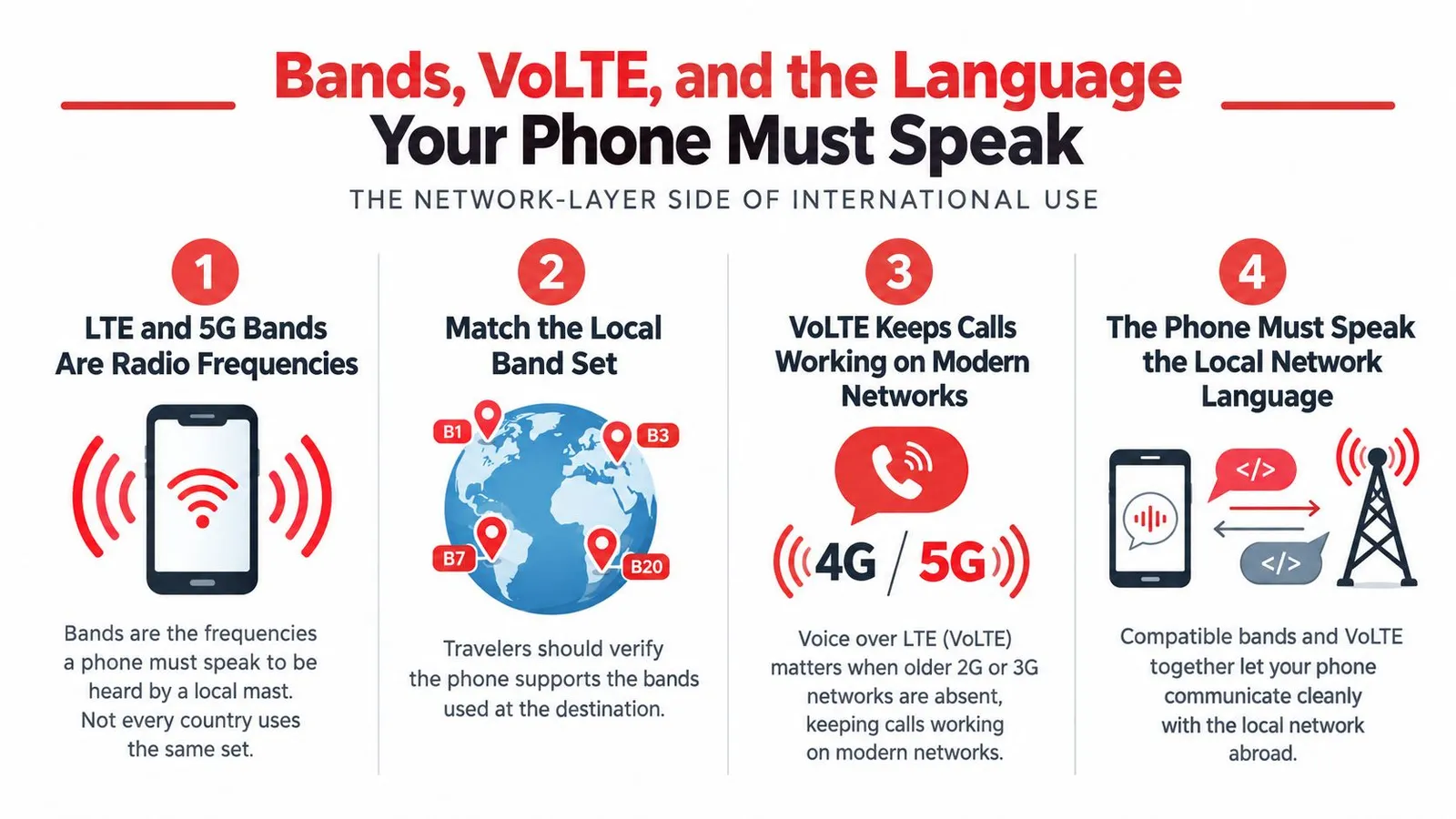
A phone and a mobile network communicate over frequency bands. Think of them as radio channels: the handset needs to support the channels the destination operator uses. Carrier permission can allow a subscription, but it can't supply a radio capability the handset lacks.
The FCC's distinction between making a device available and compatibility explains why an internationally usable phone needs more than a freed label. For travel planning, the important comparison is between the exact device model and the intended network's LTE and 5G requirements, not between a familiar brand name and a country name.
A model-number checklist
A repeatable check is more useful than memorizing a list of bands:
- Find the model identifier: Record the model shown in the handset's device information, including its country variant where applicable.
- Check manufacturer specifications: Look for the supported LTE and 5G bands for that particular version.
- Identify the intended network: Establish which destination operator or networks the travel plan uses.
- Compare requirements: Ask the plan provider about any unclear band overlap, regional limitations, or provisioning requirements.
The compatible-device guidance is a practical starting point for checking an intended travel eSIM against a handset. Manufacturer specifications remain important when similarly named phones have different regional capabilities.
A rented phone deserves the same attention. The rental company should confirm the supplied model and its suitability for the itinerary, not merely describe the device as internationally compatible.
Voice needs its own check
VoLTE, or voice over LTE, concerns calling over an LTE network. Travelers who need conventional mobile calls should verify voice support separately from mobile data, including the relevant operator's provisioning requirements.
The FCC guidance also warns that compatibility can differ by function. Voice, messaging, and data shouldn't be treated as a single pass-or-fail result.
For a travel-data plan, the immediate requirement is working internet access. Someone who also needs ordinary calls or SMS should confirm whether the selected subscription includes those services, then check the handset and operator requirements for them. A supported data connection doesn't establish that every other service is available.
How RedSim Plans Fit Different Trips
Plan selection should begin with the itinerary, not the largest coverage label. A traveler visiting a single destination has a different problem from someone crossing borders or changing routes during the trip. Country, regional, and global plans are useful categories for comparing those needs.
RedSim is one travel-data option offering those plan structures, alongside local physical SIMs and home-carrier roaming arrangements. Its guide to choosing the right plan provides a starting point for matching coverage to the route.
Match the coverage boundary to the route
A country plan is the natural category to examine for a stay confined to one destination, such as Italy or Japan. The traveler should compare its allowance and validity with the actual visit rather than purchase broader coverage because it sounds more flexible.
A regional plan is worth comparing when the itinerary includes neighboring destinations. The catalog includes Europe and UK, Asia, Middle East, North America, South America, and Africa categories. The decisive check is the plan's destination list, because a region's everyday geographic meaning may not match a product's coverage boundary.
A global plan is another option for a route crossing regions or remaining uncertain. Its broader structure can simplify planning, but the traveler still needs to check every intended destination and the handset's suitability there.
| Trip pattern | Category to compare | Main question |
|---|---|---|
| A stay in one country | Country plan | Does validity cover the full visit? |
| A route through neighboring countries | Regional plan | Is every stop explicitly included? |
| A cross-region or changing itinerary | Global plan | Does the broader coverage fit the likely route? |
Compare more than coverage
Data allowance should reflect activities, not just trip length. A traveler using navigation and messaging has a different planning problem from a remote worker sharing mobile data with a laptop. Hotspot support matters for that second traveler, but the shared connection also needs to fit within the purchased allowance.
App-based usage tracking and top-ups provide ways to manage changing needs. Before depending on either, the traveler should review the selected product's conditions and confirm how additional data is purchased.
Refund eligibility deserves the same care. An unused plan that hasn't been installed or activated may offer flexibility when plans change, but travelers should check the applicable terms before beginning installation. Coverage, validity, data needs, and activation timing belong in the same purchase decision.
Two Trips, Two Setups
These hypothetical trips show how travelers can apply the same preparation checks without choosing identical subscriptions. They're planning examples, not customer case studies or promises of uninterrupted service.
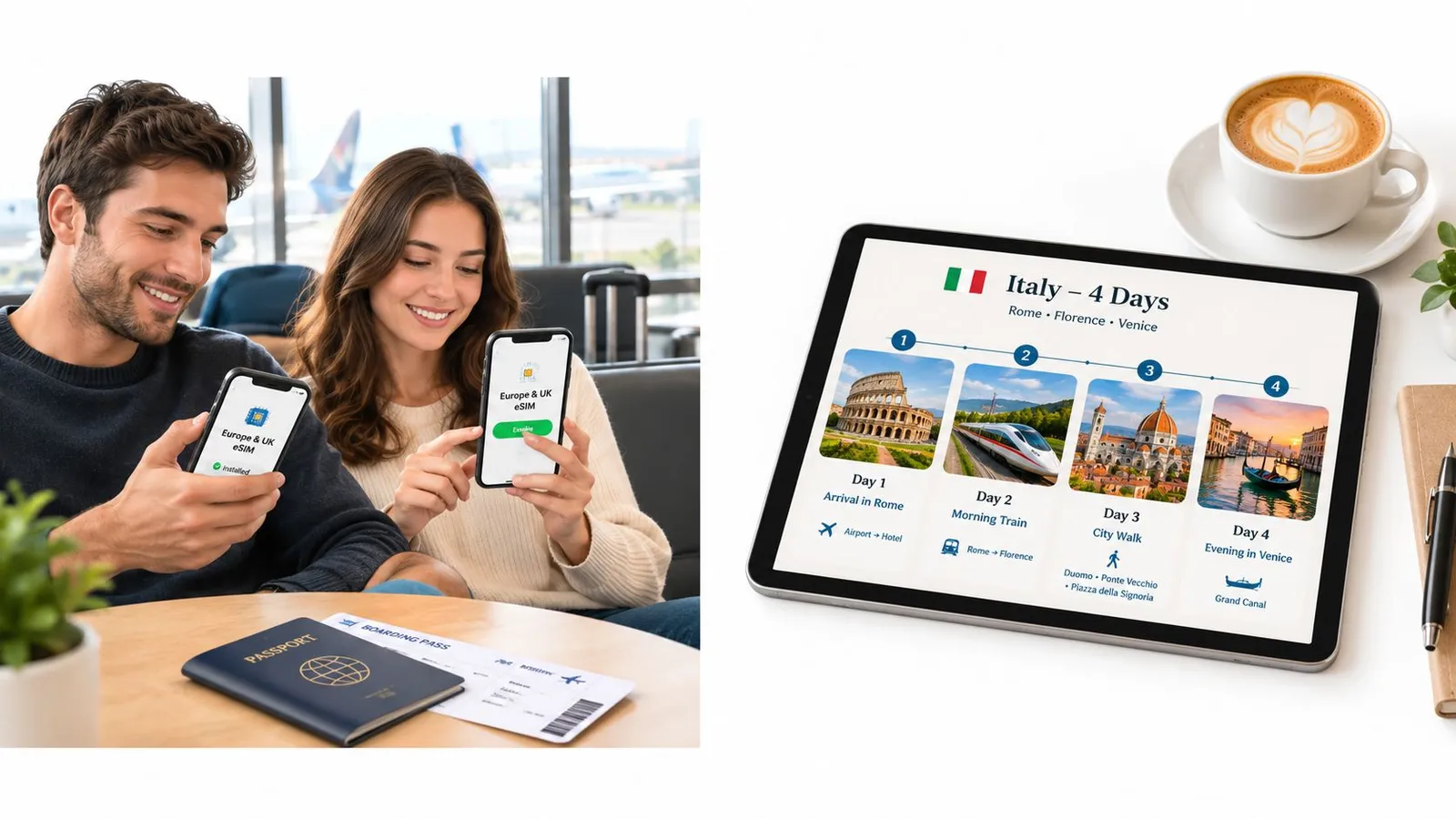
A couple heading to Italy first checks each handset separately. One phone's suitability doesn't establish the other's, even when both share a brand name. They record the models, establish carrier permission, and confirm that the intended digital plan supports both devices.
An Italy holiday
For an Italy-only itinerary, the couple compares a country plan with a Europe-and-UK regional option. Broader coverage makes sense only if an additional covered destination is likely or the selected package otherwise fits their needs.
After checking activation timing, they install over Wi-Fi and give the travel lines recognizable labels. On supported devices, they designate those lines for mobile data while retaining their home subscriptions for authentication messages, subject to their home carriers' international service conditions.
Their arrival check focuses on ordinary tasks: opening the hotel address and sending an internet-based message. If either phone fails, they use the saved setup guidance rather than assuming both devices have the same problem.
Planning insight: Companions can share an itinerary without sharing device compatibility, data needs, or the right subscription.
A route through Asia and the Middle East
A remote worker traveling through Thailand and Japan before continuing to the United Arab Emirates compares a regional subscription plus separate onward coverage against a global option. The important question is whether the selected plan explicitly includes each stop, not whether the traveler considers the whole journey an Asia trip.
Laptop use changes the comparison. Before buying, the worker checks hotspot support and considers how remote-work activities will affect the allowance.
- Before departure: Save installation instructions and review when each subscription begins.
- During the trip: Check usage and investigate top-up options before the allowance becomes tight.
- After a route change: Review unused-plan refund conditions before installing coverage for a canceled stop.
This traveler needs a different coverage structure from the couple, but the preparation logic remains the same: confirm the handset, inspect the destination list, and configure the intended data line.
Myths, Mistakes, and the Pre-Flight Checklist
The most troublesome myth is that unlocked means ready everywhere. It collapses carrier permission, hardware support, and network requirements into a single label. A traveler can avoid that mistake by treating the checks as separate decisions rather than assuming a seller's description answers them all.
Another misconception is that every modern-looking handset supports eSIM. In a YouGov eSIM survey published by BICS, 33% of respondents were familiar with the term and 42% were unsure whether their phone supported it. Those findings underline why exact-model confirmation is more useful than an assumption based on appearance or age.
The home SIM doesn't always need to leave
The final misconception is that a travel subscription always requires removing the home SIM. Supported dual-SIM arrangements can allow travelers to retain a home line while using a travel line for data, as described in Apple's international guidance.
That arrangement still requires deliberate configuration. Travelers should check which line supplies cellular data and review the home carrier's roaming conditions. Keeping a number available isn't the same as guaranteeing free calls, messages, or authentication delivery.
The consolidated departure check
- Carrier status confirmed: Check the iPhone carrier-lock field or obtain appropriate confirmation for the Android handset.
- Exact variant identified: Record the model and verify its eSIM capability.
- Destination compatibility reviewed: Match the handset's network support to the intended coverage.
- Services distinguished: Confirm whether the plan supplies data only or also includes required calling and messaging.
- Coverage matched: Inspect every stop against the country, regional, or global destination list.
- Timing understood: Check installation, activation, validity, and refund conditions before proceeding.
- Setup saved: Keep the eSIM setup instructions accessible before departure.
- Data line selected: Confirm the intended travel subscription supplies mobile data on arrival.
A prepared traveler also knows where to request support and has kept purchase details accessible. If the itinerary changes, checking refund eligibility before installing an unused plan preserves more options than acting first and reviewing conditions later.
RedSim offers country, regional, and global travel eSIM data plans for compatible, open smartphones. Travelers can visit the site to check device suitability, compare coverage with every stop on their itinerary, and review setup instructions before departure.