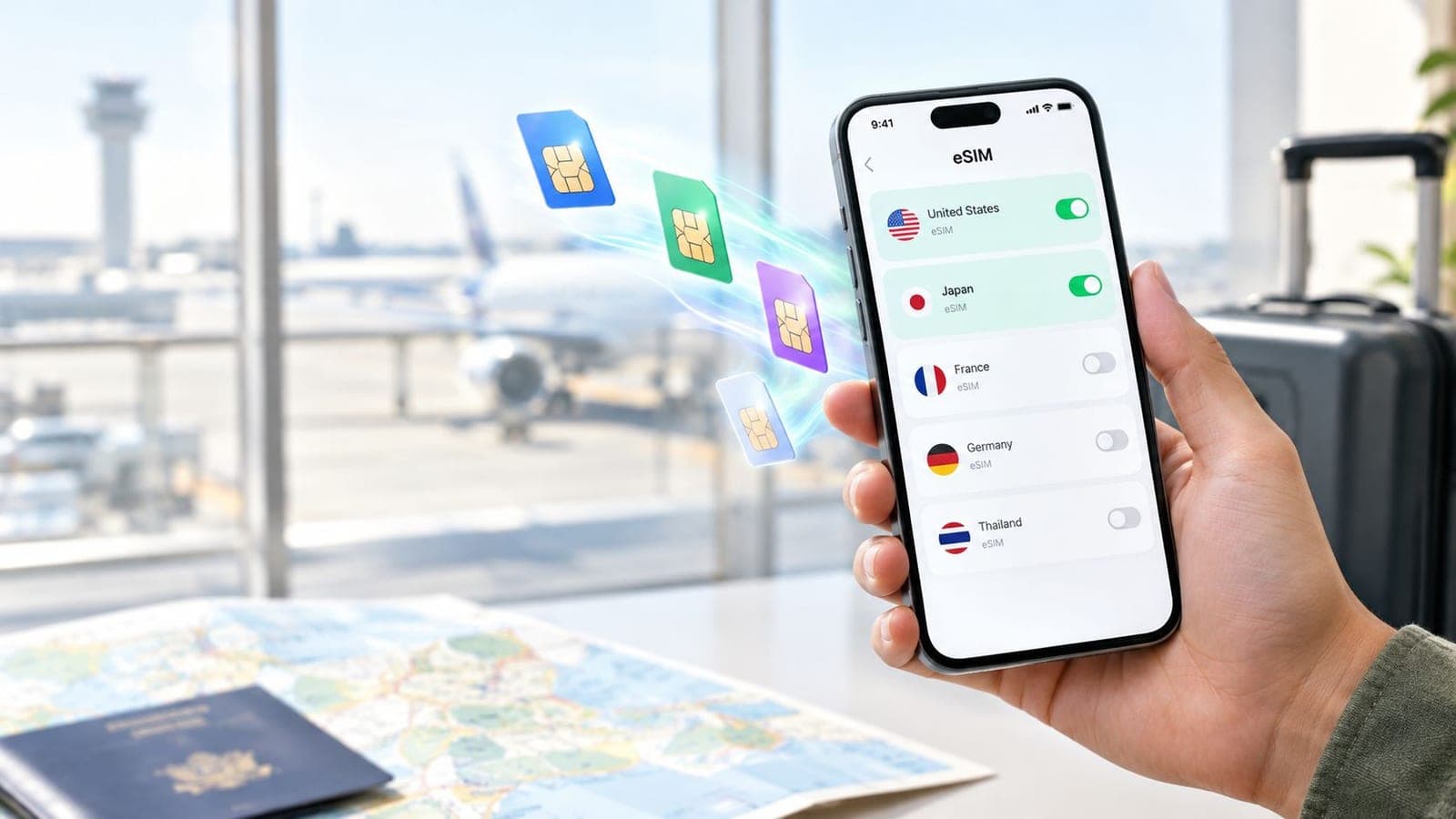
Yes, compatible smartphones can store several eSIM profiles, but storing plans and using them simultaneously are different capabilities: supported iPhones can store eight or more eSIMs, while compatible dual-eSIM phones generally support two active eSIMs at once. The exact limits depend on the phone model, regional variant, and carrier.
A traveler preparing for a trip might already have a home line installed, a destination plan ready, and another country on the itinerary. Adding another plan can feel risky when the phone's settings don't clearly explain whether it replaces something or sits alongside it.
The useful question isn't just whether another eSIM will fit. It's whether that plan needs to be saved for later or connected alongside an existing line.
What Travelers Really Mean When They Ask About Multiple eSIMs
A traveler heading abroad might want a country plan for the first stop and a regional plan for the rest of the journey. A parent planning a family vacation might instead want to keep a familiar number available while arranging travel data.
Both might search for “can you have multiple eSIMs,” but they're asking different questions.
Profile storage means keeping downloaded plans on the phone. Simultaneous use means enabling supported lines together so they can provide service. A saved profile doesn't have to be active.
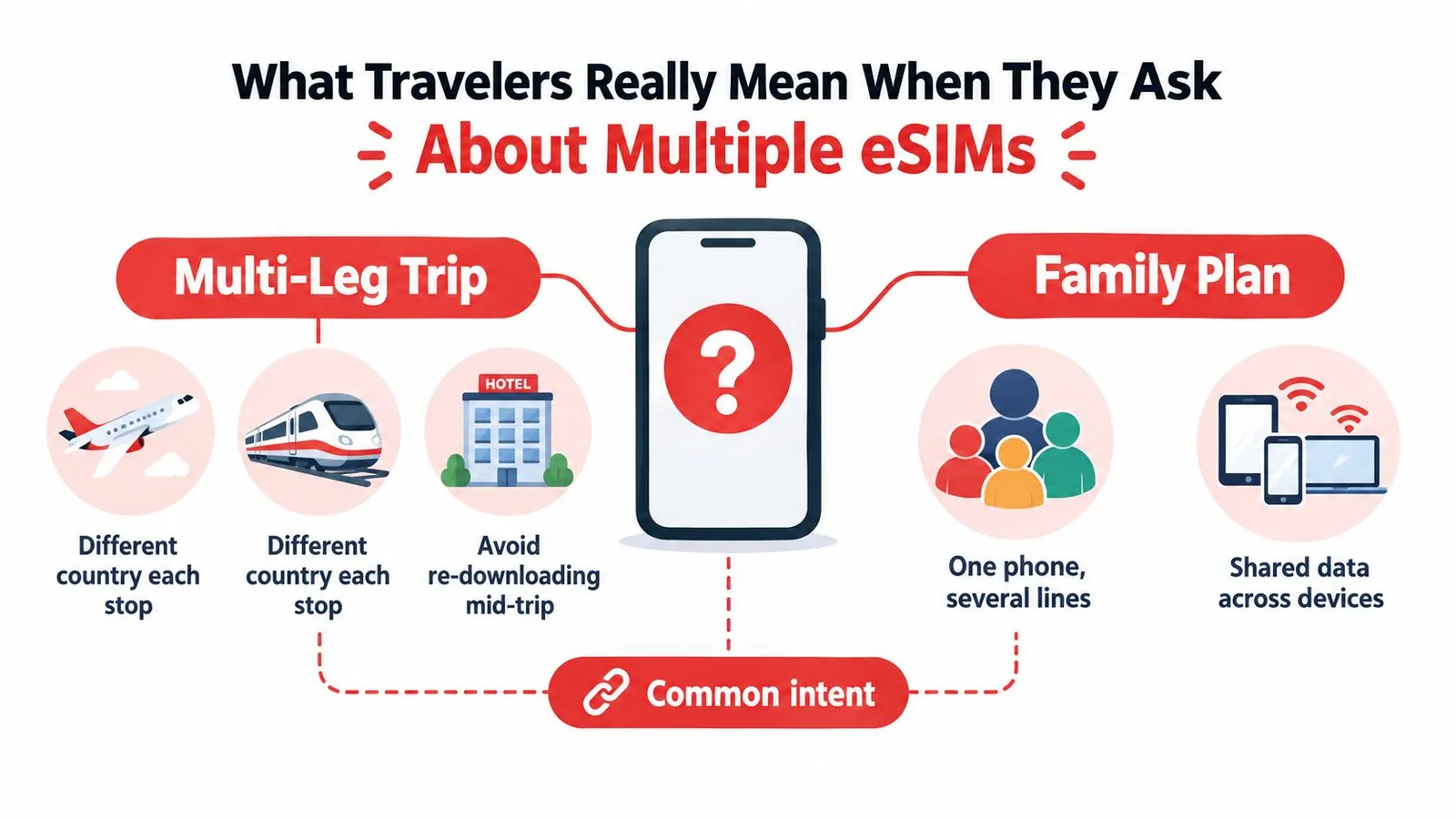
Different travel needs, different questions
Think of a phone as a travel bag. Carrying several adapters doesn't mean every adapter is plugged into a socket. Likewise, keeping destination profiles on a handset doesn't mean every plan is connected.
The distinction changes what a traveler should check:
- For a multi-leg trip: Can the handset retain the profiles needed for later destinations?
- For home-number access: Can the relevant home and travel lines remain enabled together?
- For family connectivity: Does the chosen arrangement meet each person's needs, rather than merely adding more profiles to a parent's phone?
A family plan is a separate purchasing question. The number of profiles stored on a handset doesn't establish whether a subscription includes shared data or service for other devices.
Practical rule: A stored profile answers “Is the plan installed?” An enabled line answers “Can this subscription provide service?”
This distinction isn't just terminology. Apple's travel eSIM guidance describes retaining multiple profiles and switching among them through Settings, including a home-line-and-travel-line arrangement. That's the mental model travelers need before comparing phones or buying another plan.
How an eSIM Stores Many Profiles at Once
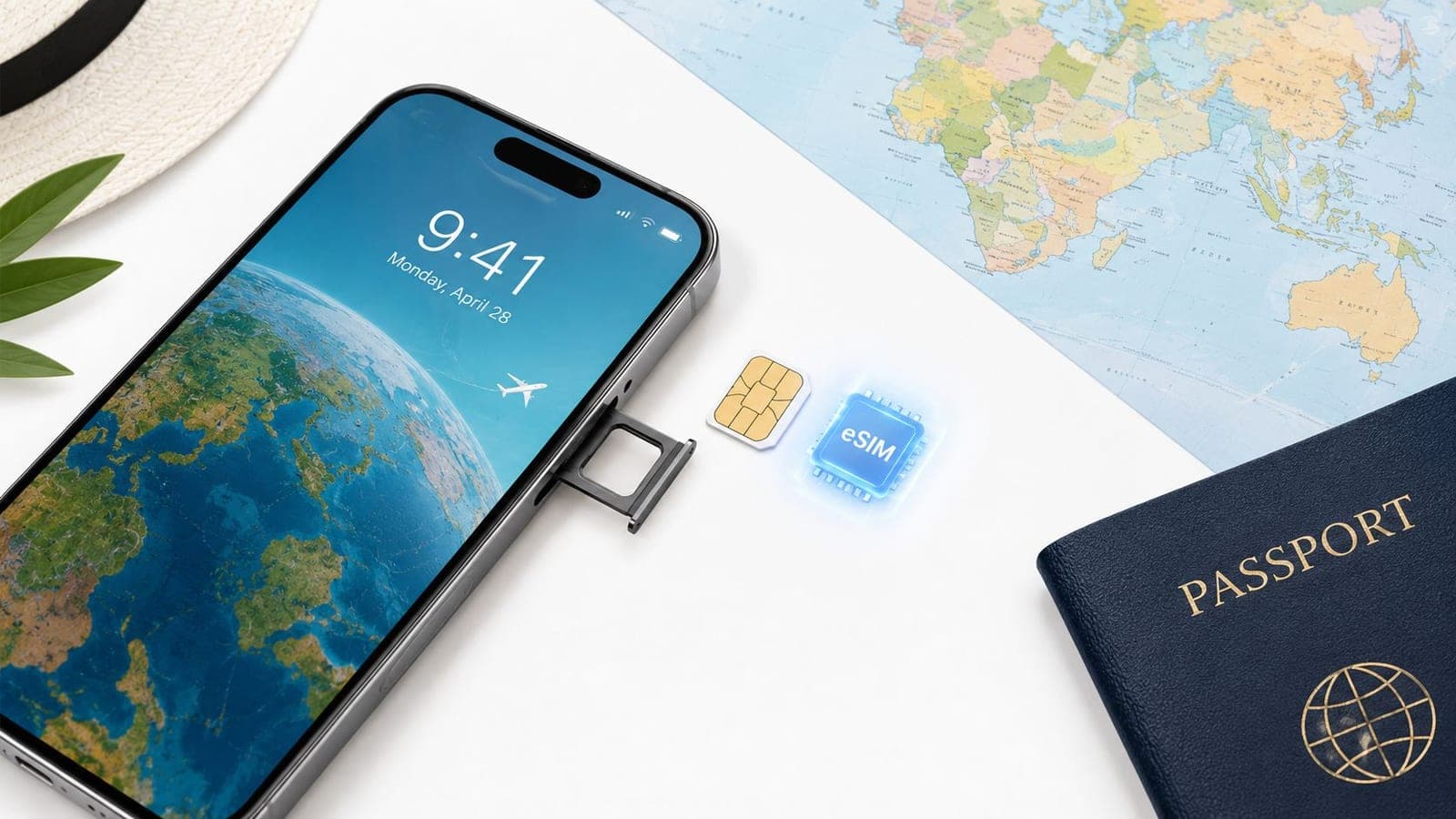
An eSIM is better understood as a small filing cabinet than a single drawer. The cabinet can hold separate folders, with each folder containing the credentials for a particular mobile subscription.
The technical name for the component managing these profiles is eUICC, or embedded Universal Integrated Circuit Card. Its storage capacity depends on its non-volatile memory, not on how many countries appear in a traveler's itinerary.
Samsung Research's explanation of eSIM architecture describes how the eUICC stores operator profiles and how newer Multiple Enabled Profiles technology changes concurrent use. A plain-language introduction to how eSIM works can help distinguish the embedded component from the subscription downloaded onto it.
What happens to a downloaded profile
The profile passes through different states, and each state means something different:
- Downloaded and stored: The subscription credentials remain on the device, ready for management through its SIM settings.
- Enabled: The phone makes the selected profile available for service, subject to the handset and carrier's capabilities.
- Disabled: The profile stays installed but isn't enabled for service.
- Deleted: The device removes the installed profile rather than merely switching it off.
The filing-cabinet analogy also explains why storage doesn't determine simultaneous use. Plenty of folders can fit inside a cabinet even when the equipment beside it can handle only a limited selection.
Why newer implementations behave differently
Earlier eSIM architecture generally allowed a single enabled profile. Multiple Enabled Profiles, abbreviated MEP, allows concurrent enabled profiles by assigning them to separate eSIM ports.
That's a technical capability, not a promise that every eSIM-compatible handset offers it. Manufacturers must implement the feature, and carrier support still matters.
The practical consequence is simple: a specification mentioning multiple downloaded profiles answers a storage question. A specification mentioning dual eSIM or concurrent enabled profiles answers a different question about live service.
How Many eSIMs Your Specific Phone Can Handle
Two phones on the same shop shelf can both carry an "eSIM supported" label and behave very differently on the road. One might hold eight downloaded plans and run two of them at the same time. Another might store several but activate only one. The brand on the box never settles the question; the exact model, regional version, and carrier configuration do, especially when a home subscription has to stay live next to a travel plan.
Apple, Google, and Samsung also publish different kinds of information. Apple and Google give model-by-model consumer guidance. Samsung's public architecture documentation explains how the technology works without naming a universal Galaxy storage count or a generation where dual eSIM arrived.
eSIM Capability by Device Family
| Device Family | Profiles You Can Store | eSIMs Active at Once | Typical Generation That Added Dual eSIM |
|---|---|---|---|
| Compatible iPhones | Eight or more profiles on supported models | Two on supported dual-eSIM models | iPhone 13 and later |
| Compatible Google Pixels | Multiple profiles; verify exact handset capacity | Two when supported by the carrier | Pixel 7, Pixel 7 Pro, and later |
| Samsung Galaxy devices | Verify the exact model and regional specifications | Verify the device's supported configuration | No universal generation established by the architecture documentation |
Apple documents the iPhone storage figure and the two-active-eSIM arrangement in its Dual SIM guidance, as noted earlier. Google documents the Pixel generation and simultaneous-profile limit in its Pixel dual-SIM support information.
What those differences mean for a traveler
On the iPhone side, the key distinction sits between dual SIM and dual eSIM. A supported arrangement may pair a physical SIM with one eSIM rather than letting every line be digital, so the model's documented combination matters more than the presence of an eSIM menu in settings.
Google follows a similar path. Earlier compatible Pixels combine a physical SIM with an eSIM, while the newer generation listed above permits two eSIM profiles active together when the carrier allows it. Carrier policy can shrink what an otherwise capable handset delivers.
Samsung owners need the most homework. A broad claim such as "recent Galaxy phones support everything" lacks precision, and the architecture documentation was never meant to serve as a model-by-model compatibility list.
Before buying a plan, compare the handset's official specifications with the provider's compatible-device guidance. If the specifications confirm eSIM installation but stay silent on simultaneous eSIM use, resolve that uncertainty before depending on two lines abroad.
Switching Between eSIMs Without Losing Signal
A traveler arriving at an airport needs more than an enabled travel profile. The phone also needs the correct mobile-data assignment and appropriate home-line settings.
The objective is a controlled switch, not a guarantee of uninterrupted service. Disabling a connected line before its replacement connects can leave a gap, so the infographic's no-signal-loss wording shouldn't be treated as a promise.
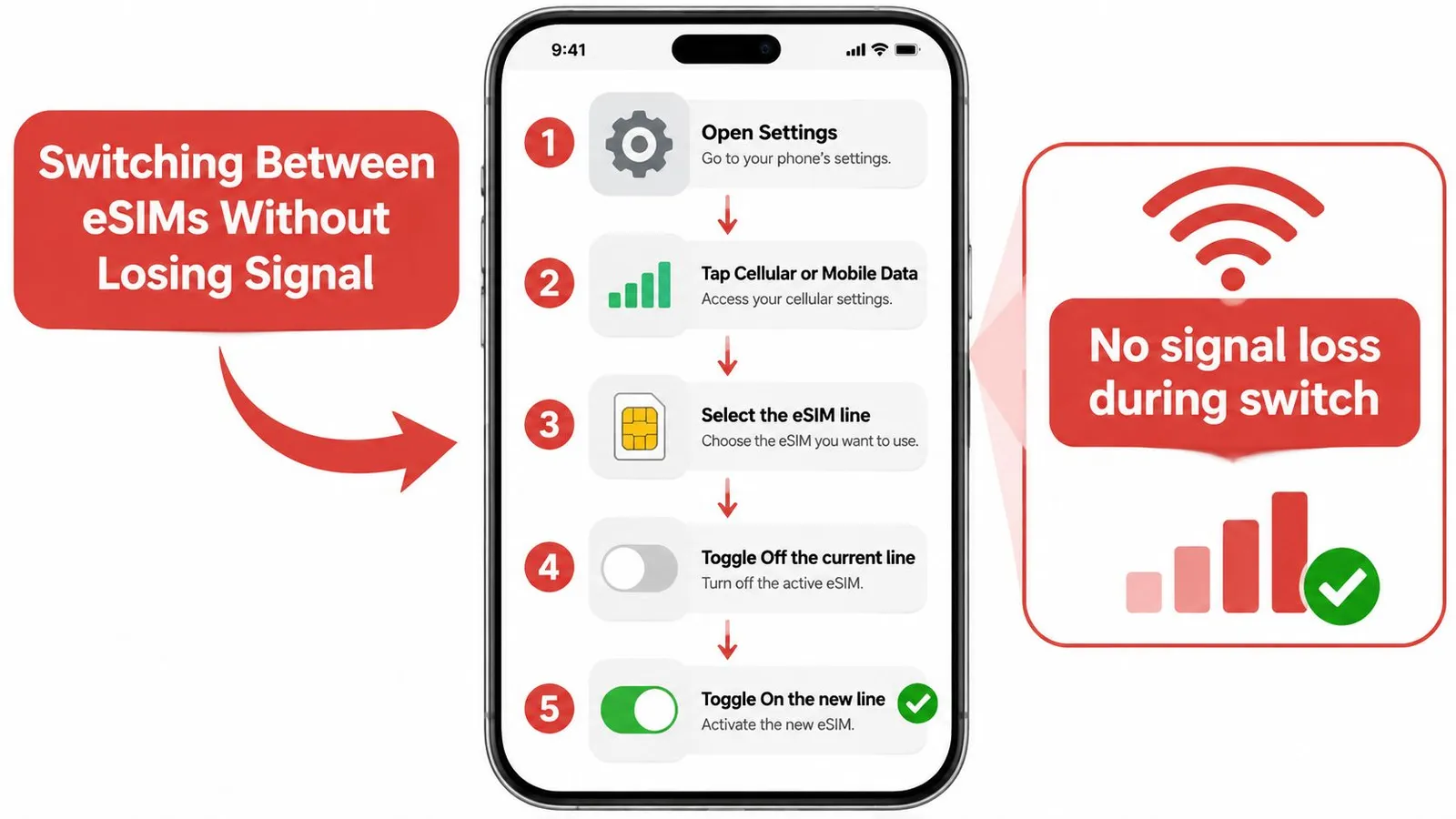
A practical settings workflow
Menu names vary by handset and region, but the decisions remain consistent:
- Open the SIM settings: Locate Cellular, Mobile Data, or the phone's equivalent network settings.
- Identify the destination profile: Use a clear destination label rather than guessing from an unfamiliar carrier name.
- Enable the required line: If the device has reached its active-line limit, disable an unneeded line rather than deleting its profile.
- Assign mobile data: Select the travel subscription for data instead of assuming that enabling it changes the default.
- Review home-line use: Disable data roaming on the home subscription and retain that line only when calls or messages are needed.
Google's guidance on using SIMs on Pixel phones explains line selection and carrier-dependent dual-SIM behavior. The provider's eSIM management instructions can help match those decisions to the installed travel plan.
Disabling home-line data roaming isn't the same as making all home-line activity free. Calls and messages remain subject to the home carrier's terms.
After making the change, the traveler should confirm the selected data line and test the connection. If service doesn't appear, reviewing those assignments is more useful than immediately deleting and reinstalling the profile.
Real Travel Scenarios That Need Multiple eSIMs
The following are hypothetical travel arrangements, not customer case studies. Each starts with an itinerary or communication need, then chooses a suitable setup.
A European itinerary with several stops
A traveler visiting cities across Europe might initially assume that every border requires another downloaded profile. A regional plan can be a simpler choice when its listed coverage includes every stop.
The Europe & UK eSIM is a prepaid regional travel-data option. Its coverage details and validity should be checked against the itinerary before purchase, rather than inferred from the product's name.

A separately stored country profile could still be useful for a destination outside the chosen regional plan. The benefit comes from matching coverage to the route, not from accumulating the largest collection of profiles.
A family sharing a connection
A parent might want travel data on a phone, access to a home number, and internet access for a tablet or a partner's handset. Those are separate requirements.
Before relying on hotspot sharing, the parent should confirm that the selected plan and device support the intended arrangement. Installing extra profiles on the parent's phone shouldn't be confused with installing service on the family's other devices.
The practical planning questions include:
- Coverage: Does the travel plan cover the places where the family will stay?
- Sharing: Does the plan permit the required hotspot use?
- Independence: Will another traveler need a separate connection when the group splits up?
A remote worker keeping a home number
A digital nomad may need a familiar number for calls and messages while assigning internet access to a destination plan. On a supported configuration, those roles can sit alongside each other.
The worker should verify the home carrier's overseas terms rather than assuming that keeping the number enabled makes its use free. The destination plan's validity and data allowance also need to fit the stay.
A country, regional, or global plan might suit this traveler. The right choice depends on the actual route and subscription terms, not the number of profiles the handset can hold.
Choosing the Right eSIM Setup for Your Trip
A useful purchasing decision starts with the itinerary and required services. Profile capacity matters, but buying another subscription isn't automatically the answer to every connectivity problem.
A short visit to a single destination creates different needs from an open-ended journey across regions. Likewise, a traveler who needs a home number has a different setup from someone who only needs travel data.
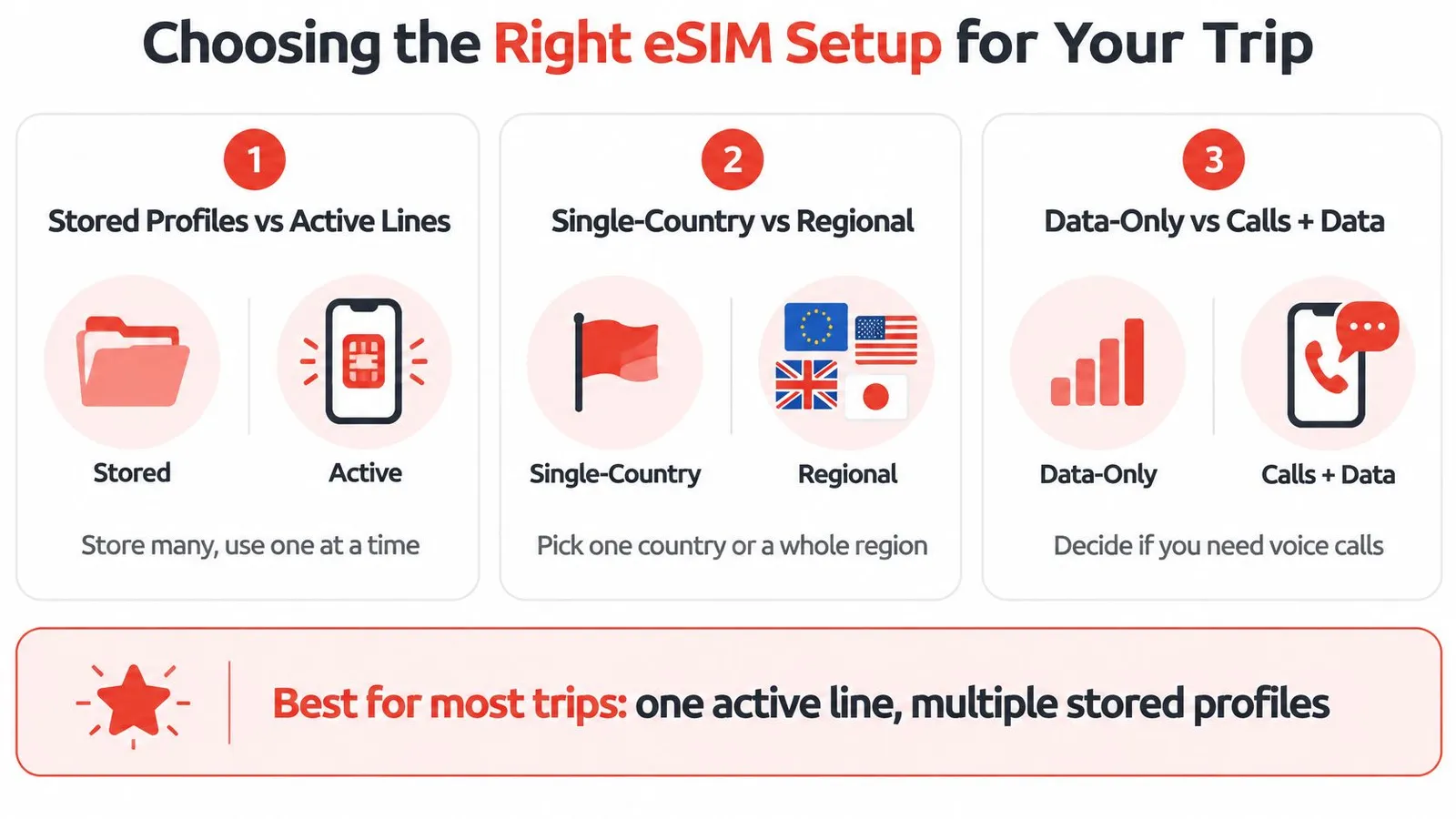
Separate device decisions from purchase decisions
The infographic is a starting point, not a universal device specification. Its simplified active-line caption doesn't replace the model-specific capabilities described earlier.
A traveler can evaluate the purchase through these questions:
- Required live services: Is travel data sufficient, or must a home number remain available?
- Geographic fit: Would a country plan cover the visit, or does a regional or global option better match the route?
- Payment and renewal: Is a fixed purchase appropriate, or should the traveler look for a plan with suitable top-up terms?
“Free versus paid” needs particular care. A profile appearing in Settings doesn't establish that usable data is included. A traveler evaluating a free offer should check its allowance, coverage, validity, and conditions rather than treating installation as proof of service.
Match flexibility to the itinerary
A fixed plan may suit a settled trip. A traveler with uncertain dates should inspect the validity rules and renewal options before buying, including whether additional data requires a top-up or a separate purchase.
Purchase check: The useful comparison is the service available for the actual journey, not simply the price displayed beside the smallest plan.
The same care applies to voice service. A travel-data subscription shouldn't be assumed to include a local calling number or conventional SMS.
The provider's guide to choosing the right plan is a practical place to check the available structures. The final decision should follow the destination list, communication needs, and purchase conditions rather than a generic recommendation for every traveler.
Common Misconceptions About Multiple eSIMs
More installed profiles don't create a combined pool of working mobile connections. The enablement limits described earlier still apply, regardless of how many unused plans appear in Settings.
A related mistake is assuming that an enabled line automatically becomes the preferred data line. The settings workflow matters because profile status and service assignment aren't interchangeable.
An unlocked phone isn't the whole compatibility check
A compatible handset clears an important restriction, but it doesn't establish every other requirement. The phone still needs the appropriate eSIM support, regional configuration, and carrier compatibility.
That means a traveler shouldn't buy solely because a handset accepts another carrier's physical SIM. The relevant question is whether it supports the intended eSIM arrangement.
Deleting and disabling aren't interchangeable
Neither “a deleted eSIM can never be reinstalled” nor “every deleted eSIM can always be restored” is a safe universal rule. Reinstallation is a provider-specific question that should be resolved before deletion.
A traveler who only wants to stop using a plan temporarily should distinguish that goal from removing its credentials. Keeping a stored profile also shouldn't be mistaken for preserving an expired subscription's data or validity.
Before departure, a focused check can prevent those assumptions from becoming an airport problem:
- Check the exact handset: Confirm the model and regional version, not just the brand.
- Verify the intended line combination: Establish whether the home and travel subscriptions can operate in the planned arrangement.
- Inspect plan conditions: Confirm destination coverage, validity, and any reinstallation requirements.
- Review defaults: Make sure the labels, data assignment, and home-line roaming settings match the travel plan.
A useful test is to ask what each setting controls. A storage entry, a line toggle, a default-data selection, and a purchase confirmation each answer a different question. Treating them as separate checks makes troubleshooting more deliberate.
Your Multi-eSIM Game Plan Before the Next Trip
A dependable travel setup starts with a small set of deliberate decisions. The traveler should know which subscriptions will be needed, what each will do, and which settings must change on arrival.
Preparation is more useful than carrying extra profiles without a clear purpose. A destination plan should have an identified role in the journey, whether it covers the main stay or a later stop.
A departure-ready routine
- Confirm the arrangement: Record the handset model and verify that the intended home-and-travel combination is supported.
- Name the profiles clearly: Destination-based labels make the arrival decision easier.
- Plan the data handover: Identify the travel line that should handle mobile data after arrival.
- Set home-line boundaries: Decide whether calls or messages are necessary and review the carrier's overseas terms.
- Check the full route: Compare every destination with the chosen plan's coverage and validity.
The travel eSIM setup guide can support installation before departure. Any uncertainty about activation timing, replacement, or changing travel dates should be resolved before making irreversible changes.
The most useful multi-eSIM setup isn't necessarily the one with the most subscriptions. It's the arrangement in which every installed plan has a purpose and every enabled line has an understood role.
RedSim offers country, regional, and global travel-data plans that can fit a multi-eSIM itinerary. Visit RedSim to compare a plan with the trip's destinations, then check handset compatibility and setup instructions before departure.
 Vietnam