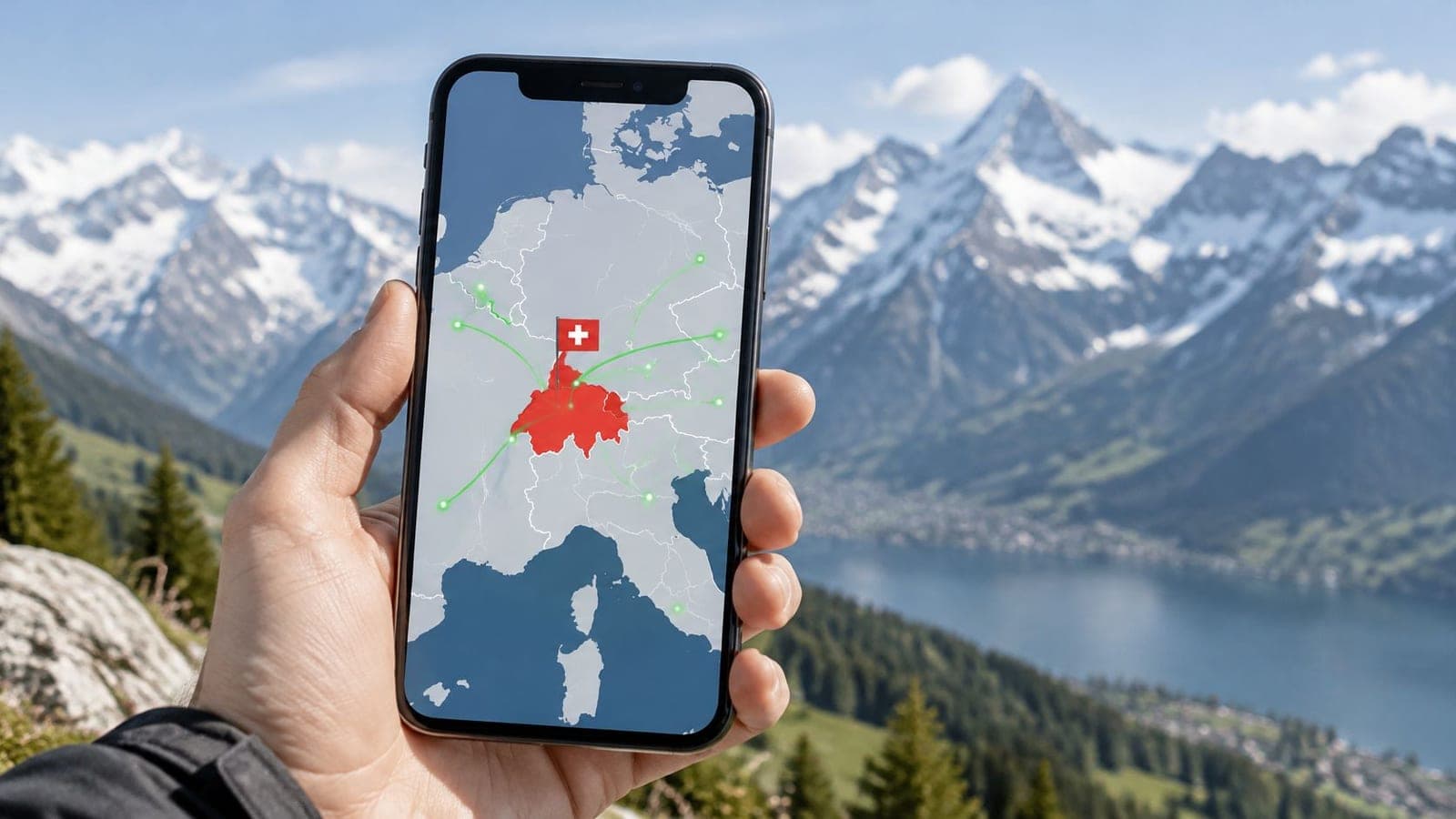
A Europe eSIM works in Switzerland only when Switzerland is named in the plan's coverage list. If it isn't, travelers should expect no usable data at the border, even though their trip stays in Europe.
Why can a phone detect a Swiss network but still fail to load a map? Receiving a signal and having permission to use that network are different things. The word Europe on a product page doesn't settle either question.
Whether a Europe eSIM Works in Switzerland by Situation
Yes, a Europe eSIM can work in Switzerland, but the plan must explicitly include Switzerland. The country list matters more than the regional name on the package.
The European Commission lists Switzerland among the countries where EU roaming regulations don't apply. A provider can include Switzerland commercially, but European geography doesn't require it to do so. That distinction affects ordinary European SIM cards as well as travel eSIMs.
| Situation | Works in Switzerland? | What to do |
|---|---|---|
| Switzerland is named in the plan's country or regional list | Yes, through an available Swiss partner network | Install before departure and enable roaming on the travel line when needed |
| Switzerland is missing from a Europe plan | Usually no usable data, even if installation succeeds | Choose a Swiss or global plan that includes it |
| Trip is only in Switzerland | Yes, with a Switzerland-specific plan | Choose a single-country Swiss eSIM |
| Crossing from France, Germany, Italy or Austria into Switzerland | Only if the regional plan lists Switzerland | Verify coverage before the crossing |
| Phone is locked to a home carrier | A foreign travel eSIM won't work while the restriction applies | Ask the home carrier to unlock it |
| Phone has no eSIM support | No | Use a physical local SIM or an eSIM-capable phone |
The table separates destination coverage from device readiness. A suitable plan can't overcome a locked or incompatible phone. Equally, a fully compatible phone can't make an excluded destination part of a subscription.
The fastest useful check happens before departure: open the exact plan's destination list and find Switzerland, rather than relying on a Europe label or a regional map.
Why Switzerland Needs Its Own Roaming Permission
A Europe eSIM is like a festival wristband with a printed guest list. Switzerland can be inside the wider venue, but a wristband without permission for that gate won't open it. The phone's eSIM profile supplies credentials, while the subscription determines where those credentials can be used.
Consider a hypothetical traveler named Maya, driving from Munich to Basel and then onward to Milan. Her regional plan lists Switzerland, and her compatible phone has the correct settings. At Basel, the phone can register with an available Swiss partner network without installing another eSIM.
With a plan that excludes Switzerland, the same journey can produce a different result. The installed profile remains on the phone, but Maya has no usable Swiss data connection. Detecting a nearby tower doesn't grant access to its network.
The connection depends on separate checks
- Installation: The phone must contain the downloaded eSIM profile. This is the digital subscription information, not proof of destination coverage.
- Permission: The subscription must authorize use in Switzerland through the provider's roaming agreements.
- Network registration: The phone must connect to an allowed Swiss partner network using compatible cellular technology.
Switzerland's infrastructure helps explain why permission deserves attention. The International Telecommunication Union reported 100% population coverage by at least 4G in 2022 in its Switzerland connectivity statistics. That describes national population coverage, not a promise of reception at every location.
For Maya, successful installation at home establishes only that the profile downloaded. Actual Swiss service also depends on destination authorization, an available partner network and the phone's settings. Those are related checks, but they aren't interchangeable.
A Swiss signal does not prove the eSIM may use it.
This distinction also prevents unnecessary troubleshooting. If Switzerland is excluded, repeatedly restarting the phone won't change the subscription's permissions. The useful action is choosing coverage that matches the route.
Device and Activation Checks Before You Buy
Will your phone work with a Switzerland eSIM? Check the device itself before buying. “Europe” on a plan is a commercial label, while the phone's ability to receive a Swiss signal is separate from the plan's permission to use it.
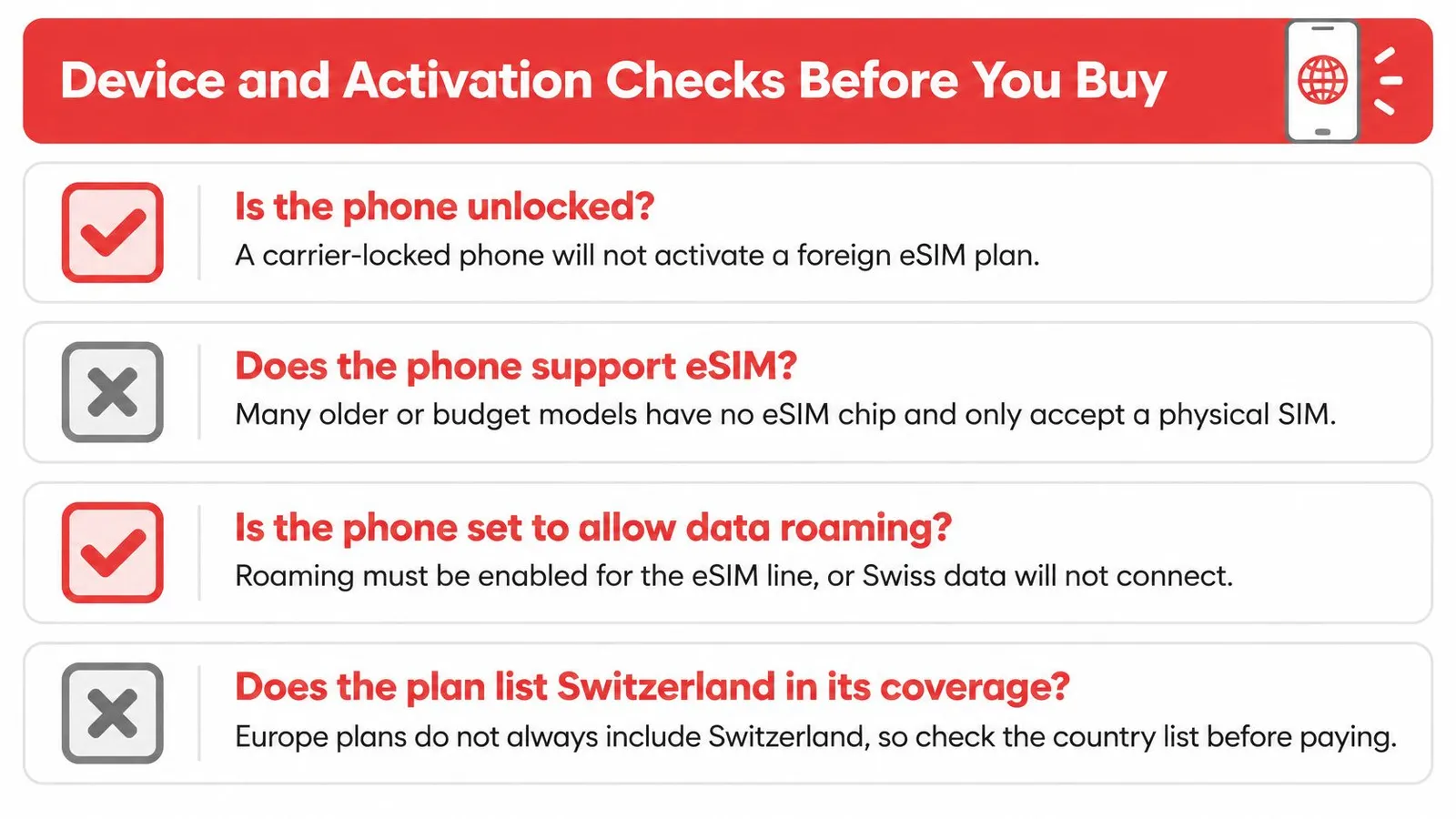
First, check whether the phone is carrier-locked. For example, a phone still being paid off through a carrier may be restricted to that carrier's service. Ask the home carrier whether the phone is released from those restrictions before travel.
Next, confirm the exact model supports eSIM. The phone's settings may show an “Add eSIM” option, but also compare the model with RedSim's compatible-device guidance. Menu names vary, so an unfamiliar setting alone does not prove the phone is incompatible. Install available software updates before departure, too.
The phone also needs compatible network bands to receive a Swiss signal. Switzerland's LTE allocations include 800, 900, 1800, 2100 and 2600 MHz, as documented in Swiss mobile-network technical material. LTE is commonly called 4G. Even with compatible bands, the plan must separately allow use in Switzerland.
Check features as well. A 5G-capable phone does not mean the plan provides 5G, and hotspot access or data-only service may have separate terms.
On a compatible dual-SIM phone, you can keep the home line for calls and texts while using the travel line for data. Decide which line handles each task before setup, especially if verification messages go to your home number.
RedSim requires no passport, ID or identity-verification check to buy or use an eSIM. That paperwork policy is separate from device compatibility, so check the phone model regardless.
Europe Regional vs Switzerland-Specific eSIM
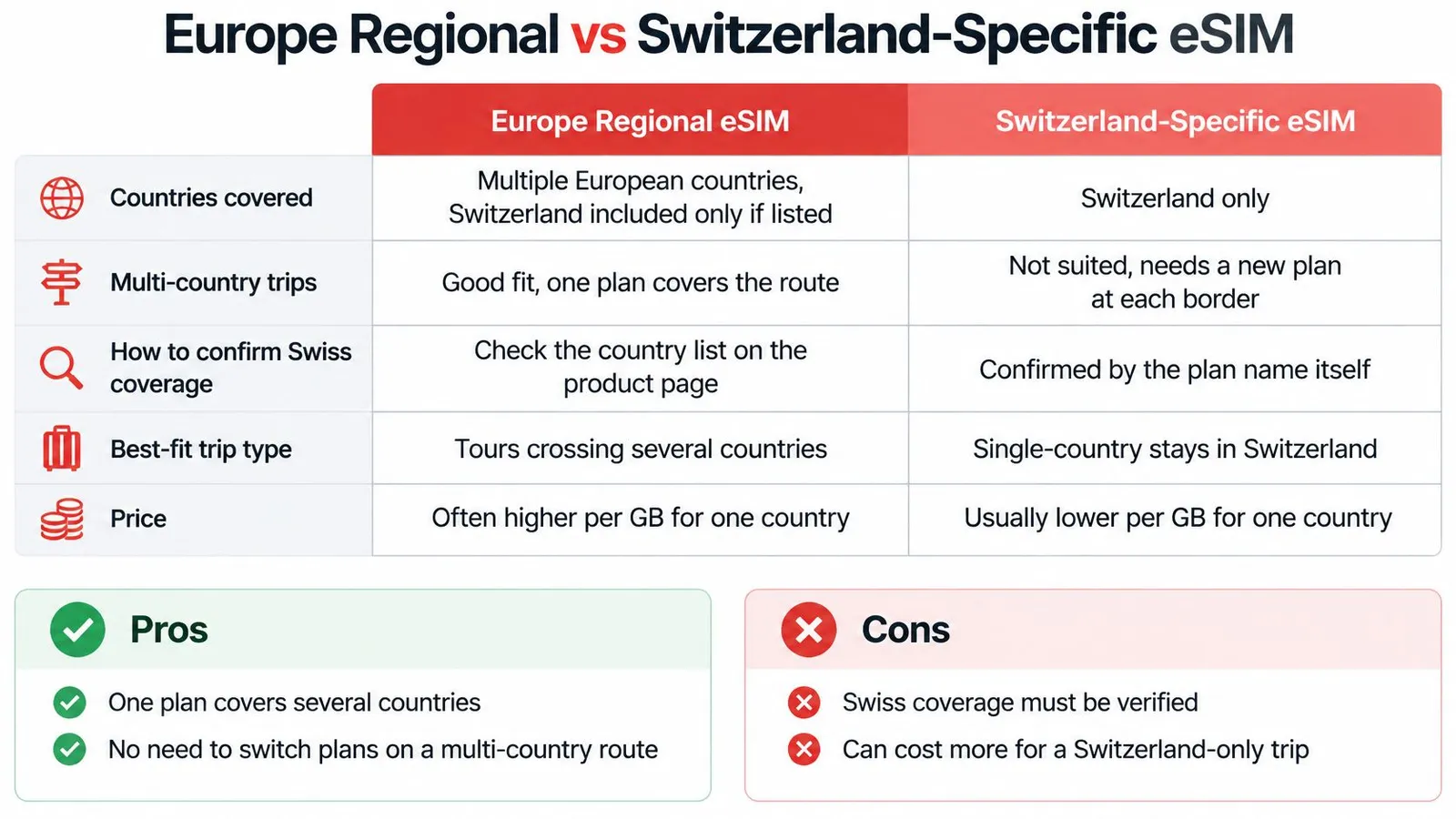
| Criterion | Europe regional eSIM | Switzerland-specific eSIM |
|---|---|---|
| Countries covered | Several countries; Switzerland must be named | Switzerland only |
| Multi-country trips | Works across listed borders without a new install | Requires another plan for destinations outside Switzerland |
| How to confirm Swiss coverage | Check the country list before every purchase | Switzerland is the stated destination |
| Best fit | Routes through several included countries | Switzerland-only stays or an unclear regional list |
| Main risk | Missing Swiss coverage interrupts data access | Separate purchases may be needed for a wider trip |
A regional plan simplifies a route with several stops. A country-specific plan removes uncertainty about the intended destination. Neither format automatically offers better value, because the answer depends on the actual allowance, validity and price.
Convenience versus a narrower purchase
- Regional advantages: A traveler can manage data for several included destinations through the same subscription. There's no need to install a replacement profile merely because an included border has been crossed.
- Regional disadvantages: Every destination still needs checking. Paying for a wider footprint may offer little benefit during a Switzerland-only stay.
- Swiss-plan advantages: The purchase has a clear destination and can be matched to the Swiss portion of the itinerary. A product page that names its host networks makes the service easier to evaluate.
- Swiss-plan disadvantages: Coverage doesn't automatically extend to neighboring countries. A larger tour may require another purchase and another allowance to manage.
The host network is the local carrier that carries the connection. A country-specific title doesn't, by itself, identify that carrier or guarantee a particular speed. Those details belong in the product specifications.
Compare the whole trip cost
Before buying, travelers should check whether Swiss use draws from the advertised allowance or has separate terms. A surcharge or separate allowance can change the value of an otherwise convenient regional purchase. Swiss authorities recommend checking roaming packages before departure and considering local prepaid alternatives.
The cost decision can stay simple:
- Switzerland-only stay: Compare a Swiss data plan with a local prepaid option using the required allowance and stay length.
- Switzerland plus neighboring countries: Compare a regional purchase against the combined cost of separate destination plans.
- Unclear Swiss terms: Resolve the uncertainty before paying, rather than treating an attractive headline price as the final cost.
- Long multi-country tour: Include every destination and validity period in the comparison, not just the first arrival.
Budget check: The useful price is the cost of covering the actual itinerary, not the lowest advertised starting price.
How to Install Your eSIM Before You Leave
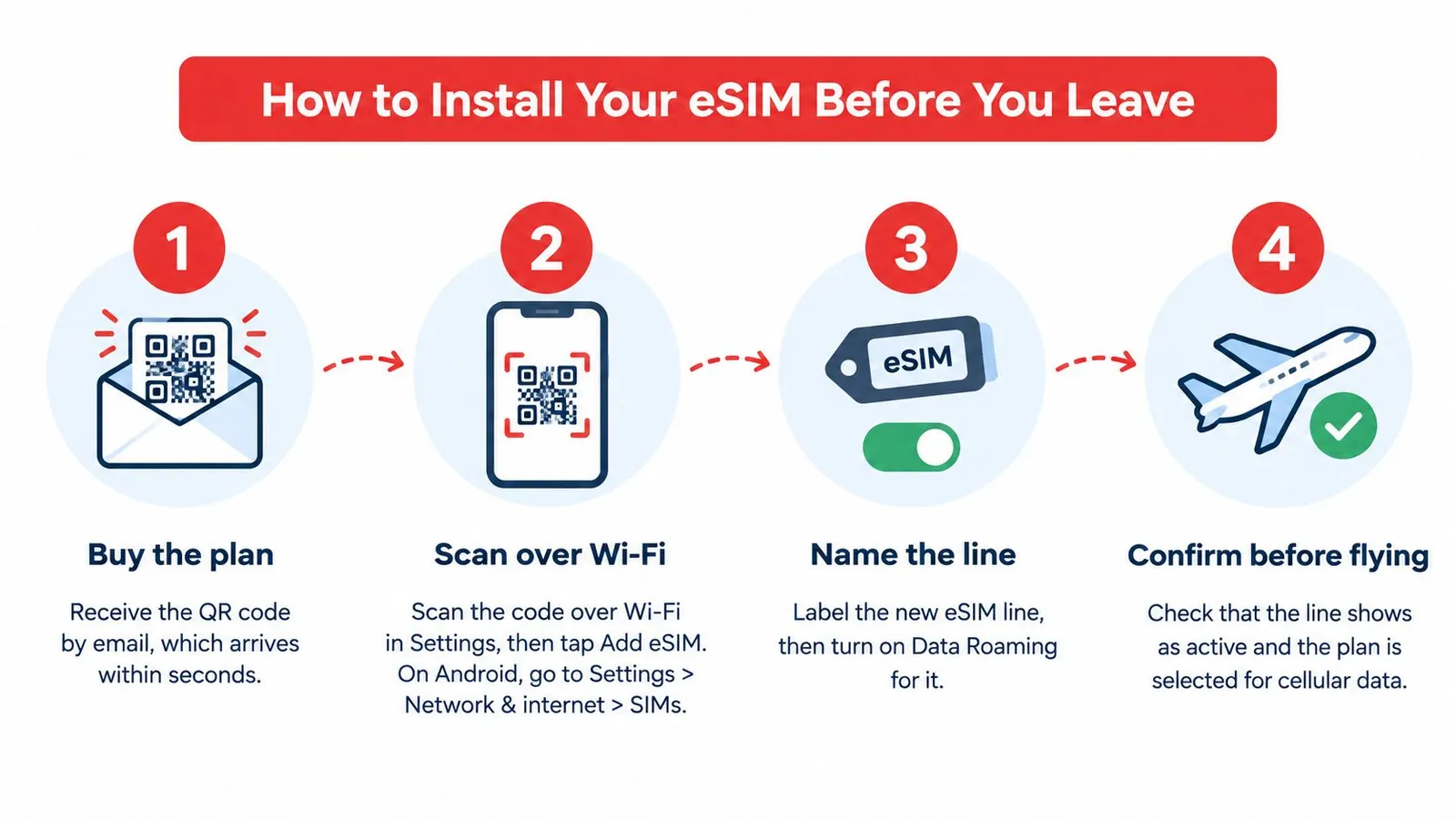
Installation is best handled at home over Wi-Fi, with the confirmation email available. RedSim's basic process is to buy, receive the QR code by email within seconds, install shortly before travel, then enable the travel line and its data roaming on arrival.
Prepare the profile at home
Buy after checking the itinerary. The confirmation email provides the QR code needed for installation, so it should remain accessible throughout setup. Common slip: Purchasing before confirming the destination list or the phone's compatibility.
Install over Wi-Fi. Open the phone's cellular settings, choose Add eSIM and follow the QR instructions; compatible devices can also use RedSim's in-app installation. Common slip: Waiting until arrival, when there may be no dependable connection for downloading the profile.
Give the line a recognizable name. A label such as Travel makes the new subscription easier to distinguish from the home line. Common slip: Leaving similar default labels and later changing the wrong line's settings.
Review the purchase details before departure. Keep the destination list, validity terms and setup instructions accessible with the confirmation email. Common slip: Assuming that an installed profile proves the chosen subscription covers every stop.
The RedSim setup instructions provide device-specific guidance when menu labels differ. Installation and activation shouldn't be treated as identical: a downloaded profile can be present without yet providing destination data.
Assign the correct line on arrival
Select the travel eSIM for mobile data. Enable data roaming on that line when following the arrival instructions, and leave home-line data roaming switched off. Common slip: Enabling roaming on both subscriptions instead of checking each line separately.
Confirm a working connection. After arrival, keep the travel line enabled, allow it to register with an available Swiss network and test a page load. Common slip: Taking a network name or signal bars as proof that internet access is working.
A practical dual-SIM arrangement keeps calls and texts on the home line and mobile data on the travel line. The European Consumer Centre's calls and internet guidance supports checking Swiss coverage and configuring roaming carefully before departure.
Home-line calls and messages remain subject to the home carrier's terms. Switching off that line's data roaming isn't a blanket guarantee against every possible roaming charge.
The QR email and app login should be saved in case support needs them. Travelers shouldn't delete a profile merely to experiment, because access to the original code doesn't establish that it can be reused.
Hotspot, Top-Ups and Refunds During Your Trip
A manageable allowance with a way to add data can be more practical than buying a large package without considering actual needs. RedSim's app provides usage tracking and plan management, so travelers can make adjustments during the trip.
- Hotspot sharing: RedSim supports sharing data with a laptop, tablet or another phone. This helps a family coordinate plans or a remote worker connect a laptop, but shared usage still needs to fit the available allowance.
- Top-ups: Data can be added to an active RedSim eSIM without issuing another QR code. That avoids repeating installation when the original allowance no longer matches the trip's needs.
- Usage tracking: Real-time app tracking helps travelers check consumption during the stay. Reviewing usage is more useful than assuming a familiar routine will consume the same amount on every trip.
- Refunds: RedSim provides full refunds for eSIMs that haven't been installed or activated. The refund eligibility guidance should be reviewed before installation if the itinerary remains uncertain.
- Offline preparation: Downloaded maps provide a fallback where mountain terrain or tunnels interrupt reception. A covered destination doesn't mean every part of an excursion will stay online.
- Support access: RedSim offers round-the-clock WhatsApp and email support. Saving the contact details before departure makes them easier to find if setup fails at the border.
Match the initial purchase to the stay, then use observed consumption to decide on a top-up. This approach keeps the decision tied to the traveler's actual needs rather than an oversized allowance chosen out of uncertainty.
Common Problems in Switzerland and How to Fix Them
No service immediately after entering Switzerland should prompt a coverage check before a round of settings changes. An excluded destination can't be repaired through the phone's menus. If coverage is confirmed, the travel line's data selection and roaming settings are sensible next checks.
| Symptom | Likely cause or first check | Fix |
|---|---|---|
| No service right after crossing into Switzerland | Switzerland may be absent from the plan | Choose coverage that explicitly includes Switzerland |
| eSIM line shows No Service | Check the travel line's roaming setting, although registration can fail for other reasons | Enable travel-line data roaming as instructed |
| Connected to a network but no internet | The home SIM may still be selected for mobile data | Set the travel eSIM as the mobile-data line |
| Only LTE, no 5G | The plan, phone or available partner connection may not permit 5G | Keep automatic network selection and use LTE |
| Slow or dropped service in Alpine valleys or tunnels | Terrain or local congestion may affect reception | Use previously downloaded offline maps |
| eSIM won't install | An interrupted download or previously used code may be involved | Contact support over a working Wi-Fi connection |
| Home SIM still generates charges | Home data roaming may remain enabled | Disable home-line data roaming, then review any call or text charges |
National coverage isn't a location guarantee
Official Swiss coverage information reports that Swisscom reached 99% of the population with 5G in 2025, while Sunrise exceeded 99% with basic or standalone 5G, according to ComCom's mobile-coverage overview. These are population figures, not guarantees for every mountain route, building or roaming subscription.
A travel eSIM's experience also depends on its host network, the phone's supported frequencies and local conditions. A 5G symbol therefore isn't the only useful measure of whether a connection is suitable. If 5G is unstable, switching to LTE can be a reasonable troubleshooting step.
Troubleshooting order: Confirm destination permission, check the selected data line, then investigate reception.
For unresolved registration problems, the RedSim no-signal-after-landing guide offers a focused starting point. Support should receive the phone model, the displayed error and the current location, rather than only a description that the internet isn't working.
Confirm Switzerland on Your Plan Before You Fly
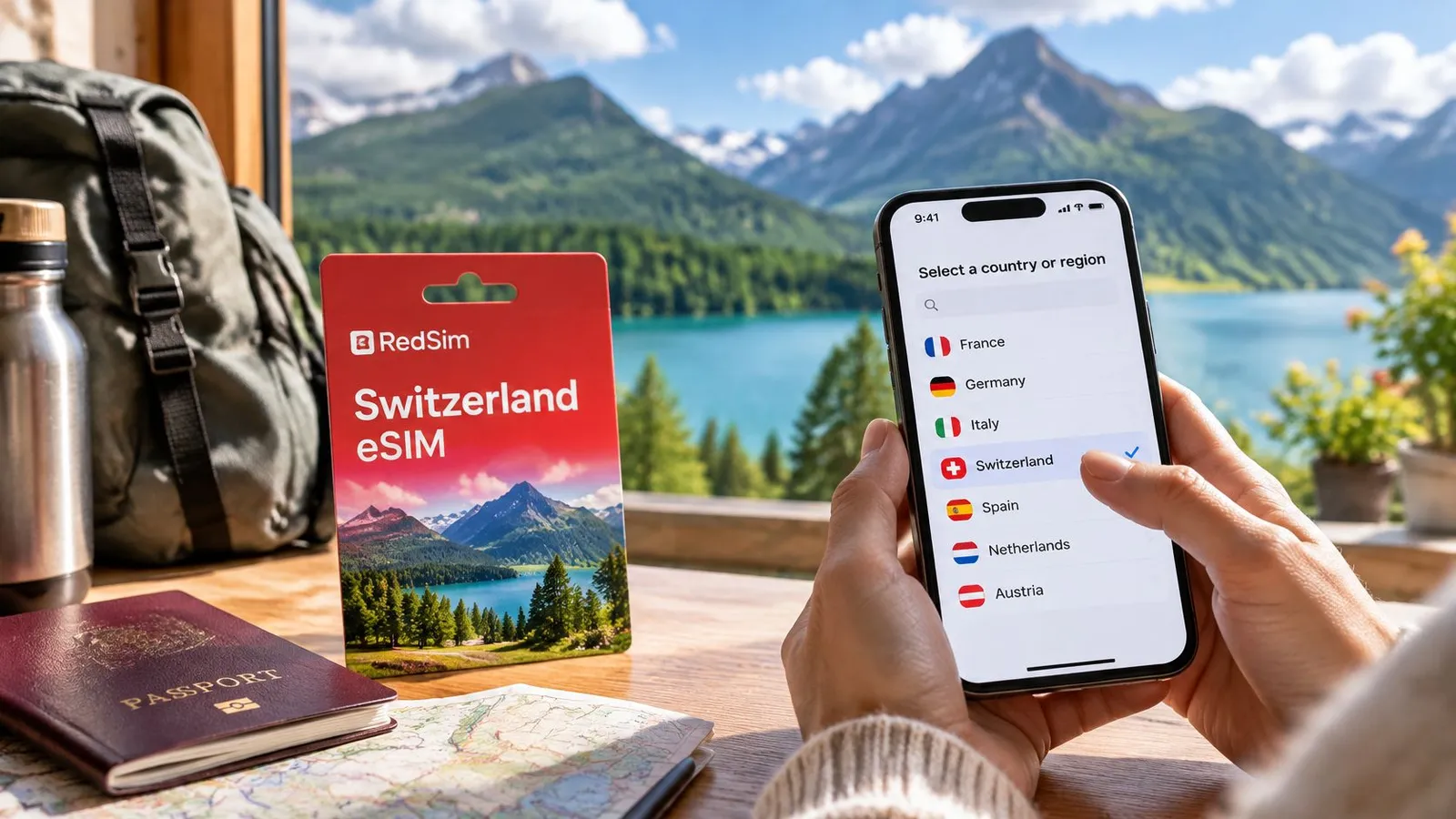
Does a Europe eSIM work in Switzerland? Check whether Switzerland appears on the plan's coverage list. “Europe” is a commercial label, not a guarantee that every European destination is included. A phone may detect a Swiss network, but the plan must also allow the eSIM to use it.
Check the destination list. Search the Europe and UK coverage list for Switzerland, then compare it with every stop on your route. The listed countries matter more than the plan's regional name.
Match the plan to your trip. For a stay in Switzerland, a Switzerland eSIM is a country-specific option. For a wider itinerary, check that the regional or global plan names each destination you need.
Prepare before departure. Check your phone model, carrier-release status and installation instructions while you have a reliable connection. Keep the purchase confirmation handy. RedSim sends its QR code by email within seconds and offers 24/7 support.
In short, the subscription's destination list decides whether your Europe eSIM will work in Switzerland. Verify it before choosing a plan or leaving home.
 Canada