
 Canada
A suitcase is open, boarding passes are saved, and the hotel address is ready in a map app. Before flying, ask: will my phone work in Canada? The answer depends on separate checks, not one yes-or-no test.
Mobile data needs a phone that accepts other carriers' SIMs, compatible Canadian bands, and a suitable SIM or roaming plan. Ordinary calls and SMS also depend on VoLTE support and your home carrier's roaming setup. Emergency access is another check, so working data or calls alone do not confirm it. You can assess each outcome calmly without becoming a network engineer.
Why Your Phone Might Work in Canada but Still Fail
Consider a hypothetical traveler landing in Toronto. A map loads over mobile data, messages arrive through WhatsApp, and the hotel reservation opens. Then an ordinary call through the phone's dialer fails.
That isn't a contradiction. The internet connection is working, but the phone hasn't necessarily passed the separate requirements for cellular calling. Another traveler could have suitable radio hardware but find that a Canadian SIM won't activate because the handset is carrier-locked.
Separate the outcomes
A useful way to think about compatibility is an airport with different checkpoints. Passing through one doesn't grant access through every other checkpoint.
- Mobile data: Can the phone connect to the internet through the selected Canadian network and plan?
- Ordinary calls and SMS: Can the intended line make calls and send or receive traditional text messages, including authentication messages?
- Emergency access: Does the calling arrangement support emergency contact, rather than merely internet-based conversations?
VoLTE, short for Voice over LTE, belongs within the calling check. It isn't another name for mobile data, and seeing an LTE symbol doesn't prove that ordinary calls will work.
Practical rule: A working map proves that the phone has internet access. It doesn't prove that every calling function is ready.
Understand what broad coverage means
Canada offers a reassuring starting point for compatible phones. The opening coverage figure comes from Statistics Canada's telecommunications data, which measures population access, not uninterrupted service across the country's entire land area.
That distinction matters on a trip beyond populated areas. Remote regions, northern routes, mountainous terrain, and some highways can have weaker service even when the phone and plan are suitable.
A traveler with no connection after arrival can use a no-signal troubleshooting guide to investigate setup issues. However, troubleshooting works best when the basic questions have already been answered: which device, which network, which plan, and which services are supposed to work?
What a Carrier Lock Means for Your Trip
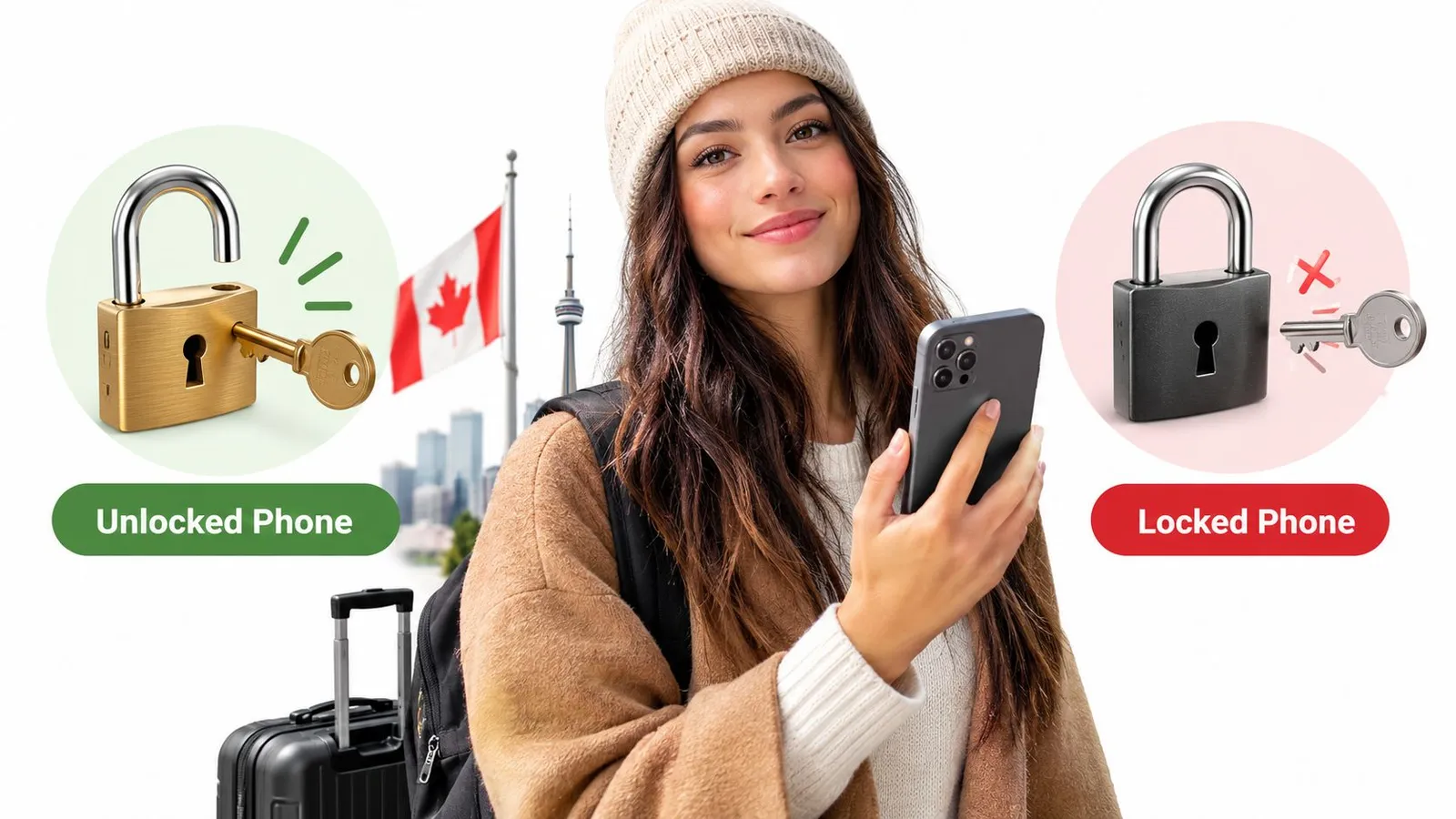
Your phone may show a strong signal yet refuse a travel SIM. Carrier-free means the handset can use another provider's SIM or eSIM. The screen passcode and network coverage are separate matters.
A house key offers a useful comparison. A phone restricted to one carrier is like a key that opens only one door. Removing that restriction lets the phone use another provider, provided its hardware and service support the connection.
Confirm the restriction before buying service
Check the carrier restriction before purchasing a separate travel line. A handset may support Canadian frequencies but still reject another provider's SIM or eSIM. The Canadian network compatibility reference can help you check network support, while the carrier can confirm whether its restriction applies.
- Check device settings: Look for carrier-lock or SIM-restriction details. Menu wording varies, so an unclear label does not confirm the phone's status.
- Contact your home carrier: Ask whether your specific handset can use another provider's SIM or eSIM.
- Resolve uncertainty before departure: If the carrier needs to remove a restriction, complete its process before relying on a travel plan.
Roaming settings and a carrier lock are separate controls, so each needs its own check. Your home-carrier SIM may still have an approved roaming arrangement. The lock matters when you want to use a separate Canadian or travel SIM.
Roaming and network settings don't remove a carrier lock
Turning on data roaming does not remove a carrier restriction. Changing network selection or choosing LTE instead of 5G does not remove it either. These settings affect how the phone connects, while the carrier controls whether it can use another provider's SIM.
The carrier responsible for the restriction can explain its process. Confirm the phone's status with that carrier rather than relying on a settings change abroad.
Once you know the phone can use the intended SIM, set up the travel line separately. RedSim's eSIM setup instructions explain installation. They do not remove carrier restrictions.
Before buying a travel SIM, confirm permission to use it. Then check whether the phone supports the network that SIM will use.
Reading Network Bands and 5G Support
A phone can show a 4G or 5G symbol and still fail to connect well in part of Canada. Mobile networks use radio frequencies grouped into bands, and the phone's modem must support bands used by the network in the places you plan to visit.
Match the exact model to the network
Canadian LTE references list bands 2, 4, 5, 7, 12, 13, 17, 25, 26, 29, 38, 46, 66, and 71 (Canadian network compatibility reference). The same reference lists Canadian 5G bands as n1, n41, n66, n71, and n78. Match the bands your intended carrier uses, and check the four most common LTE bands for travel first: 4, 7, 12, and 66.
A phone that lists band 66 but not band 71 may connect in Toronto and lose coverage in a smaller town along your route. The exact model number matters more than the brand name because regional versions of the same phone can support different bands. Most flagship phones released since 2022 list at least 10 LTE bands in the manufacturer's specification sheet. Confirm the exact model and regional version there.
LTE is the baseline, not a fallback to dismiss
5G isn't required for basic connectivity. A compatible LTE phone can handle many ordinary travel data needs. If your phone lacks Canadian 5G bands, that alone doesn't mean it cannot connect.
5G can offer extra capacity and performance where the network and phone support it. LTE compatibility still matters, especially outside areas with 5G coverage. Check each separately: band support affects whether the phone can connect, while the available network and your location affect the service you get.
Core Checks for Canadian Band Compatibility
| Check | What to Confirm |
|---|---|
| Band list | Your phone supports LTE bands used by the intended Canadian network. |
| LTE versus 5G | Confirm LTE support first, then check whether the phone also supports 5G bands in Canada. |
| Exact model | The specifications match your phone's regional model number, not just its product name. |
Band support comes from the phone's hardware. Settings can't add missing frequencies. Compare your model's specifications with the intended network's information, including Bell's Canadian network information. The result is a specific check, not a simple yes or no: confirm which bands your model supports and whether they match the network you expect to use.
Checking Voice, VoLTE and Emergency Calling
A recent-looking handset isn't proof of calling compatibility. The device may support Canadian mobile data yet lack the carrier-approved configuration needed for ordinary voice service.
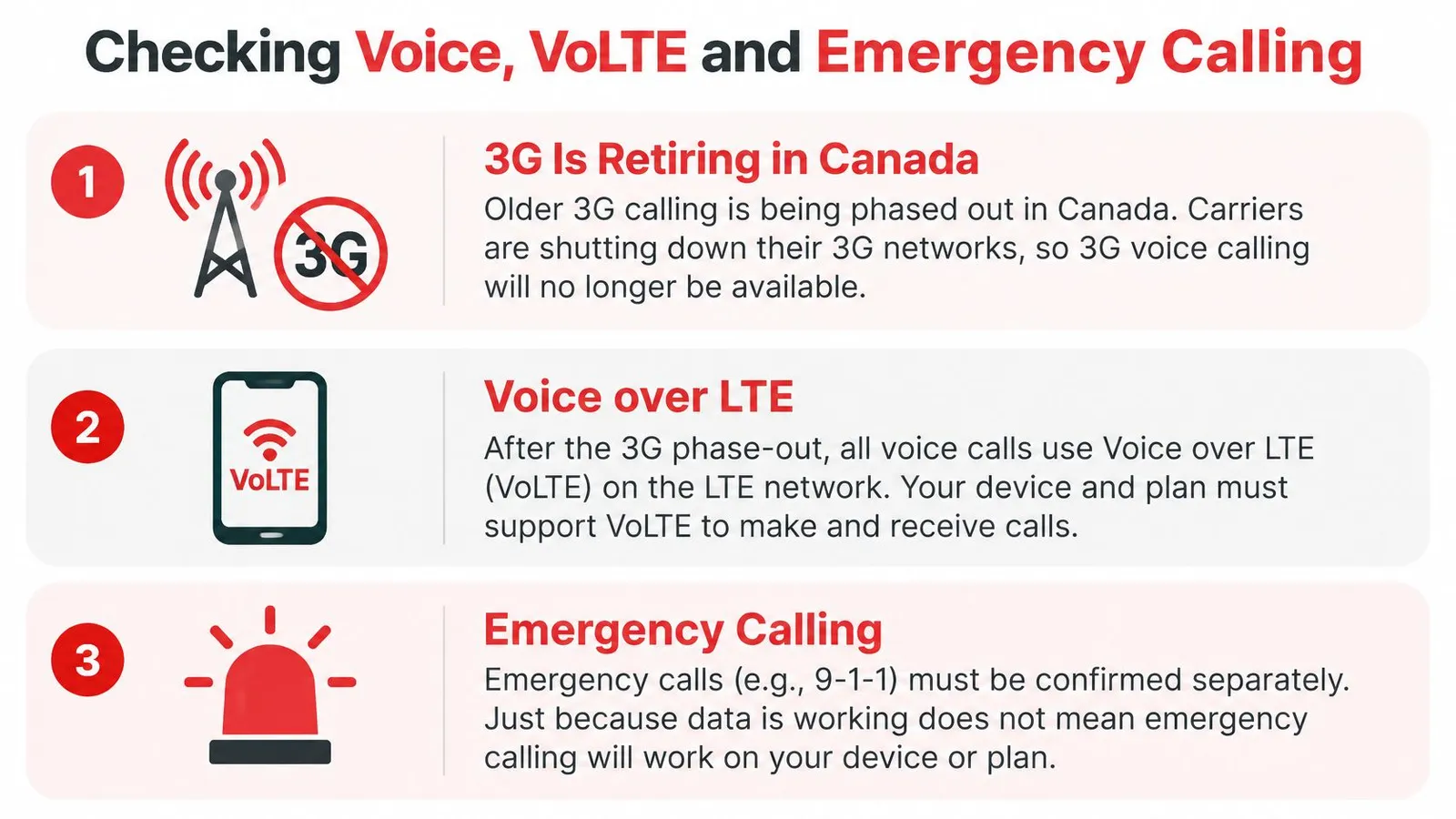
Canada is retiring older networks. The CRTC's guidance on the 3G phase-out explains that, after retirement, voice calls use Voice over LTE, and that international visitors with older devices may be affected.
Treat VoLTE as an authorized phone line
VoLTE is like a telephone line that needs both suitable equipment and permission to operate. The handset must support the function, and the carrier must enable or provision the appropriate service.
For someone keeping a home SIM, VoLTE roaming in Canada is the specific question. Domestic VoLTE support alone isn't enough. Imported phones, older LTE models, and devices with carrier-specific firmware deserve particular attention.
SMS also needs its own confirmation. An internet message arriving through an app doesn't establish that a traditional authentication text will reach the home number.
- Ask about the precise handset: Provide the regional model and identify Canada as the destination.
- Ask about voice and SMS separately: Confirm incoming and outgoing calls, ordinary texts, and any relevant roaming restrictions.
- Test ordinary service: Make a cellular call and send a text before departure, then repeat those checks after arrival.
A successful home test checks the current setup. It doesn't independently prove that the Canadian roaming partner will accept the same device.
Keep emergency access separate
A data-only connection can support maps and internet calls without guaranteeing normal mobile emergency access. According to Alberta's guidance on calling 911, Wi-Fi and internet-based calling can have limitations, including location-handling requirements and dependence on internet access or power.
Internet calling is useful for staying in touch. It shouldn't be treated as proof that emergency calling will work.
Travelers should retain a functioning voice-capable option where possible and confirm its emergency behavior with the relevant carrier. Emergency numbers shouldn't be called merely to test a travel setup. Carrier guidance and ordinary call testing are the appropriate preparation.
Step-by-Step Check Before You Travel
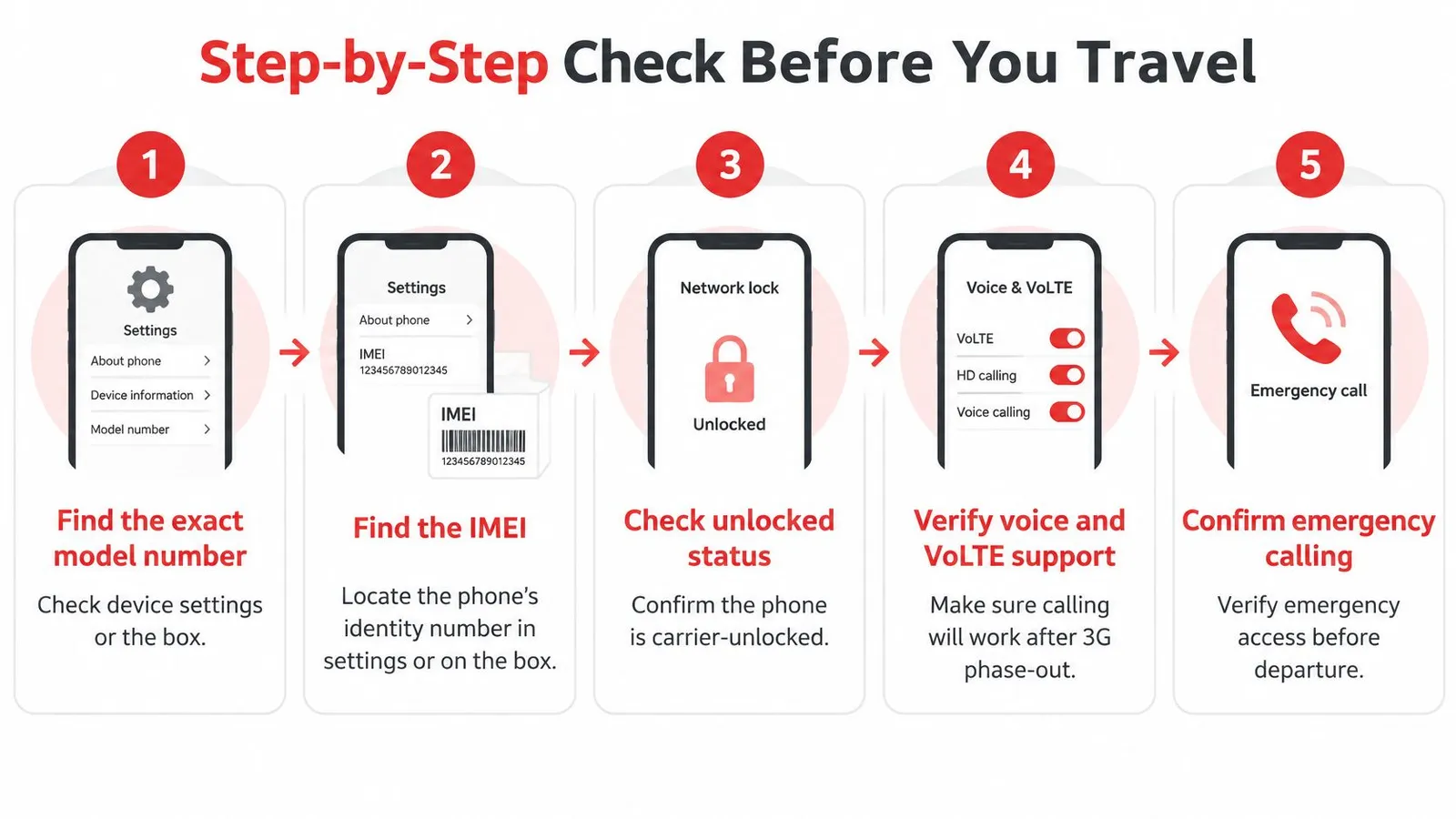
Before departure, write down four answers: the exact phone model, its lock status, its supported network bands, and whether voice service is confirmed. These checks cover separate outcomes. A phone may support Canadian mobile data while ordinary calls, SMS, VoLTE, or emergency access still need separate confirmation.
A model mismatch may call for a different handset or connection arrangement. A question about roaming or voice service needs an answer from the carrier.
Gather the information and confirm service
Find the exact model number. Check the device's About screen or original packaging. Record the regional model identifier, not just the familiar product name.
Locate the IMEI. Find it in Settings > General > About, or on the original box, and give it only to the carrier that asks for it during the compatibility check.
Confirm that the carrier lock has been removed. Ask the carrier directly, because a phone bought at a particular store does not confirm its current lock status. Get an answer before buying a separate SIM or eSIM.
Compare the hardware. Match the exact model's supported bands with the intended Canadian network. For an eSIM arrangement, check the compatible-device guidance as well.
Verify voice provisioning. Ask the home carrier whether the handset and account support VoLTE roaming in Canada. Get separate answers about incoming and outgoing calls, ordinary SMS, and any roaming restrictions.
Choose the connection arrangement. Decide which line will provide data and which will handle ordinary calls. Check each plan's allowances and terms before enabling service abroad.
Confirm emergency arrangements and run ordinary tests. Follow the carrier's emergency-calling guidance. Then make a normal call, send a text, and load a webpage using mobile data. Never call an emergency number just to test the setup.
Match each test to the service it checks
A webpage opened over home Wi-Fi proves nothing about mobile data. A WhatsApp call uses internet access, while the ordinary cellular dialer depends on voice service. Keep each test tied to the function it checks.
Save the results in a short travel note: exact model, intended data line, intended voice line, and any unresolved carrier restrictions. Families or business groups can record the same details for each phone.
After arrival, check mobile data, an ordinary call, and SMS before relying on the phone for the day. If a service fails, the written answers help identify whether the issue is data, voice, or messaging.
Roaming, Canadian SIMs and Travel eSIMs Compared
A traveler landing in Canada may need maps right away, while still expecting calls to their home number. These are separate services: mobile data, ordinary voice and SMS, and emergency access each need their own check. One option can provide internet without covering the others.
Compare the service, not only the data allowance. A data plan cannot confirm whether the home number remains reachable or whether emergency calling will work.
Compare the service, not just the allowance
| Option | Setup and cost questions | Home number and calling |
|---|---|---|
| Home-carrier roaming | Confirm Canada coverage, activation requirements, allowances, and charges under the existing account. | Keeps the existing line in use, subject to confirmed roaming and VoLTE support. |
| Canadian prepaid SIM | Confirm handset acceptance, activation requirements, included services, and validity. | A separate local line does not automatically preserve service on the home number. |
| Travel eSIM | Confirm eSIM capability, carrier-unlocked status, data allowance, and activation rules. | A data-only line does not provide ordinary voice or SMS; arrange those separately. |
For example, if a home carrier charges $15 per day for Canada roaming, a 5 GB travel eSIM for 30 days can cost less for a two-week trip. Home calls would still use the roaming plan, so compare the carrier's actual terms before choosing. Roaming may be simpler when keeping the existing line in use matters most.
A Canadian prepaid SIM may suit someone who needs local cellular service. Check whether the chosen plan includes voice and SMS. A local data connection alone does not confirm either service or emergency access.
Understand the data-only choice
A travel eSIM adds a digital SIM profile rather than a physical card. This explanation of how eSIMs work describes the installation method, which is separate from the services a plan includes.
RedSim's Canada eSIM is data-only and runs alongside your normal SIM, so your home number stays active. RedSim connects to the strongest local 4G/5G network available, rather than relying on just one carrier. Calls and texts to the home number still depend on your home carrier's service and roaming arrangements.
For a short holiday, predictable data costs may matter most. For a longer visit or call-heavy work trip, ordinary voice access may take priority. There's no automatic winner: choose the option that provides the needed services on your particular phone, and check emergency access separately.
Next Steps for Your Canada Trip
Your answer to whether the phone will work in Canada should name four things: the device, the SIM arrangement, the data route, and the voice route. A phone can handle mobile data while ordinary calls or SMS need a separate arrangement. Emergency access is another question, so do not treat success with one service as proof that every service will work.
Add one final setup check
Two days before departure, switch on airplane mode, turn on Wi-Fi, and confirm the eSIM line shows as active under Settings > Cellular. This checks that the profile is installed and visible before you leave, without relying on a Canadian network. If the line is missing or inactive, there is still time to review the installation steps.
For travelers considering a Canada travel eSIM, RedSim sends a QR code by email after purchase. Install the eSIM over Wi-Fi in Settings, then turn on its line and data roaming after you arrive. RedSim's eSIM is data-only and works alongside a normal SIM, so the home number can remain active. Ordinary calls and texts still depend on the home carrier's service.
Keep the three outcomes separate: mobile data, ordinary voice and SMS, and emergency access. They are different services, like separate routes on a trip. Confirm each one according to the arrangement you chose, and keep the relevant carrier instructions available offline. A working map or internet call confirms data access, not cellular voice service or emergency calling.
RedSim requires data roaming on its eSIM line to connect to the local network. This does not create an extra RedSim charge or affect the home SIM. Your home carrier's roaming terms are separate.
RedSim offers prepaid travel eSIM data for compatible phones that aren't tied to a carrier. Visit RedSim to choose a data option and prepare installation before flying. Keep your voice, SMS, and emergency arrangements separate from the data plan.

 Japan
Japan
 Mexico