 Brazil
The flight is booked, the hotel address is saved, and the next decision looks simple: buy some mobile data for Brazil. Then the plan pages start to blur together. A cheap package promises plenty of data, another advertises 5G, and neither makes it obvious whether the connection will survive the drive beyond Rio de Janeiro.
The best eSIM for Brazil is the one that matches the route, works with the phone, and provides useful LTE fallback when 5G isn't available. Data allowance matters, but unused gigabytes won't help when the plan can't connect to an available network.
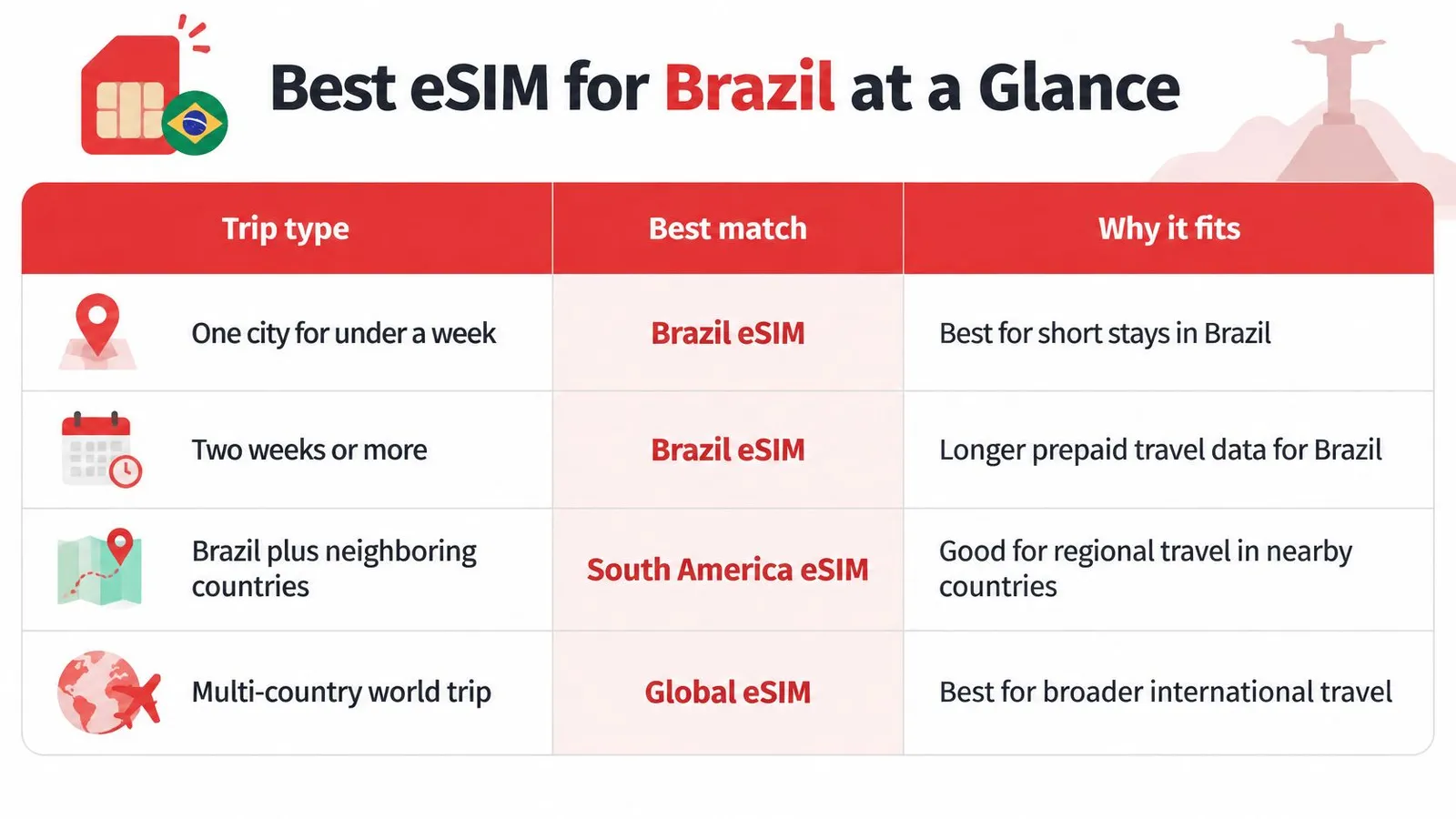
Best eSIM for Brazil at a Glance
Quick picks by trip type
| Trip style | Start with | Why it fits |
|---|---|---|
| One city, under 7 days | Brazil eSIM, from $3.69 | Low commitment for a short stay; confirm validity covers the departure day |
| Two weeks or more | Country plan with a 30-day tier | Matches a longer stay; check the available tiers up to 30 days at checkout |
| Brazil plus neighboring countries | South America regional eSIM | Built for border-crossing itineraries; 1 GB for 7 days costs $4.69, and Brazil must appear on the country list |
| Laptop work through hotspot | Plan with 10 GB or more | Gives laptop sessions, map downloads and file sync a more practical starting allowance |
| Rural areas or road trips | Plan with automatic network selection and LTE fallback | Puts the priority on permitted partner networks and usable LTE beyond major cities |
For a Brazil-only holiday, the country plan is the sensible starting point. A regional package becomes worth comparing when the itinerary includes Argentina, Chile, Paraguay, or Uruguay, and each destination still has to appear on the purchased plan's country list. Judge the shortlist by network layer first: host operator access, LTE fallback and the actual route matter more than a bigger advertised allowance.
The trip test
- Where the trip goes: A city break and a drive through the interior need different coverage checks. Rural travelers should examine the route, the towns between stops and the overnight stops, rather than the destination pin alone.
- How long the stay lasts: The validity period must cover the final travel day, including the journey to the airport and any buffer for a delayed departure.
- What uses the connection: Messaging and downloaded maps need a smaller allowance than video meetings, cloud uploads, hotspot sharing and family devices on the same plan.
A short stay can still be heavy on data. Someone uploading beach videos through the day may need more than a business visitor who spends working hours on hotel Wi-Fi.
Buying rule: Choose the network arrangement first, then choose enough data for the activities planned.
The table is a shortlist. Confirm network access and device support before paying. The decisive checks are the permitted Brazilian networks, the handset's compatibility, the activation conditions, the current checkout price and the selected allowance.
Brazil Coverage, Bands and Device Checks
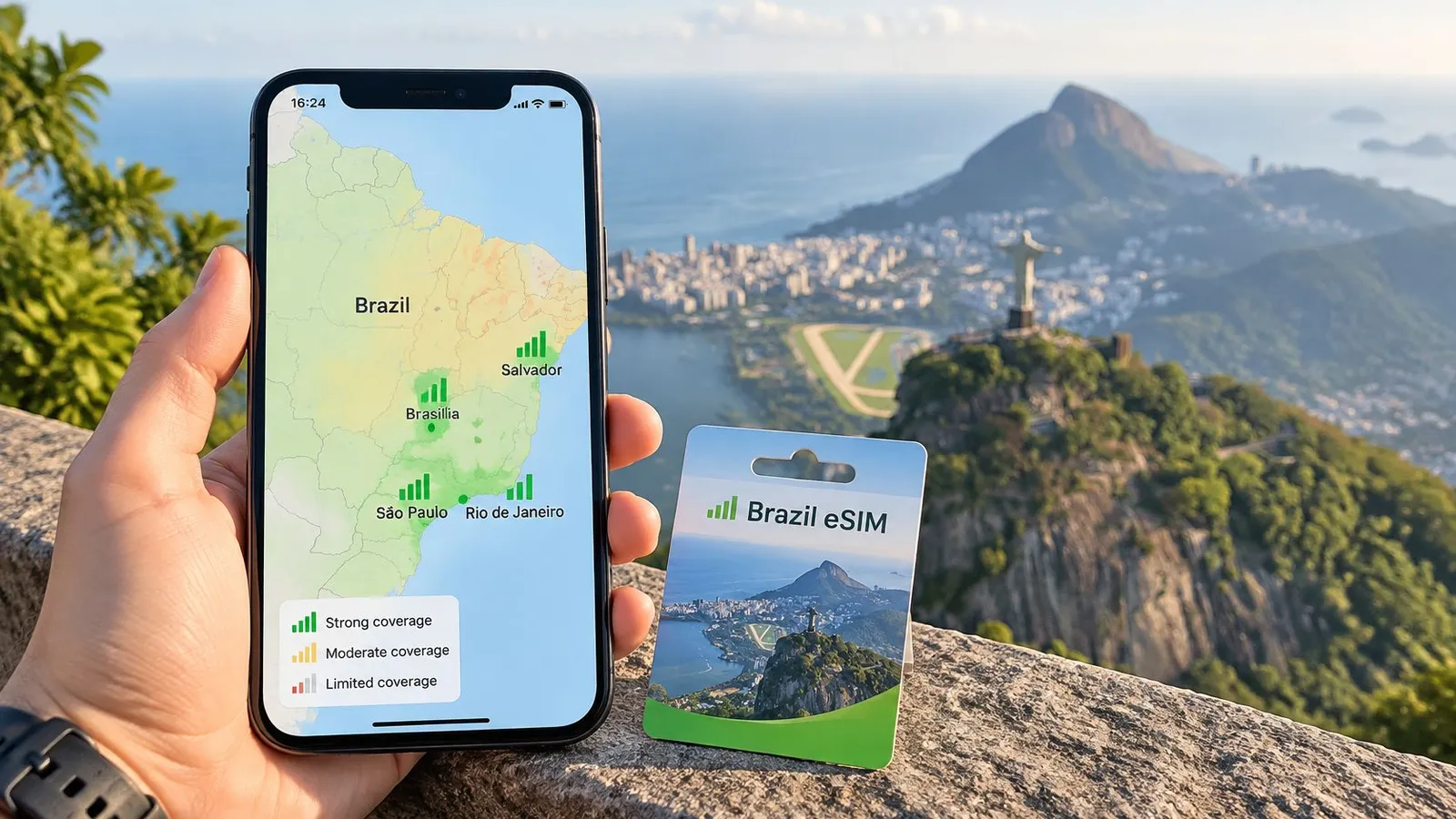
A connection that works in São Paulo, Rio de Janeiro, Brasília, or Salvador doesn't establish coverage along a rural driving route. Service can become patchier between towns, including parts of the Northeast and interior. The relevant question is whether the host operator covers the actual places on the itinerary.
Brazil's dependence on mobile access makes that distinction important: Anatel's infrastructure plan reports that 82% of rural internet users accessed the internet exclusively through a mobile phone, compared with 57% of urban users. Those figures describe residents' access rather than tourist coverage, and they show how heavily life outside the cities depends on a mobile signal.
LTE compatibility matters more than the badge
The Brazilian frequencies listed by GSMArena's network-band reference include band 28 at 700 MHz, band 3 at 1800 MHz, band 1 at 2100 MHz, and bands 7/38 at 2600 MHz. Each layer does a different job once the phone leaves open street level.
LTE bands used in Brazil
| Band | Frequency | What it does for travelers |
|---|---|---|
| Band 28 | 700 MHz | Low-frequency reach and better indoor signal |
| Band 3 | 1800 MHz | Core LTE layer in cities |
| Band 1 | 2100 MHz | Widely used LTE layer for everyday data |
| Band 7/38 | 2600 MHz | Extra capacity in busy areas |
Inside a concrete hotel or a shopping mall, the 700 MHz band is the layer most likely to hold a signal. Along a packed Rio beachfront or around a stadium, the 2600 MHz bands absorb the crowd's demand. A handset missing the lower-frequency layer may still connect in a city yet struggle inside buildings or farther from a tower. A 5G-capable phone doesn't remove that limitation. Spectrum licensed in a municipality does not guarantee installed LTE towers there, so LTE fallback deserves more weight than a 5G label.
Check access and hardware separately
A single-carrier plan gives the phone one operator's towers to work with. Access to several permitted networks provides alternatives when one carrier is weak in a given area, though automatic selection doesn't guarantee the phone picks the fastest connection every time.
Before purchase, establish:
- Partner access: The plan names its Brazilian roaming partners.
- Switching behavior: Automatic selection is supported across those permitted partners.
- Fallback: The plan can connect over LTE when 5G isn't usable.
Then check the exact handset model, including its regional variant, against the compatible-device guidance. It must support eSIM, be free of carrier restrictions, and support the relevant bands. Anyone keeping a home line available should also confirm simultaneous dual-SIM operation.
For rural tourism, coverage depth is worth more than a small saving. Even a flexible plan can't supply service where none of its permitted partners has coverage.
Choosing the Right Data Size and Plan Length
Compare allowance against validity first, because each one fails in a different way. Allowance sets how much data can be transferred. Validity sets how long the purchased package remains usable.
A traveler can burn through a package with days left, or reach expiry with data still unused. A larger allowance can't fix a validity period that ends before the flight home, and extra days mean nothing once the gigabytes are gone.
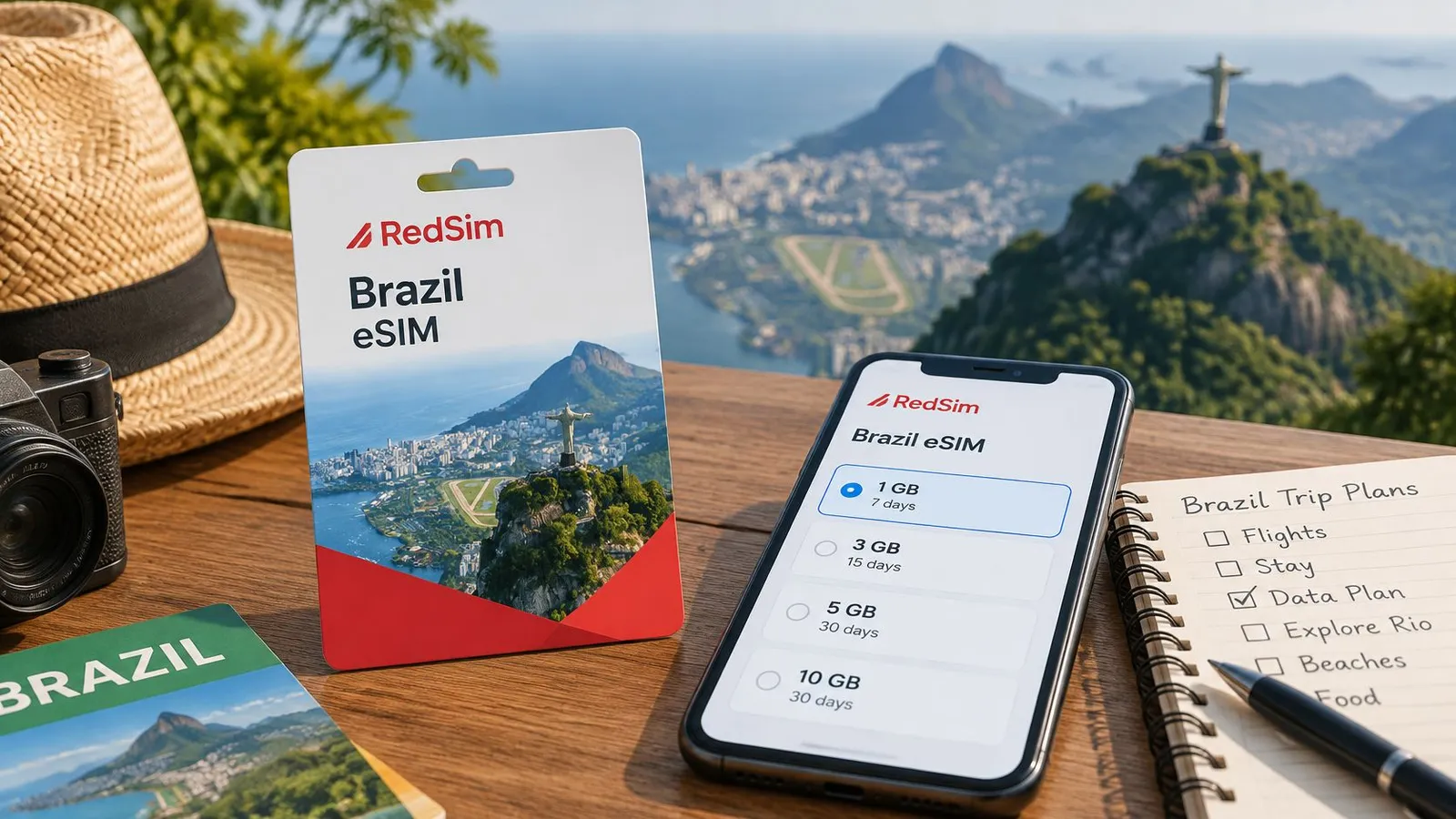
South America regional eSIM prices
| Data | Validity | Price |
|---|---|---|
| 1 GB | 7 days | $4.69 |
| 5 GB | 30 days | $13.52 |
| 10 GB | 30 days | $23.32 |
| Unlimited | 7 days | $30.34 |
These are RedSim's South America regional plan prices. The smallest package suits restrained use: messages, occasional searches, and navigation supported by downloaded maps. The middle allowances leave room for photo sharing, browsing, and a longer itinerary.
Estimate from the phone, not a generic average
The phone's own mobile-data settings give a better baseline than any universal daily figure. On iPhone, inspect Cellular usage and its reporting period; on Android, inspect app data usage and the selected date range. A total covering months of use becomes a daily estimate only after that period is accounted for.
A practical calculation follows this sequence:
- Identify normal use: Separate maps, messaging, and browsing from streaming and uploads.
- Adjust for travel: Add translation, ride-hailing, ticket downloads, and any work calls.
- Account for sharing: Include the laptop or other phones that will use the connection.
- Match the duration: Select validity that includes the departure day from Brazil.
The plan-selection guide helps distinguish allowance from travel duration. For a Brazil-only itinerary, a country eSIM starts at $3.69 for the smallest data tier, while the regional plan covers itineraries that cross into neighboring countries without a second purchase. Check the country plan's listed networks at checkout: the listing shows which carriers the eSIM is permitted to use, and it shouldn't be read as unrestricted access to every Brazilian operator. Outside the cities, a bigger allowance won't compensate for thin coverage on the permitted partners, so coverage depth belongs in the same decision as data size.
An unlimited plan still needs its terms read before purchase. Speed-management rules and hotspot conditions can matter more than the headline allowance, particularly for laptop work.
A shared connection should have room for unplanned use, not an allowance calculated down to the last upload.
Where sharing is planned, choosing the next suitable tier above the estimate is a practical safeguard. An active eSIM that supports top-ups offers another option when actual use exceeds the original budget, adding data to the same profile without issuing a new QR code.
How to Install Your Brazil eSIM Step by Step
Installation is easier over dependable home Wi-Fi than beside an airport baggage carousel. The QR email, handset settings, and purchase instructions should all be accessible before starting.
Installing a profile and starting its paid validity aren't necessarily the same event. The plan's activation terms determine whether advance installation is appropriate, so those terms should be read before enabling the line.
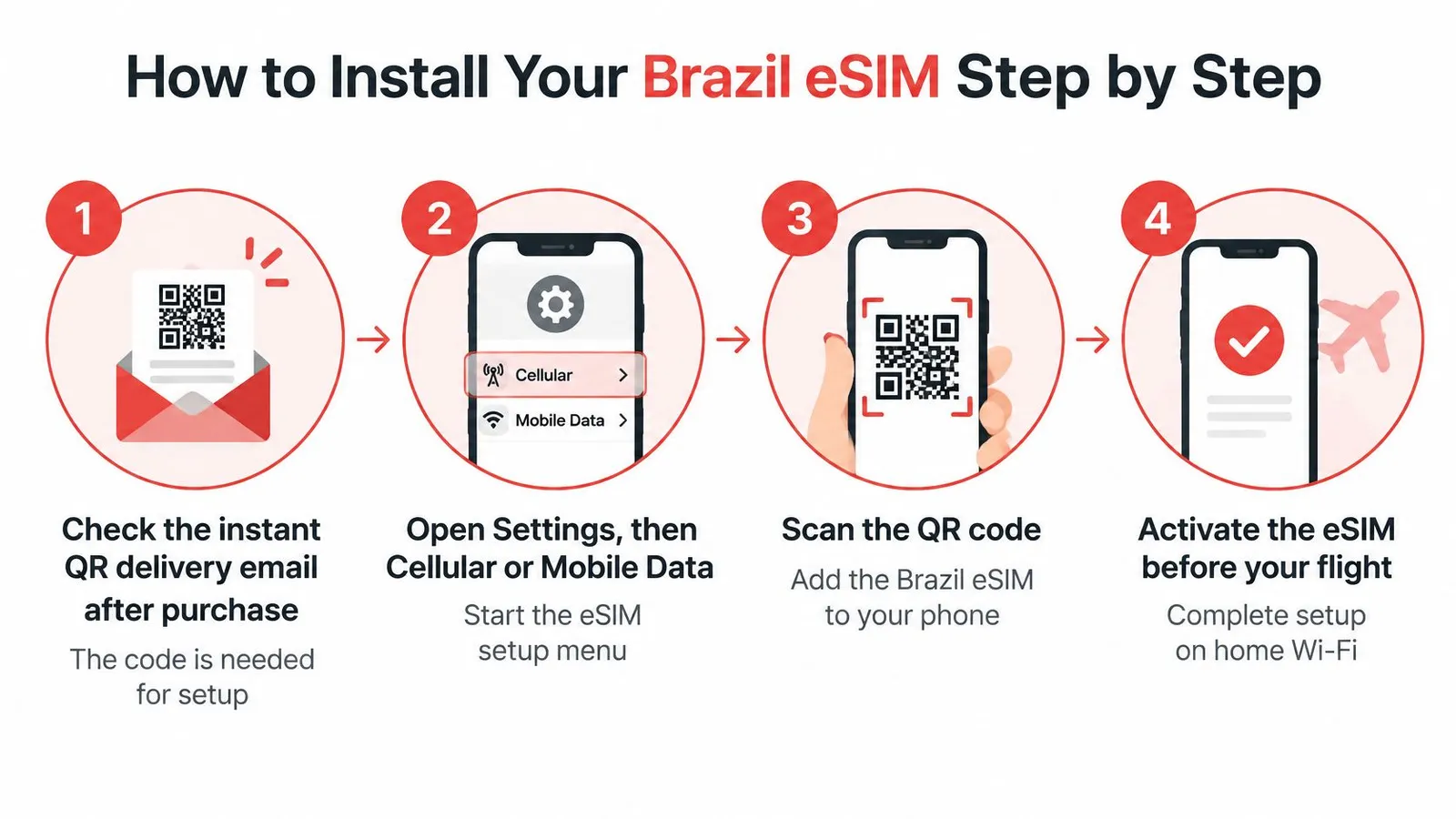
Installation and arrival routine
Find the delivery email after purchase. The QR code and installation instructions are needed to add the profile, so the email should be saved somewhere accessible offline. Opening the code on a laptop or another screen avoids the awkward mistake of trying to scan the phone's own display.
Open Settings, then Cellular or Mobile Data on iPhone; on Android, look under Network & Internet, Connections, or the SIM manager for Add eSIM. Menu wording differs by handset, and airplane mode won't prevent installation if Wi-Fi has been switched back on. Attempting the download without any internet connection is the avoidable failure here.
Scan the QR code or use the app installation option on a compatible device. App installation can avoid manual entry, while QR installation follows the phone's built-in setup prompts. If a prompt requests a manual activation address, the supplied instructions should be used rather than guessed.
Label the new line Brazil, and distinguish it clearly from the home line. Keeping the home line enabled can preserve access to calls and verification texts, subject to the home carrier's service and charges. Its data roaming and automatic data switching should remain off unless home-carrier roaming is intentionally required.
After landing, enable the travel line, select it for cellular data, and enable data roaming for that line. Travel eSIMs may need roaming permission to use their Brazilian partner network. Enabling roaming on the wrong line can leave the travel connection unusable while exposing the home account to unwanted charges.
Turn Wi-Fi off briefly and load a fresh webpage or search for a new place in a map app. A cached map or an airport Wi-Fi connection can hide a mobile-data problem. A completed purchase and visible eSIM profile don't, by themselves, prove that mobile internet works.
The installation guide provides a reference when menu labels differ. Screenshots of the relevant instructions are useful when airport Wi-Fi is unreliable.
Arrival check: A Brazilian partner-network name and a data indicator are useful signs, but a successful mobile-data test is the confirmation that matters.
The line should pass that test before the traveler leaves the airport for transport pickup.
Hotspot Use and Data Speeds in Brazil
Once mobile data works on the phone, enable Personal Hotspot on iPhone or Wi-Fi hotspot on Android. Set a password, connect the laptop or tablet, and load a fresh page on the connected device. The selected plan must permit tethering, not merely provide data for use on the phone itself.
A laptop can consume data without much visible activity. Cloud storage, operating-system downloads, photo libraries, and application updates may resume as soon as it gets online. Set the laptop connection as metered where available, pause large synchronization jobs, and leave software downloads for trusted Wi-Fi.
Speed figures aren't route guarantees
Ookla-derived measurements reported in DataReportal's Digital 2025 Brazil report put the national median mobile download speed at 80.97 Mbps at the beginning of 2025. That's a countrywide median, not a promise for a particular hotel room, coastal road, or travel eSIM.
The local operator, indoor signal, congestion, and network backhaul all affect performance. Travel-data routing can also add delay even when the phone displays strong reception. A fast download result therefore doesn't establish that a video meeting will remain stable.
For work, test the task rather than relying on a speed-test headline:
- Upload a real file: This checks the direction of traffic needed for sending documents and video.
- Try the meeting application: Audio stability matters more than an impressive download result.
- Check the working location: A test beside the hotel entrance doesn't establish performance inside the room.
- Prepare independent backup: A physical SIM or another eSIM is more useful when it provides different network access.
Make the allowance visible
The app's usage display helps identify whether the working routine fits the purchased package. The phone's own counter is useful too, but its reporting period should match the trip. Neither should be ignored until the connection stops during a meeting.
Hotspot sharing also makes battery and heat management relevant. Place the phone somewhere ventilated, keep charging available, and avoid leaving it under direct sunlight while tethering.
For an important workday, the practical buying test is clear: confirm the destination's host network, verify tethering permission, and establish a fallback before committing to the call schedule. RedSim supports hotspot sharing and usage tracking, and its top-ups add data to an active eSIM without requiring a new QR code.
Fixing Common Problems Before and After Landing
Start with the phone's line settings, then check the plan, and only then investigate local coverage. That order avoids treating a disabled data line as a network outage. It also reduces the temptation to delete a correctly installed profile.
Symptoms, causes and fixes
| Symptom | Likely cause | Fix |
|---|---|---|
| No signal on landing | Line not switched on; roaming settings also need checking | Turn on the Brazil line and data roaming, then restart the phone |
| Data works in São Paulo but not in the interior | Host network may not cover that area | Use permitted automatic network selection, or a physical SIM with suitable local coverage |
| Laptop cannot join hotspot | Tethering off or blocked by plan | Enable Personal Hotspot and confirm the plan allows tethering |
| Slow speeds at busy times | Possible host-network congestion | Move outdoors, try later, or use different permitted carrier options |
| Phone shows eSIM but no data | Wrong line selected for cellular data | Select the Brazil line as the cellular data line |
Separate registration from internet access
No service and no internet aren't identical symptoms. A phone displaying a partner-network name has registered on a network, even if a webpage won't load. In that case, the selected data line, roaming permission, remaining allowance, validity, and any supplied APN instructions deserve attention.
If the phone cannot register at all, confirm that the line is enabled and that network selection follows the purchase instructions. Airplane mode can be toggled before a restart to prompt a fresh connection attempt. Manual selection should use only networks permitted by the plan.
The no-signal-after-landing guide provides a focused checklist. Repeatedly changing unrelated settings makes the problem harder to diagnose, so each change should be followed by a fresh test.
Escalate with useful details
If settings and plan status look correct but the connection still fails, support needs more than a message saying that it doesn't work.
- Location: Provide the city and whether the problem occurs indoors or outdoors.
- Device: Include the exact model and operating-system version.
- Status: Share the displayed network name, error message, and relevant settings screenshots.
- Purchase details: Keep the order reference and installation email available through the private support channel.
QR codes shouldn't be posted publicly, and the eSIM shouldn't be deleted unless support directs that action. Reinstallation isn't a reliable fix for missing coverage and may create a separate activation problem.
Confirm Your Plan Before Your Flight
During advance planning
Buy the plan that matches the route and workload. A trip confined to São Paulo and Rio needs less allowance than a driving itinerary that crosses toward Argentina or Paraguay, where a regional plan avoids a second purchase at the border. Laptop work adds tethering demand, so size the data for actual use rather than buying the largest package on the page. Compare the current country-plan tiers at checkout, and check when the plan starts before deciding when to install or enable it.
Road-trip preparation should include more than connectivity. Adventure Medical Kits' guide to family and car first aid kits is a useful companion resource when organizing practical supplies for a driving itinerary.
The day before departure
Install over home Wi-Fi if the activation terms allow advance setup. Save the installation email, confirm the phone's carrier-free status and compatibility, and name the travel line clearly so it cannot be confused with the home line.
- Keep records accessible: Save the order reference and support instructions offline, since airport Wi-Fi is exactly where files fail to load.
- Protect the home account: Review home-line roaming and automatic data-switching settings so the wrong SIM does not take over mid-trip.
- Prepare for gaps: Download maps, accommodation details, and essential tickets for the rural stretches where coverage thins out.
During the flight and after landing
Leave the travel line off during transit when that matches the plan's activation instructions. After landing, complete the arrival settings and test mobile data before leaving the terminal, while support and airport Wi-Fi are still within reach.
RedSim offers country and regional travel-data plans with digital installation and active-eSIM top-ups. Visit RedSim to choose the allowance and validity that match the Brazil itinerary, confirm compatibility, and prepare the connection before departure.
 Germany
 Canada