
In 2025, 95% of first-time eSIM users said they would use an eSIM again, according to Holafly's survey of nearly 1,000 travelers across four continents. Few travel products earn that kind of repeat rate from people who have only tried them once. The reason isn't the chip inside the phone. It's that a correctly set up eSIM deletes the worst half hour of an international trip, the one spent queueing at an airport SIM counter with a backpack still on.
The failures travelers describe are almost never hardware failures. They come from collapsing four separate states into one idea. Profile installed, line enabled, network registered, and internet working are four different things, and only the last one means you can open a map. Someone who knows which of the four is missing fixes it in under a minute. Someone who doesn't deletes the profile and buys a second plan in a panic.
That's why the sequence matters more than the brand. Pick the plan, confirm the handset can hold it, buy something refundable, install it on home Wi-Fi, then switch it on after landing. In 2025, 49% of more than 6,500 adults surveyed in the United States, United Kingdom and China said they were open to using eSIMs to manage mobile connectivity while traveling abroad. Half the market is already looking for this, and most of them will meet the same handful of snags.
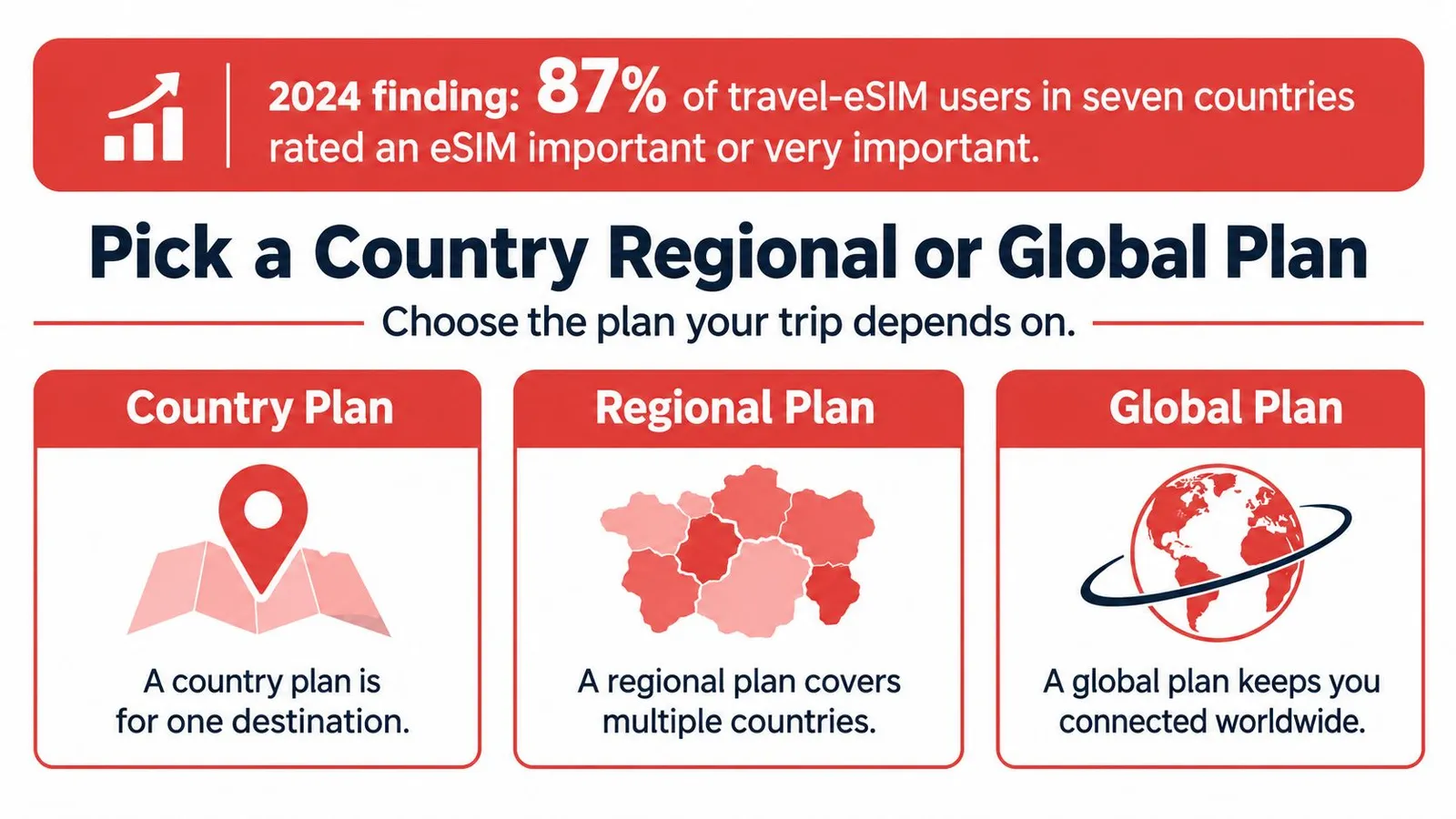
Pick a Country Regional or Global Plan
87% of travel-eSIM users across the United States, Canada, the United Kingdom, France, Germany, Poland and Japan rated an eSIM as “important” or “very important” to their travel experience, according to Counterpoint Research's 2024 survey of 3,535 respondents.
Expectation that high makes a badly shaped purchase expensive in a different currency: time. A plan that covers four countries badly is worse than a plan that covers one country well, and most border-crossing frustration traces back to a purchase made in a hurry. Settle the shape against the itinerary first. Gigabytes and prices come second.
Three shapes and the trip each one fits
A country plan is for one destination, start to finish. Ten days in Tokyo, a coast week in Spain, a conference in Berlin. The phone attaches only to that country's partner networks, and the price per gigabyte is usually the lowest of the three shapes. The catch is literal: step across a border and the plan has nothing to attach to.
A regional plan covers a loop inside one area. London, Paris and Rome on a single ticket. Or a short hop through the Gulf. As the phone crosses each border it registers a partner network in the next country, so nobody is scanning a fresh QR code in a train station at 11pm.
A global plan is for a route that isn't fixed. Two continents in three weeks, or an itinerary whose cities are still moving. Coverage is the widest you can buy, and the price per gigabyte reflects it. It's also a bigger slice of the market than many assume. 28% of travel eSIM users had purchased service from a global provider of international roaming connectivity, per GSMA Intelligence's 2024 consumer survey across 11 markets.
Which travel eSIM shape fits the trip
| Plan shape | Best when | Coverage idea | Main catch |
|---|---|---|---|
| Country | Every night is in one destination | One country's partner networks | A border crossing needs another plan |
| Regional | Several countries inside one area | A region such as Europe, Asia, or the Middle East | A neighbor outside the region is not included |
| Global | Continents change or the route is not fixed | Wide multi-country coverage | Usually more expensive per gigabyte |
Size the allowance from the nights away
Data estimates are where people overbuy by a factor of four and then never use the surplus.
- A week-long city break: about 5 GB covers maps, chat, translation and light browsing, with photos uploading over hotel Wi-Fi.
- Two weeks of real movement: about 10 GB once navigation, photo backup and some video run most days.
- A month of remote work: 20 GB, or a short unlimited block if calls and hotspot sessions dominate.
Match validity to nights away rather than to the biggest pack on the page. Common windows run from 7 to 30 days, and a 30-day plan bought for a five-day trip just moves money from your account to the provider's. The guide to choosing between country, regional and global plans runs the same decision against a live catalogue of destinations.
Check the Phone Before You Pay
The question is narrow and it has a yes or no answer. Can this exact handset hold a travel eSIM from a provider that isn't its carrier?
The shift to eSIM-only hardware made that question unavoidable. Apple introduced U.S. iPhone 14 models in September 2022 without a physical SIM tray, and Apple's support documentation states that iPhone 14 or later models purchased in the United States can be activated only with eSIM, as the FCC's international travel guidance explains. There's no shop-bought plastic card to rescue a locked U.S. handset at the airport. The check happens before the flight or it doesn't happen at all.
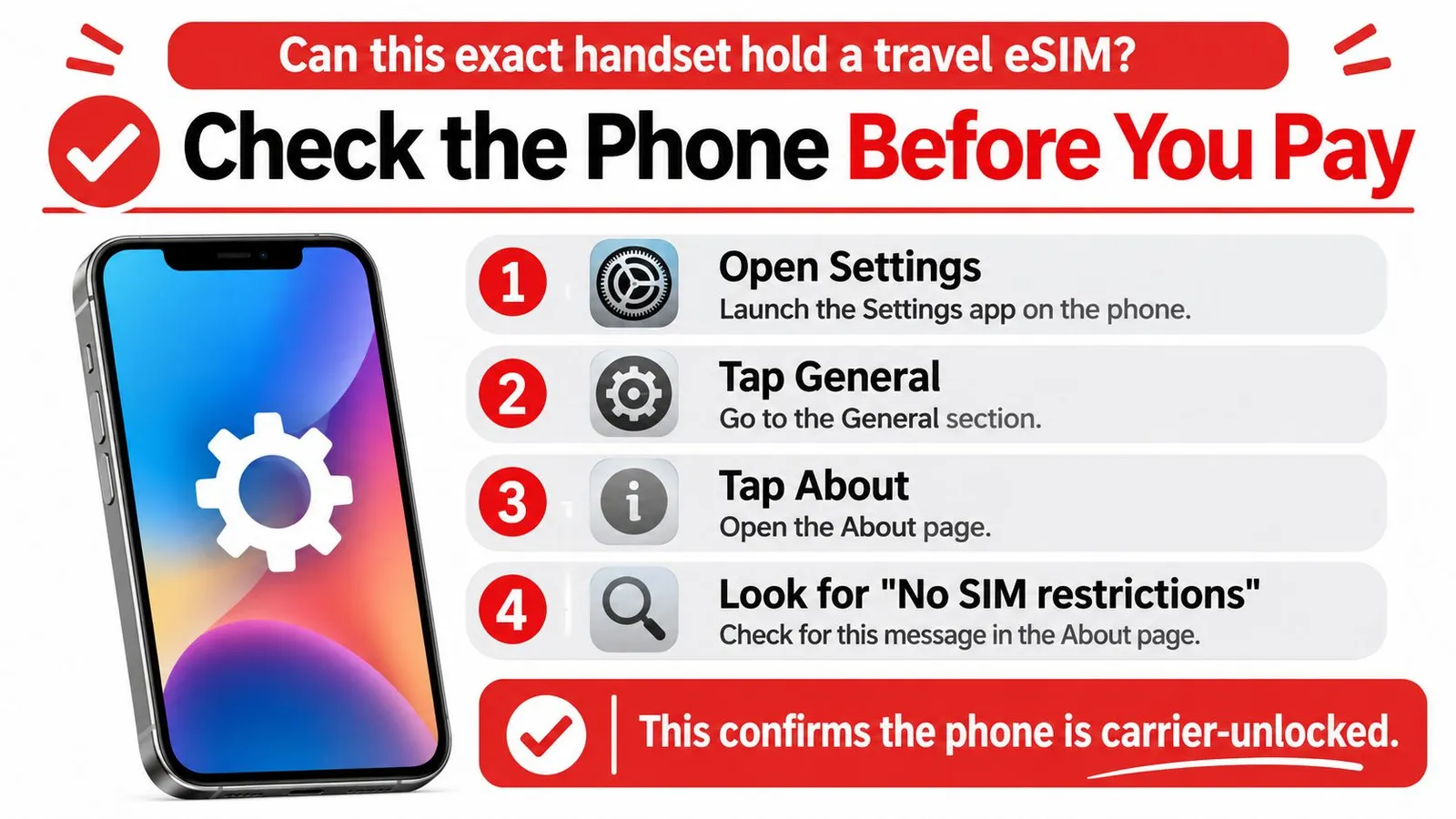
iPhone gives the answer in three taps
Open Settings, tap General, tap About, and read down the list. The line you want is “No SIM restrictions.” That's the phone telling you no carrier lock will block a foreign profile.
If it says “SIM locked”, stop there. Removing restrictions requires contacting the home carrier, sometimes at a cost, and usually involves a wait. An EID number appearing on the same screen confirms the hardware is eSIM-capable, but capability and permission are different things.
Android needs two checks, not one
Dial ***#06#** to surface the device's EID. Then open Settings, then Network and internet, then SIMs, and look for “Add eSIM” among the options. A visible EID proves the embedded SIM exists. It says nothing about the carrier lock, which can still refuse an outside profile even while the hardware is willing.
The regional variant matters too. A handset built for one market can lack the radio bands a destination uses, or ship firmware that never offers the Add eSIM option at all. The model number is the honest identifier here, not the marketing name on the box.
Pass or fail, decided in one line. Every check above satisfied means the handset is ready and the reader moves to purchase. Any check failed means unlock the phone or travel with a different device before a cent changes hands. Nothing in between.
Most recent phones can hold two active lines at once, one carrying the home number for calls and texts and one carrying travel data. That dual-line setup is the configuration everything later depends on. If the exact model is in doubt, the device compatibility list settles it faster than a support queue.
Buy a Plan You Can Still Refund
Buy only after the handset passes. Then read the refund rule before comparing prices, because that rule is the only thing standing between a wrong country and a wasted purchase.
An eSIM that has never been installed or activated can be refunded in full. A wrong destination is therefore reversible for as long as the QR code stays unscanned, which is exactly why the terms belong in the decision rather than in the fine print afterwards. The explanation of how refunds work sets out where that window opens and closes.
The window closes at installation, not at departure. That single fact fixes the order of the week: check the device, buy the plan, then install it while home Wi-Fi is still available and there's time to ask a question. Buying and installing in the same five minutes at the departure gate throws the safety net away.
Once a profile is live, adding data to it beats starting over. A top-up on an active eSIM needs no new QR code and no second line to manage, which is the right move when a working plan runs low three days into a two-week trip.
Some destinations also ask for paperwork a travel eSIM skips. RedSim requires no passport, ID or KYC to buy or use an eSIM, unlike local SIM cards in the UAE, which require a passport at the counter.
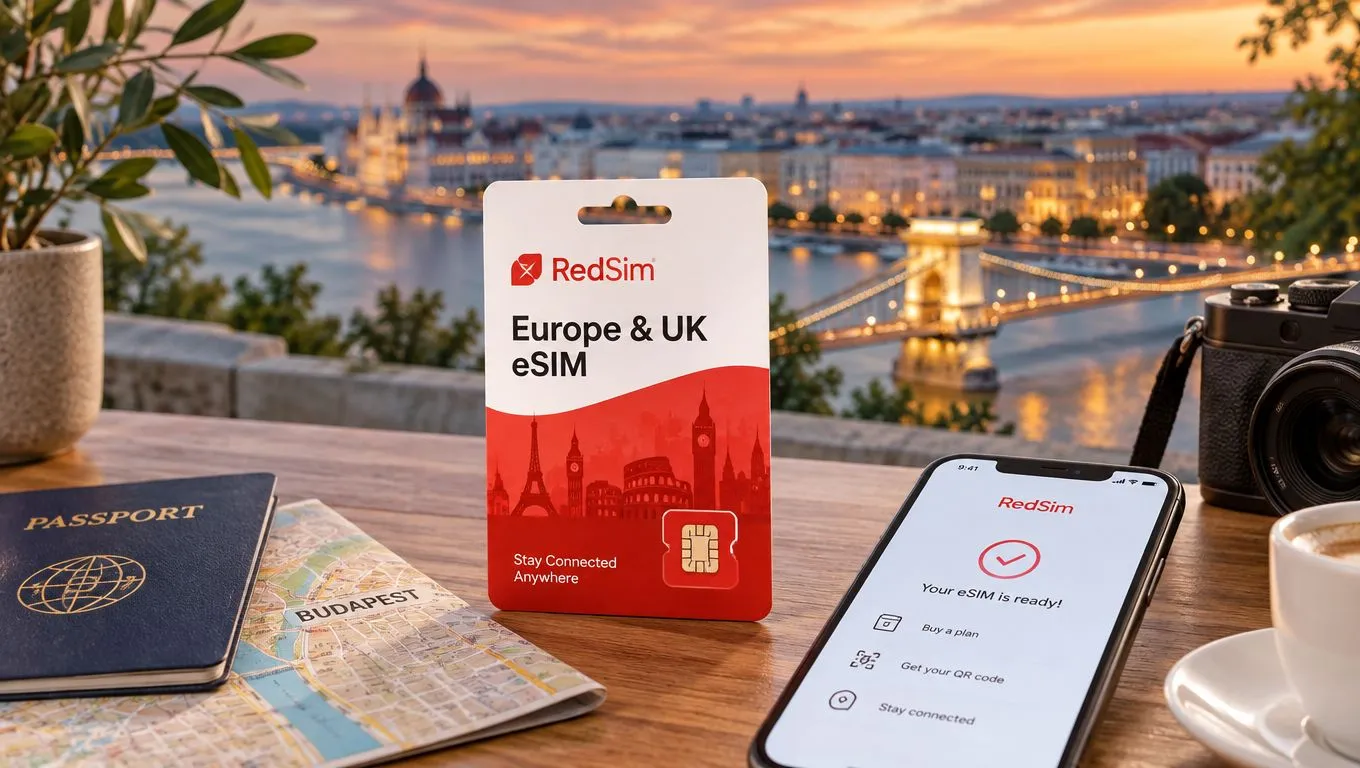
For a Europe run, the Europe & UK eSIM starts at $1.96, with 1 GB over 7 days listed at $2.55. It's prepaid travel data for 1 to 30 days on 5G with instant QR delivery, so the purchase and the install can happen on the same evening at home.
Install the eSIM Before You Fly
Installation happens at home, on a connection you trust, days before the flight. The profile is a small file that has to be downloaded, authenticated against an account and written to the phone's embedded SIM, and every one of those steps needs the internet. An airport terminal is the worst place on the itinerary to depend on that.
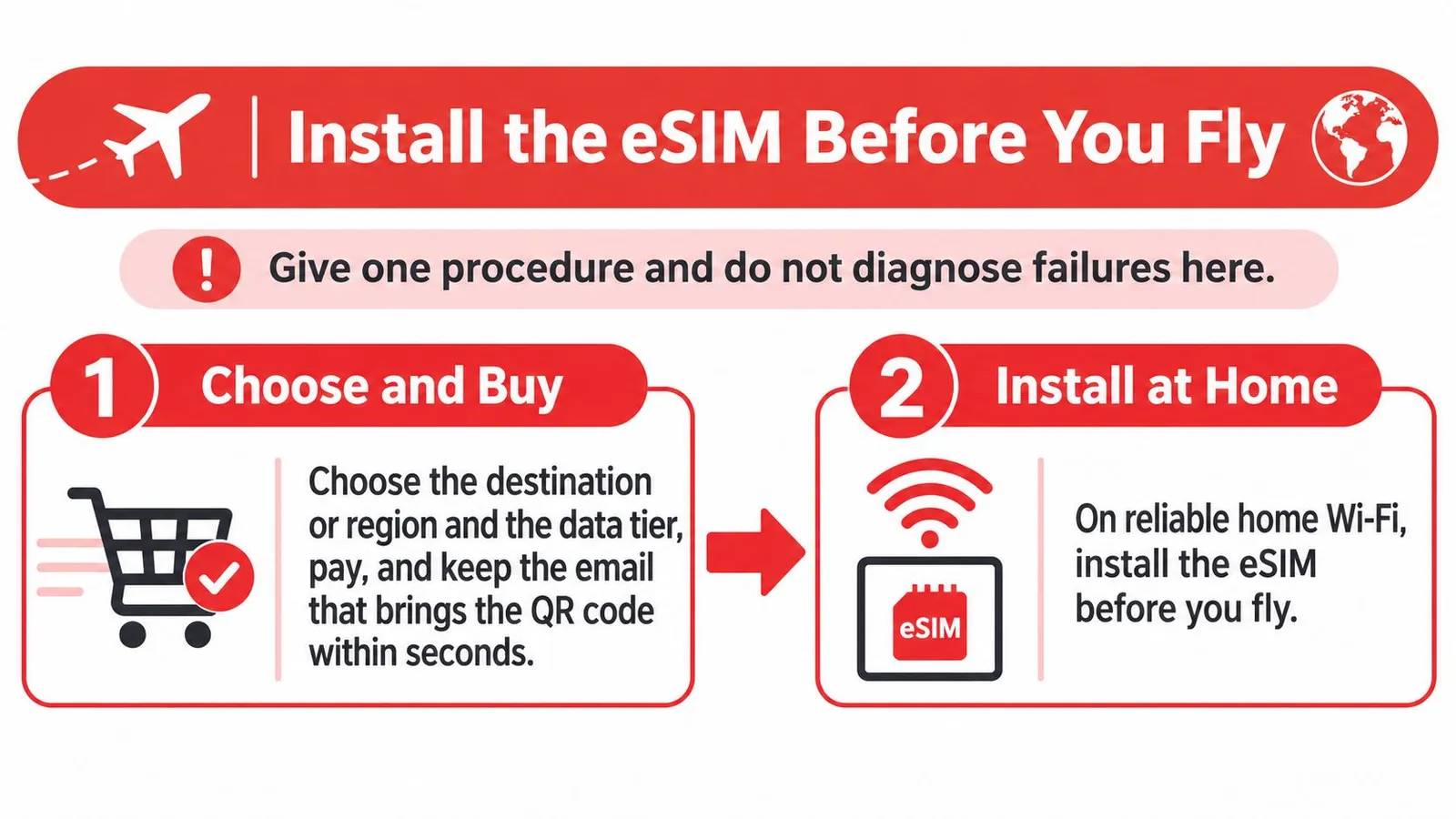
The eight steps in order
- Buy the data, not just the destination. Choose the country or region and the data tier, pay, and keep the email that carries the QR code. Delivery usually lands within seconds, so if nothing arrives in a few minutes, check spam before buying a second time.
- Install on home Wi-Fi. Scan the QR from Settings, then Cellular, then Add eSIM, or use the provider's one-tap install inside its app. Apple's documented eSIM travel setup walks the same flow on iPhone. Doing this at home means a failed download costs a retry, not an arrival.
- Label the line. Name it Travel Data. A cellular screen with two entries called Primary and Secondary is unreadable a week later when something stops working.
- Find out when the clock starts. Some plans begin validity the moment they first touch a network; others begin at install. If it's the first kind, leave the travel line switched off until you land. If it's the second, put the expiry date in the calendar there and then.
- Save what you'll need offline. Download the offline map for the city, screenshot the activation instructions and the support contact, and keep the boarding pass on the phone rather than in an email that needs a connection to open.
- Switch on after landing. Enable the travel line, set it as the mobile data line, and turn data roaming on for that line only. Roaming on the travel line is how it reaches the local partner network. It isn't an extra charge.
- Close the home line's data tap. Turn data roaming off on the home line and switch off automatic mobile-data switching. Apple warns that keeping the home line active can still generate roaming charges even when the travel eSIM is handling data.
- Open one web page, then stop. A page that loads means all four states are satisfied. A page that fails is not a reason to delete anything; it's a diagnosis.
What a data-only plan does not do
A travel eSIM carries internet data. It does not replace the home number for incoming calls, airline notifications or the six-digit code a bank sends when a card is used abroad. Keeping the home line enabled for texts, with its data roaming off, is what keeps identity verification working while the travel plan does the heavy lifting.
It also doesn't come with a local phone number, which occasionally matters when a restaurant wants to text a confirmation or a taxi app insists on a local contact. Check the provider app for a number add-on if the trip needs one.
Install before you fly, switch on after you land. Nearly every story of an eSIM that "failed" at the airport starts with those two reversed.
The setup walkthrough repeats the same sequence with the app's own screens if a visual reference helps before the first attempt.
Share Data and Cross Borders
Start from a line that already works. On a regional or global plan, the same profile keeps serving at a land border and registers the next country's partner network without any action. If data stalls after a crossing, toggle airplane mode for ten seconds or pick a supported network manually in the carrier settings. Buying another eSIM at that moment is the expensive way to fix a two-minute problem.
Hotspot and tethering draw from the same allowance, which is what makes one plan workable for a family or a remote worker. The discipline sits on the other device: a laptop that syncs photo libraries and runs hour-long video calls will eat a 10 GB allowance in an afternoon. Cap the laptop's background sync, download large files on hotel Wi-Fi, and treat cellular as the backup.
The usage bar in the provider app is the honest meter. When it drops low, top up the plan that's already installed instead of scanning a new QR code, because a top-up keeps the same line, the same label and the same settings.
The cellular screen, line by line
Which line does what while abroad
| Line | Keep on | Data roaming | Use for |
|---|---|---|---|
| Travel eSIM | Yes | On for that line only | Mobile data and hotspot |
| Home line | Yes, for calls and texts | Off | Login codes, banking texts and emergency voice |
| Second travel plan | No | Not applicable | Not needed on a single plan |
The home line stays enabled for a reason that has nothing to do with browsing. Keeping it on for SMS-based banking, airline and government verification, and voice capability where appropriate is the risk-based version of the advice, and the data roaming switch is what stops it costing money. Confirm what the carrier charges for voice and SMS before departure rather than after the bill.
Emergency calling is the part most guides flatten. A data-only plan is not a guaranteed voice or emergency route, and the outcome varies by country, device, available network, the number dialed and local rules, as the travel eSIM emergency call index sets out. Save the destination's official emergency numbers offline, don't assume 911 works everywhere, and keep a second route such as hotel reception or a voice-capable line.
Now put a family of four on one regional plan landing in Rome. One parent's phone carries the plan and acts as the hotspot; the other three devices join it for maps and messages. Both home numbers stay enabled with data roaming off, so the airline's gate-change text and the bank's verification code still arrive. That's the whole configuration. One plan carries data, two home numbers carry identity, and nobody buys anything at the airport.
Read the Signal and Fix What Failed
A phone showing four bars above a page that won't load isn't a broken eSIM. It's a specific state with a specific fix, and the phone usually says which one.
The setup can fail precisely when the traveler has no connection, which is the contradiction at the heart of the product. Downloading a profile, receiving a QR code, passing an airport captive portal that demands an SMS, or reaching support all need a working link first. A phone can sit at “SOS only” with the eSIM installed but not registered on a partner network, and BICS's 2025 eSIM survey report identifies that alongside device compatibility and consumer education as a continuing obstacle, citing a 2025 survey of 6,625 adults in the United States, United Kingdom and China that highlights the need for better compatibility guidance.
The four states
Profile installed means the file is on the phone. Line enabled means the phone is willing to use it. Network registered means a local partner has accepted it. Internet working means data moves. Most troubleshooting fails because someone jumps from the first to the fourth and expects a single switch to fix all three gaps.
The one-change rule
Make the change in the row that matches what you see, wait thirty seconds, then look again. Two changes at once and there's no way to tell which one worked. Deleting the profile is the last resort rather than the first, because it costs exactly the time it was meant to save.
What the phone is showing and what to change
| What you see | State you are in | Next action |
|---|---|---|
| Travel line missing from Cellular | Profile not installed | Use the saved QR or app install on known Wi-Fi |
| Line present but no signal | Line off or not selected for data | Enable it, set Mobile Data, turn its data roaming on |
| SOS only | Installed but not registered | Restart, then choose a partner network manually |
| Signal bars, pages fail | Registered, internet not working | Recheck APN or complete the Wi-Fi captive portal |
| Home carrier roaming alert | Home data still allowed | Turn off home data roaming and automatic switching |
| QR email never arrived | Purchase not delivered | Check spam, then ask support before reordering |
The APN row catches people in a handful of countries where the provider asks for a manual access point name. It's one text field, it's in the provider's own instructions, and it's worth checking before assuming the plan itself is dead.
When nothing in the table matches, message support with three things ready: the phone model, the plan name, and a screenshot of the cellular screen. RedSim runs human support on WhatsApp around the clock with typical reply times of about two minutes, which is the difference between a ten-minute fix and an afternoon at a café borrowing Wi-Fi. The walkthrough for no signal after landing covers the same states in the order to try them.
RedSim sells travel eSIM data plans for more than 200 destinations, delivered as a QR code by email within seconds and installable in the app with one tap, so the profile can be sitting on the phone days before the flight. Every plan is prepaid, hotspot use is supported, and any eSIM that hasn't been installed or activated is refundable in full, which takes the risk out of choosing the wrong country or the wrong data tier. When a line refuses to register on arrival, human support answers on WhatsApp around the clock instead of sending a ticket into a queue. Start at RedSim and pick the plan that matches the route.

 Taiwan

 Australia