

The flights are booked, the campervan route is taking shape, and the phone still needs a way to get online after landing. A cheap data package looks tempting, but it won't help much if the handset is locked or the next scenic drive passes through a mobile dead zone.
The best eSIM for New Zealand is the one that suits the traveller's route, phone and daily habits. An eSIM is a downloadable SIM profile, not a separate network. Choosing well means checking the local network behind the plan before comparing the final price.
Quick Picks for Every New Zealand Trip Type
Trip types and the eSIM tier to start with
| Trip Type | Typical Data Need | Starting Tier | First Check |
|---|---|---|---|
| Short city stay, 3 to 7 days | Maps, messaging, bookings | Consider 1 GB for 7 days | Phone supports LTE Band 28 |
| Two-week road trip | Navigation, streaming, photos | Consider 5 GB to 10 GB for up to 30 days | Check the coverage map for each leg |
| Hiking or backcountry drive | Offline maps, messages, occasional calls | Consider 1 GB to 5 GB plus offline maps | Expect gaps outside towns |
| Business trip with laptop | Video calls and hotspot | Consider 10 GB to 20 GB | Confirm hotspot sharing on the plan |
| Family sharing one line | Hotspot to several phones or tablets | Consider 10 GB or 20 GB | Allow extra capacity for shared use |
| Long stay or digital nomad, 30 days | Steady daily use | Consider 20 GB for 30 days | Confirm active-eSIM top-ups |
These are illustrative shopping tiers, not measured usage forecasts or a promise that every package is available. The deciding questions are how long the connection must last, how much streaming or sharing is planned, and how far the itinerary reaches beyond towns.
A city visitor who downloads entertainment over accommodation Wi-Fi can start small. A road-tripper uploading videos needs more headroom, even with the same travel dates. For a business traveller, laptop traffic can matter more than anything happening on the phone.
Reading the shortlist
The hiking row needs particular care. Its allowance is for connected moments near serviced locations, not continuous backcountry access. “Occasional calls” means internet-app calls where data works, unless the purchased service explicitly includes ordinary voice calling.
Family sharing also needs a practical check beyond allowance. The phone providing the hotspot must stay nearby, remain charged and travel with the devices using its connection. Separate plans may be more convenient when family members split up.
- Budget for the heaviest day. An airport transfer followed by photo uploads and a work meeting can use far more data than a quiet sightseeing day.
- Leave time around the itinerary. A validity period that ends during the journey home creates avoidable uncertainty.
- Plan for replenishment. For longer stays, an available top-up is often easier to manage than guessing the entire trip's consumption.
Price belongs at the end of this shortlist. A smaller package is only good value when its network access, validity and sharing rules fit the trip.
Device Checks Before You Buy an eSIM
The phone comes first. A downloadable profile can't free a carrier-restricted handset or add missing radio support.
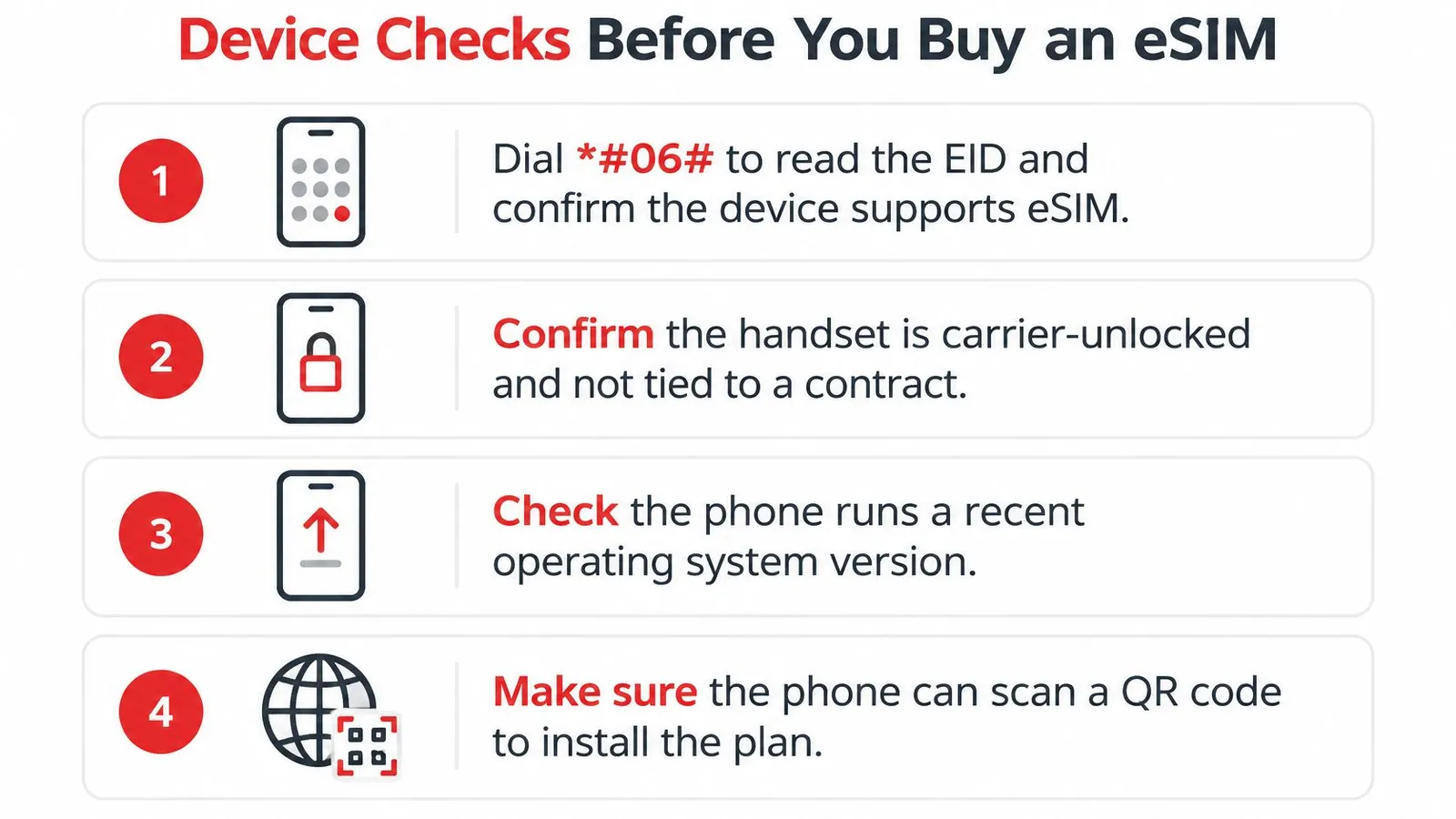
Find the EID. Dial
*#06#and look for the device's eSIM identifier, then check the exact regional model against the compatible-device guide. A familiar model name alone isn't enough because regional versions can differ.Confirm carrier-free status. The home carrier can confirm whether another provider's profile is permitted. The common mistake is assuming that a phone bought on instalments is already carrier-free.
Update the operating system. Install available updates while a dependable connection is available, then restart the handset. Leaving this until the departure lounge can turn a straightforward installation into a rushed troubleshooting session.
Check LTE bands. Compare the exact model's technical specifications with the table below. An older budget phone may accept an eSIM while lacking useful local radio support.
Verify VoLTE compatibility. The home carrier should confirm voice-over-LTE support for roaming and the specific handset. eSIM data compatibility doesn't establish that ordinary calls, authentication texts or emergency calling will work correctly.
Remove legacy-network assumptions. A phone shouldn't depend on falling back to an older network when a call starts. The One NZ 3G switchoff guidance explains why devices with legacy dependencies need more than a basic eSIM check.
LTE bands a phone needs for New Zealand
| Band | Frequency | Role | Check |
|---|---|---|---|
| Band 28 | 700 MHz | Wide-area and indoor penetration | Must be supported for the recommended setup |
| Band 3 | 1800 MHz | Extra capacity | Should be supported |
| Band 1 | 2100 MHz | Extra capacity | Should be supported |
| Band 7 | 2600 MHz | Extra capacity | Should be supported |
LTE readiness matters more than a 5G badge. The Skinny coverage guidance supports checking compatible equipment and coverage rather than assuming every handset will behave alike.
A prepared handset shows the added profile in Settings and has confirmed compatible status. Actual LTE registration can only be checked once the travel line is active within its supported coverage area, so successful installation before departure isn't the same as a completed connection test.
Coverage in Cities, Towns and Backcountry Routes
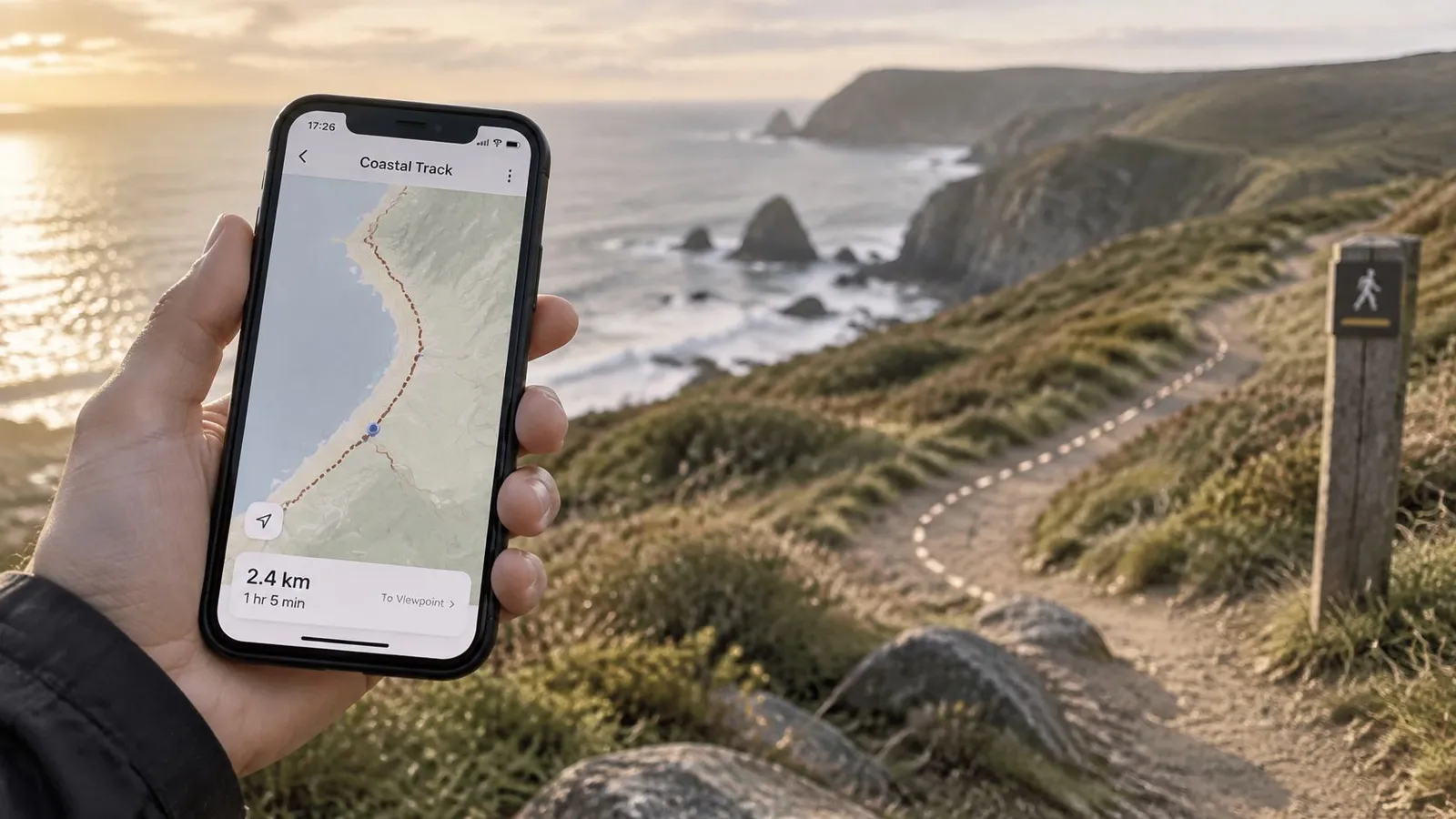
Population coverage describes where people live, not how much of a scenic road has signal. The Commerce Commission's 2023 Telecommunications Monitoring Report reported average 3G and 4G coverage of approximately 98% of the population in 2023, a historical benchmark rather than a current service guarantee.
That distinction matters around Fiordland, the West Coast, alpine roads and remote beaches. A serviced destination doesn't establish continuous connectivity along the road leading there.
New Zealand mobile coverage benchmarks
These measures describe different periods and programmes. They shouldn't be combined into a single nationwide coverage score.
| Measure | Value |
|---|---|
| Average 3G and 4G population coverage, 2023 | About 98%, in the report linked above |
| Average 4G population coverage across three operators | About 99.0%, reported in the Commerce Commission's 2025 monitoring report |
| Average 5G population coverage, June 2023 | 27%, compared with 18% in 2022, according to the Commerce Commission's summary report |
| Tourism sites and state highway added by June 2023 | 29 sites and 214 km, in the historical monitoring report linked above |
| Tourism-site Mobile Blackspot Fund work complete | 79%, in that same historical report |
| Tourist locations given towers under the Rural Mobile Programme | More than 180, according to Tourism New Zealand's connectivity guide |
Checking the actual journey
The useful method is to identify the plan's host network, open that operator's coverage map and follow each driving leg. Attention should go to overnight stops, meeting locations, trailheads and the road between them, not just the destination marker.
For a Wellington and Auckland city break, the sensible priority is connectivity around accommodation, transport and planned attractions. A Christchurch-to-Milford Sound drive needs a different approach: offline directions, saved bookings and a communication plan for stretches without service.
Before leaving a town, travellers should download the next route, save accommodation details locally and send any time-sensitive messages. A downloaded map should also be opened once without a connection to confirm that the required area is available.
No eSIM can remove a physical network dead zone. The useful purchase is suitable network access, paired with preparation for the gaps.
Plan Features That Change Your Daily Data
An allowance only becomes meaningful when compared with its validity. A large-looking package spread across a long stay can leave surprisingly little room for daily video.
For a hypothetical decimal-unit calculation, dividing 1 GB across 7 days gives about 143 MB per day, while dividing 5 GB across 30 days gives about 167 MB per day. These are budgeting examples, not application-use guarantees. Maps, photo uploads and video calls consume different amounts depending on settings and behaviour.
Allowance versus flexibility
A light-use plan works best when entertainment downloads and cloud backups stay on Wi-Fi. A bigger allowance makes sense when work meetings, shared connections or frequent uploads can't wait until evening.
Validity needs separate attention. A package can expire with unused data remaining, and buying more data doesn't necessarily extend the existing expiry date. The activation trigger and top-up conditions deserve the same attention as the headline allowance.
The plan-selection guide helps frame that choice around actual use rather than the largest advertised package.
Plan-page checks
- Hotspot access. Confirm that sharing is included and review any separate tethering restrictions or fair-use conditions.
- Usage visibility. Real-time tracking helps identify whether photo backup, a laptop or streaming is consuming the allowance.
- Top-up method. Adding data to the installed profile avoids another installation, but the available package and expiry rules still need checking.
- Unused-plan protection. Refund eligibility matters when dates or destinations might change before installation.
The service includes hotspot support and app-based usage tracking. Purchases also add a 25% gift balance for future eSIMs and top-ups; that balance is future spending credit, not an immediate reduction in the current order's price.
Checkout is processed through Stripe, and card details aren't seen or stored by the travel-data provider. That payment arrangement is separate from whether a particular plan suits the itinerary.
Sharing rule: A laptop should be treated as an additional user, not merely an accessory. Background synchronisation and software downloads can continue without an obvious video playing.
Country, Regional or Multi-Country Plans
A country plan suits a stay within New Zealand. A regional plan deserves consideration when the journey crosses supported borders. A global package becomes relevant when the route spans regions or remains unsettled.
The distinction is about included destinations, not the label on the package. An Oceania plan shouldn't be assumed to include every Pacific island, and a global plan shouldn't be assumed to include every possible stop.
Comparing the options
| Plan structure | Strongest fit | Purchase check |
|---|---|---|
| Country | A settled itinerary within New Zealand | Local network access and validity |
| Regional | New Zealand combined with other included destinations | Every stop appears in the coverage list |
| Global | A wider, changeable international route | Destination exclusions and total allowance |
RedSim offers country, regional and global structures across 200+ destinations. Its Australia offering starts at $2.69 for the smallest data tier, which gives a concrete alternative for a short stopover: separate country packages rather than a broader regional purchase.
The Oceania eSIM catalog lists 1 GB for 7 days at $3.83, with prepaid travel data, instant QR delivery and advertised 5G access. New Zealand's inclusion and the other intended destinations should still be confirmed on the selected package before checkout.
Convenience has a value
A regional profile can reduce installation work because it connects through supported partner networks across included borders. That doesn't promise uninterrupted reception during flights, sea crossings or travel through uncovered terrain.
Separate country packages can make sense when most data will be used in one destination and only a small allowance is needed elsewhere. A regional package is more attractive when the traveller values keeping the same data profile throughout the journey.
For an uncertain extended route, a global option can simplify administration. The final comparison should still include expiry, remaining allowance and the countries that matter.
How to Install and Switch On Your eSIM
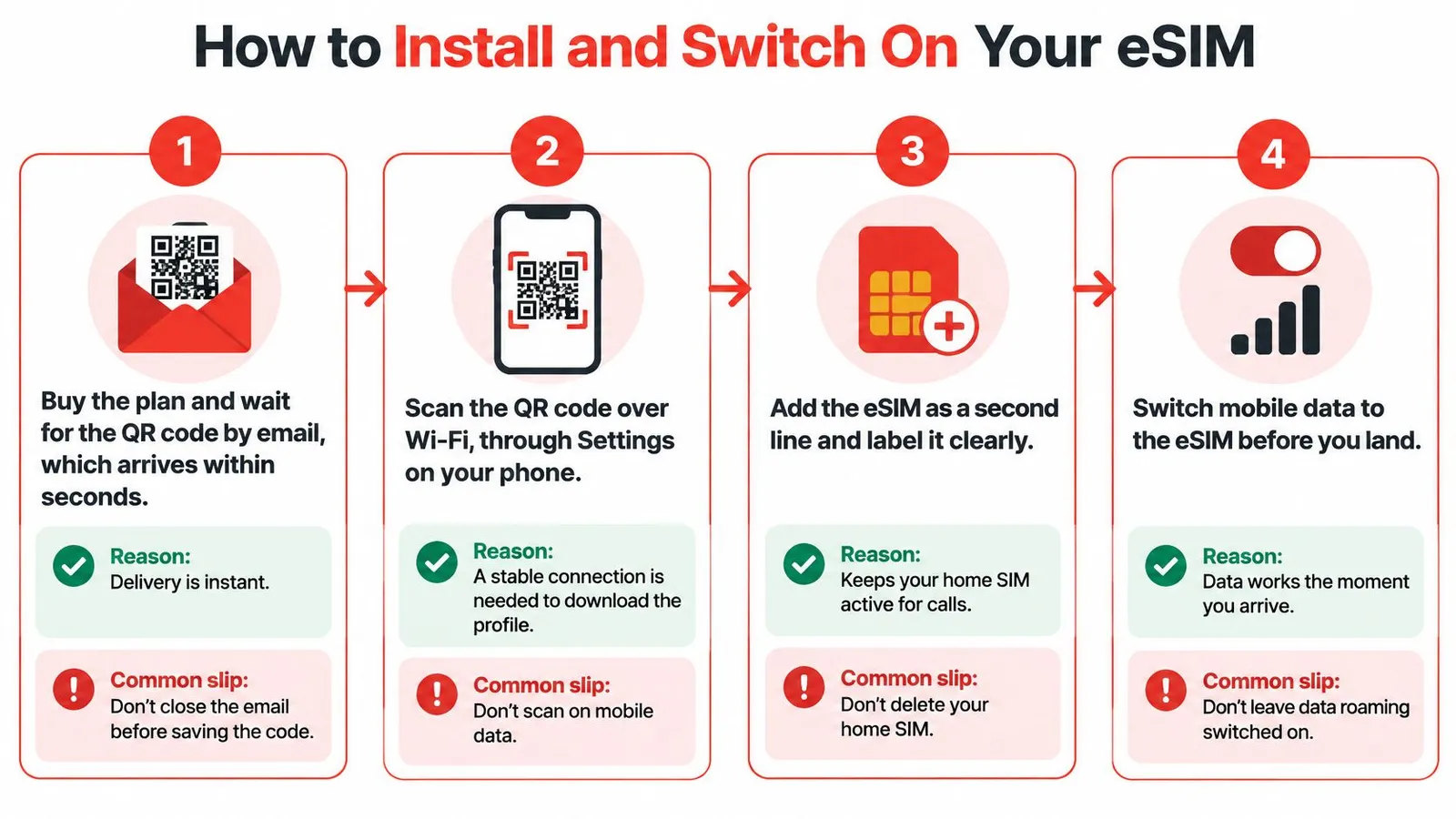
Installation downloads the profile onto the phone. Activation and network connection are separate events, so the package's validity trigger should be checked before any switches are changed.
Before departure
Purchase and save the delivery email. The QR code arrives by email within seconds. Saving the order details and installation instructions prevents a search through the inbox during airport setup.
Install over dependable Wi-Fi. Open Settings → Add eSIM, or the equivalent mobile-network menu, and follow the QR-code prompts shortly before travel. The common slip is trying to download the profile without an internet connection; a QR image alone doesn't contain everything needed to complete installation.
Give both lines clear labels. Names such as “Travel data” and “Home number” reduce mistakes when selecting the mobile-data line. The existing home profile should remain installed if it's still needed for calls or texts.
A QR code displayed on the same handset may require the phone's supported image-import method or another screen. Manual installation details, when supplied, provide an alternative. Menu names differ between operating systems, so the setup instructions are useful alongside the purchase email.
After landing
Enable the travel line and its data roaming. Select that line for mobile data so it can connect through the supported local partner. Forgetting either the line toggle or the roaming setting can leave an installed profile unable to carry data.
Disable home-line data roaming. Keep the home line active only if calls or authentication messages are needed, and disable automatic mobile-data switching where available. Calls and other home-carrier services can still incur charges, so this setting isn't a blanket promise of free roaming.
Test an actual connection. Wait for network registration, turn Wi-Fi off briefly and load a fresh webpage. Then check the app's plan status and usage display rather than treating signal bars alone as proof that mobile data works.
The roaming distinction is important: travel-line data roaming is enabled; home-line data roaming is disabled. Turning roaming off everywhere can prevent the travel profile from connecting.
Successful setup means that a local network appears, a fresh page loads through the travel line and the phone retains the intended home-line functions. Receiving home-number texts remains subject to the home carrier, handset compatibility and available service.
Support, Refunds and Top-Ups During Your Trip
RedSim provides 24/7 human support through WhatsApp and email, with typical replies in about two minutes. That's useful when a connection problem needs a person to distinguish configuration trouble from a coverage gap, though a typical response time isn't a guaranteed resolution time.
The most useful preparation is saving the support contact and order email before departure. WhatsApp and email still require an internet connection, so accommodation or airport Wi-Fi may be needed if mobile data isn't working.
Changes before installation
An eSIM that hasn't been installed or activated can be refunded in full. The refund policy is particularly relevant when dates remain uncertain or the phone's compatibility hasn't been fully established.
Installing the profile changes that situation. A traveller seeking a refund shouldn't install it merely to inspect the package, and a connection fault after installation should go to support rather than be treated as an automatic unused-plan refund.
Running short while travelling
An active profile can receive a top-up without a new QR code. This avoids deleting a working installation because its allowance has been consumed.
Consider a business traveller in Wellington whose laptop uses more data than expected. With another connection available if needed, the traveller can open the app, add an eligible top-up and check that the new allowance appears. A separate question about reception at the next meeting location can then go to support.
The distinction saves time: exhausted data requires allowance management; absent coverage requires a different location or an offline alternative.
- Order details. Include the purchase email or order reference.
- Phone information. Give the exact model and operating-system version.
- Line status. Describe whether the profile is installed, enabled and selected for data.
- Location and symptoms. State where the problem occurs and whether calls, registration or data loading are affected.
QR codes and sensitive account details shouldn't be posted publicly during troubleshooting.
Pick Your New Zealand eSIM Before You Fly
Choose the trip tier, verify the handset, then check the route before buying. A lower price doesn't compensate for a phone that can't connect or a package that expires before the journey ends.
A practical purchase decision
- Match the travel pattern. A city break, shared family connection and laptop-heavy work trip need different spending priorities.
- Finish the phone checks. Exact-model compatibility, carrier-free status and suitable LTE and voice support matter more than a successful QR scan alone.
- Approve the itinerary fit. The selected host networks should suit the connected parts of the route, with offline preparation for remote legs.
The New Zealand eSIM catalog lists prepaid travel data on One NZ and Spark, with 1-to-30-day options, advertised 5G access and instant QR delivery. The selected package's allowance, expiry and network terms should be checked at checkout.
The same route-first habit helps beyond New Zealand. For travellers extending a wider Pacific journey, Diving Escapades' advice on planning a Philippine island-hopping route provides useful context for arranging separate travel legs rather than treating a destination as one uniform stop.
A practical expectation is dependable mobile access where the selected network provides service, not connectivity everywhere. LTE is a practical foundation for ordinary travel tasks, faster service is welcome where available, and wilderness stretches still require independent preparation.
RedSim offers prepaid travel data with digital installation, usage tracking and top-ups for changing travel needs. Travellers can visit RedSim to compare a suitable package, check its terms and arrange installation before departure.


 Taiwan

 Australia