
You're packing tonight, and the phone question is still open. Home roaming looks easy until the daily pass price stacks up. A local SIM means a queue, a passport check, and a tiny tray pin. An international eSIM data plan sits between those two, but only if the phone can take it and the plan matches the route.
The gigabytes on the label aren't the whole story. How the plan is built, when the clock starts, and which path the traffic takes all change how the trip feels.
What an International eSIM Data Plan Is
Land, and the SIM counter already has a long queue. The traveller who bought online is online within minutes of clearing arrivals. An international eSIM data plan is a digital profile the phone downloads over the internet into a built-in chip, so no plastic card changes hands. It works like a hotel key sent to the phone instead of handed over at the desk.

Three pieces make that work.
- The delivery. A QR code or an app link tells the phone where to fetch the profile.
- The profile. It holds the data allowance and the validity window for that purchase.
- The switch. A phone setting turns mobile data on for that line and leaves the home line alone.
A phone can store several profiles and still use only one for data at a time. Calls and texts can stay on the home number while maps, chat, and browsing ride the travel line. None of this starts if the phone lacks eSIM hardware or is locked to its carrier. The plain explanation of what an eSIM is covers the chip itself, and the device checks below cover the lock.
This isn't a niche trick on a few flagship phones anymore. GSMA Intelligence reported that eSIM-enabled smartphone connections rose from 144 million in 2022 to 310 million in 2023, then to 598 million in 2024. More handsets can take a profile by code or app instead of a kiosk. For a wider look at staying connected on international trips, put this option next to café Wi-Fi and a carrier roaming pass before you buy.
The plan's shape should match the route. Count the countries first, then pick the structure.
Country, Regional and Global Plans Compared
| Plan type | What it covers | Best for | Main trade-off |
|---|---|---|---|
| Country plan | One destination | Single-country trips or one stop where you want a plan for that destination | A separate plan may be needed at each border |
| Regional plan | Several countries in one region, such as Europe or Asia | Multi-stop trips within the same region | Coverage is limited to included destinations |
| Global plan | Countries across several regions | Routes that cross between regions | The price and available networks can differ by destination |
| Stacked country plans | One plan for each stop | Trips where data needs differ from country to country | More purchases and profiles to manage |
Start with the route. A country plan keeps the choice narrow, while a regional or global plan can reduce the need to arrange a new plan at each border. Paying for wider coverage only makes sense if the trip uses it.
One country, one region, or the long way around
A country plan suits a single destination. For a week in Italy, travelling between Rome and Florence, a plan for Italy can cover the trip without adding countries you will not visit. Check how long the plan is valid and where its coverage applies before choosing.
A regional plan covers multiple destinations in one area. Paris, Rome and Athens can fit a Europe plan, rather than requiring a separate purchase for each stop. RedSim offers country, regional and global travel eSIMs across more than 200 destinations, with prices listed by country and data tier. For example, its Europe & UK eSIM includes a 1 GB option for 7 days at $2.69. The wider catalog also lists prepaid travel data from $1.96, depending on the destination and plan. Check the included destination list: a regional label alone does not confirm that every place on your route is covered.
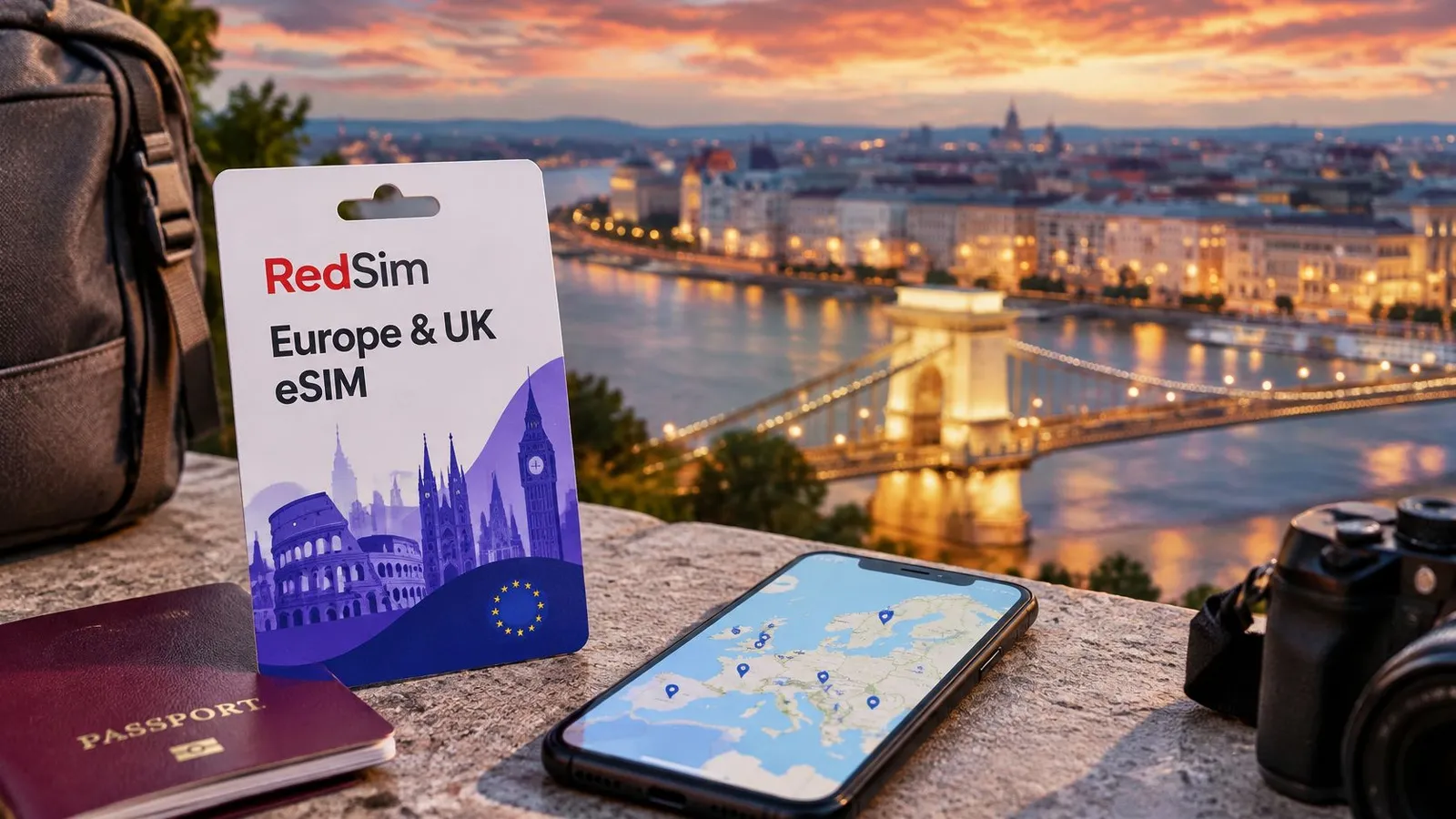
A global plan brings coverage across several regions into one purchase. It can suit a route that crosses continents, while a regional plan is easier to compare when the trip stays within one area. Network availability still depends on the destination.
Stacked country plans mean buying one plan for each stop. This can be useful when you need more data in one country and less in another. The trade-off is managing separate purchases and profiles, so label each one clearly.
For a trip within one country, start by comparing country plans. For several stops in one region, compare the regional option with separate country plans. If the route crosses regions, a global plan may be simpler to manage. A practical guide to eSIM advice for vacation planning can help you think through a route that is still taking shape.
Data Allowances, Durations and What They Really Cost
| Allowance | Typical duration | Rough use it covers | Best fit |
|---|---|---|---|
| 1 GB | 7 days | Maps, messaging and light browsing | Short trips and one-phone travellers |
| 5 GB | 30 days | Daily maps, social apps and some music streaming | Two-week to month-long leisure trips |
| 10 GB | 30 days | Regular video calls and occasional hotspot use | Business travellers and frequent flyers |
| 20 GB | 30 days | Heavy streaming and shared hotspot use | Families and heavy users |
| Unlimited (fair use) | 7 days | Heavy video and large downloads, with possible slowdown after the fair-use threshold | Heavy streamers on a short trip |
Start with how you use your phone. 1 GB can cover maps, messaging and light browsing for about a week if video is rare. At typical HD bitrates, video can use several gigabytes in an hour, so frequent reels may quickly exceed a small allowance. A 5 GB plan over 30 days leaves room for daily maps and social apps, though streaming video regularly calls for more data.
Compare the allowance with the trip
A simple comparison is price per gigabyte and per day. For example, a plan costing 15 for 5 GB over 30 days works out to about 50 cents a day, or about 10 cents per GB per day. Use the same calculation for shorter plans: a lower upfront price can still mean a higher daily cost. Compare the result with a carrier's daily roaming pass or per-megabyte rate for the same trip length. The eSIM plan prices by destination and data tier show the listed options for comparison.
Plan installation and plan activation are separate steps, and the activation timing can affect how long the allowance lasts. Check the plan's stated validity conditions before you set it up. The next section explains how to prepare the plan without starting its validity too early.
What the sticker leaves out
- Taxes and fees. Check the checkout total, since the listing price may not include every charge.
- Unused data. Any remaining allowance expires when its validity window ends. It does not carry over to another trip.
- Fair-use caps. An unlimited plan may slow after a stated threshold. Check that condition before relying on it for extended video or downloads.
- Hotspot use. A laptop connected through your phone uses the same allowance, so include shared devices in your estimate.
Practical rule: Choose the smallest allowance that covers your expected use, then add a margin of about 30 percent.
That extra room can cover a long day using maps or a couple of video calls, helping you avoid needing a top-up while your connection is weak.
Check Your Phone Before You Leave
Before choosing an eSIM, check that your phone can use one and accept a plan from another provider. Three parts must work together: the handset needs eSIM hardware, its operating system must support downloading a profile, and the provider must be able to provision the plan.
An eSIM QR code provides the details needed to download an operator profile to the phone's embedded chip over a protected channel. The GSMA eSIM white paper explains this process. The code directs the phone to the profile; it does not contain the subscriber credential itself.
Six checks on home Wi-Fi
| Check | Where to look | If it fails |
|---|---|---|
| eSIM support | Settings lists an eSIM or Add eSIM option | The phone cannot use an eSIM plan, so choose a physical SIM option or another device |
| Carrier restriction | Ask the home carrier or check the phone's carrier status in settings | Contact the carrier to request removal of the restriction before using a foreign profile |
| Operating system version | Settings, General, Software Update on iPhone, or System update on Android | Update before departure, because older systems may not download profiles correctly |
| Dual-SIM data switching | Cellular or SIM settings showing two lines and a default data choice | Keep the home line for calls and texts, and set the travel line as the data line |
| Hotspot support | Plan details and phone tethering settings | Confirm tethering is allowed before relying on the plan for a laptop |
On iPhone, look under Settings, then Cellular, for Add eSIM. On many Android phones, the option is under Settings, then Network and internet or Connections, then SIMs. If there is no eSIM option, the phone may lack the required hardware.
A carrier restriction can prevent a foreign profile from working even if the eSIM menu is present. Contact your home carrier well before departure to request carrier release. The process can take time, so avoid leaving it until the airport. To compare a built-in profile with a physical card, see this guide to compare eSIM and physical SIM for iPhone. Check your model against the list of eSIM-compatible devices before choosing a plan.
Run the checks on home Wi-Fi several days before your flight. That gives you time to address a software update, carrier restriction, or device change before you leave.
How to Install, Activate and Connect Your Plan
A travel eSIM has two stages: installation puts its profile on your phone, while activation starts the plan's validity period. That clock may begin when the eSIM first connects to a network at your destination, so check the plan's activation terms before switching it on.
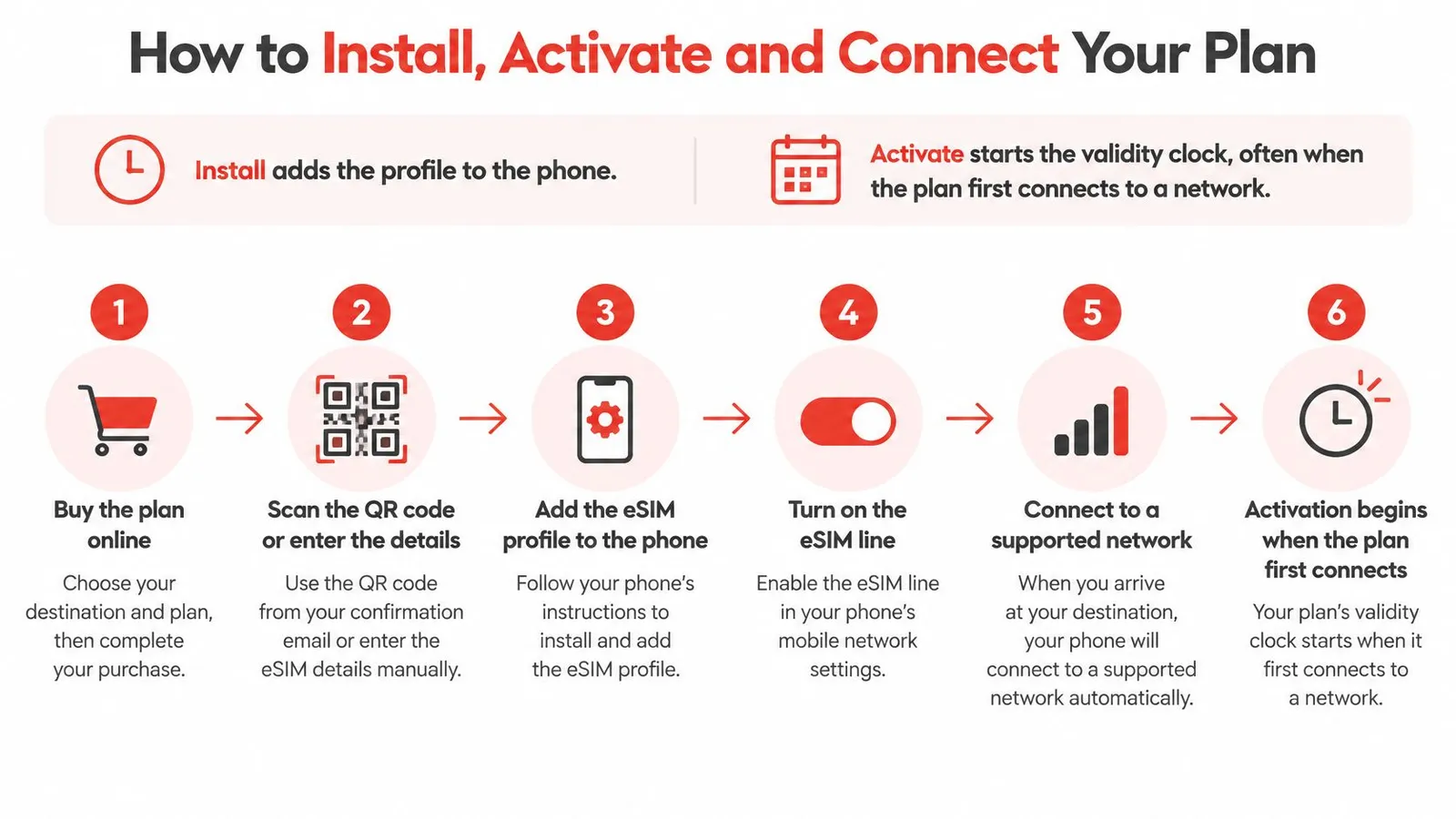
The sequence that keeps the clock stopped
- Before leaving home, keep the purchase email, QR code, or installation link accessible. You'll need an existing internet connection to download the profile.
- On home Wi-Fi, open cellular or network settings and add the eSIM. A stable connection matters more than speed: if the download stalls, you may have trouble completing setup.
- Label the new line “Travel” and leave it switched off until you arrive. A clear label helps prevent you from changing the wrong line.
- After landing, switch on the travel line, enable data roaming for that line, and select it for mobile data. This lets the travel eSIM use a partner network; it does not mean enabling paid roaming on your home line.
- Check for a network name and signal bars, then try opening a web page. If it does not load, toggle airplane mode or restart the phone before changing other settings.
- Keep your home line available for calls and SMS codes, and check that your messaging apps can still reach your contacts.
For the phone-specific steps, follow RedSim's eSIM installation and setup guide.
Slips that waste a plan
Scanning the code on airport Wi-Fi can leave the download stalled, especially if there is no other connection available. Install the profile ahead of time, but keep the travel line off until you want the plan to begin. Deleting the profile can also cause trouble, since some plans cannot be downloaded again using the same code.
A traveller who scans the code at the airport and loses Wi-Fi mid-download may be left without a completed profile. Save the QR code somewhere you can access it from another device, such as an email account. Then, if the profile is deleted or the phone has a problem, the code is not trapped on that handset.
GSMA Intelligence reported 71% in 2025 for eSIM awareness among travellers, showing that knowing about eSIMs does not automatically make setup familiar. Take the steps in order: install while you have a reliable connection, wait to activate until you are ready to use the plan, then check that mobile data works.
Speed and Coverage Beyond the Price Tag
A video call can stutter even when your phone shows a strong signal. In a 2024 measurement study of volunteers in 24 countries, roaming eSIMs using home-routed traffic had an average latency increase of 621%, compared with 64% for eSIMs using internet breakout in the visited country, according to the ACM measurement study. The same study measured 22 Mbps in Germany and 112 Mbps in Spain for profiles tied to one underlying Polish operator. Partner choice and geography can change the result, even when the seller stays the same.
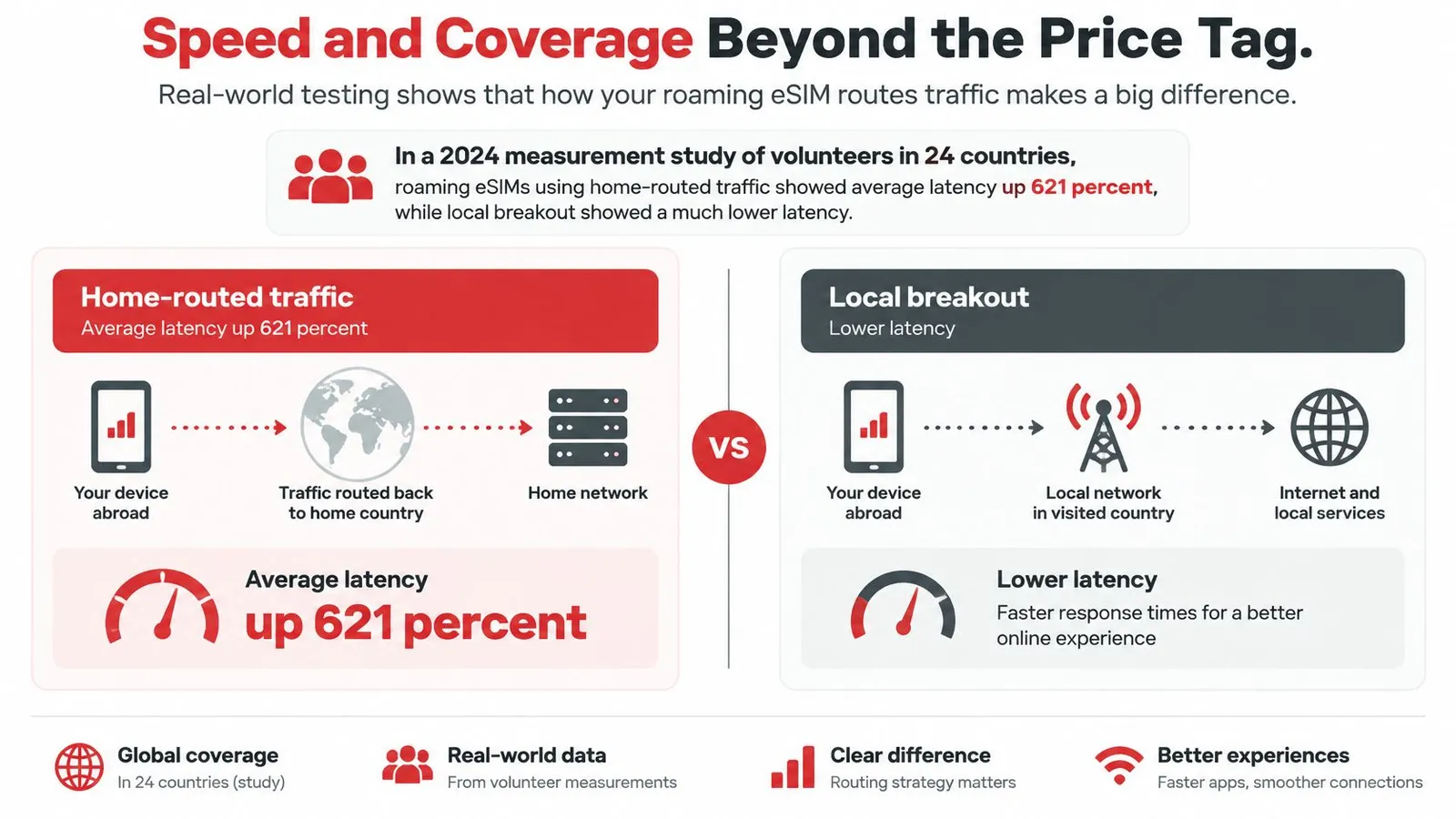
Why a full signal can still stutter
Home routing sends data from the local radio network back through the provider's home network before it reaches a website or call. Local breakout takes a shorter route, sending traffic to the internet in the country where you are.
Video calls, remote desktops, and VPNs depend on delay and jitter as well as download speed. That is why a high speed-test result may sit alongside a choppy call: the signal can be strong while data packets take a longer route.
Distance can make the difference more noticeable. Opensignal found that travel-SIM users generally outperform roamers on latency, responsiveness, and reliability farther from home, while nearby trips look broadly similar. European roamers' packet loss stayed below 2% in Europe and Western Asia, and rose to about 20% in Africa and parts of Asia.
When you arrive, run a speed test and check latency, then place a one-minute video call. The call gives you a practical sense of how the connection handles real-time traffic. If it stutters despite a good download result, routing may be the cause. Trying another available partner network in the same city can help before you decide to buy more data.
Top-Ups, Refunds and Changing Plans Mid-Trip
If your data runs low mid-trip, first check whether your current plan can be topped up. A top-up adds data to an active plan and can usually keep the same eSIM profile and phone settings. A new plan starts a new profile. Choose one when the current plan cannot be topped up, or when your route has changed and its coverage no longer fits.
Set a data-usage alert before you travel, so you have time to act before the allowance runs out. If the connection stops first, you may have to find Wi-Fi just to reload a map or buy more data.
Refunds and a changed ticket
Refund eligibility often depends on whether the eSIM has been installed or activated. Unused eSIMs that have not been installed or activated may qualify for a refund, while an installed or activated plan may have more limited refund options. Check the refund policy before purchasing, especially if your flight or itinerary could change.
A country plan covers its listed destination, so it may not work after a change of country. A regional or global plan may cover the new stop if that destination is included. Check the coverage list against your revised itinerary before relying on the plan you already bought.
Before counting on account credit or a gift-wallet balance, check when it expires and which plans it can be used to buy. If it expires before your next trip, you may not get to use it.
Keep your purchase email and QR code somewhere you can reach from another device, such as a cloud folder accessible from a laptop. That way, losing your phone does not also leave you without access to the plan details.
Pick the Right Plan Before You Land
Choose by route, trip length, and how you expect to use your connection. A single-country stay usually calls for a country plan. A multi-country route may suit a regional plan, while a global plan can cover travel across regions. Match the allowance and validity to the trip, then check coverage and hotspot support before buying.
| Traveller | Typical trip | Suggested plan | Check before buying |
|---|---|---|---|
| Leisure traveller | One country for one to two weeks | Country plan, 5 GB for 30 days or 1 GB for 7 days | Destination list and validity start |
| Business traveller | Several cities with daily calls and maps | 10 GB for 30 days or a regional plan | Latency and tethering support |
| Digital nomad | Months spent across one region | Regional plan with top-ups as needed | Top-up option and refund policy |
| Family | Three or four phones sharing a hotspot | 20 GB per phone or a plan with a hotspot allowance | Hotspot allowance per device |
| Travel coordinator | Small group on varied routes | One plan per traveller, installed before departure | Refund rules for unused plans |
Before paying, compare plans on the same points: included destinations, data allowance, validity, hotspot support, and options for adding data. For calls or video meetings, check how the network routes traffic, since a low price alone does not tell you how responsive the connection will feel.
Keep installation and activation separate in your checklist. Install the eSIM before departure if convenient, then follow the plan's instructions for when to activate it. Confirm the validity start so the plan does not begin earlier than intended. For shared data, check that the plan permits tethering and has enough allowance for each device.
RedSim offers country, regional, and global travel eSIMs for more than 200 destinations, with QR-code or one-click installation. Its regional plans include 1 GB for 7 days, 5 GB for 30 days, 10 GB for 30 days, and unlimited data for 7 days. The global plan offers 1 GB for 7 days, 5 GB for 30 days, and 10 GB for 30 days. Compare those details with the route and data needs before choosing.
Find the row closest to your trip, check its conditions, then install the plan on home Wi-Fi before leaving. Visit RedSim to match a destination and data tier to your trip.
 Canada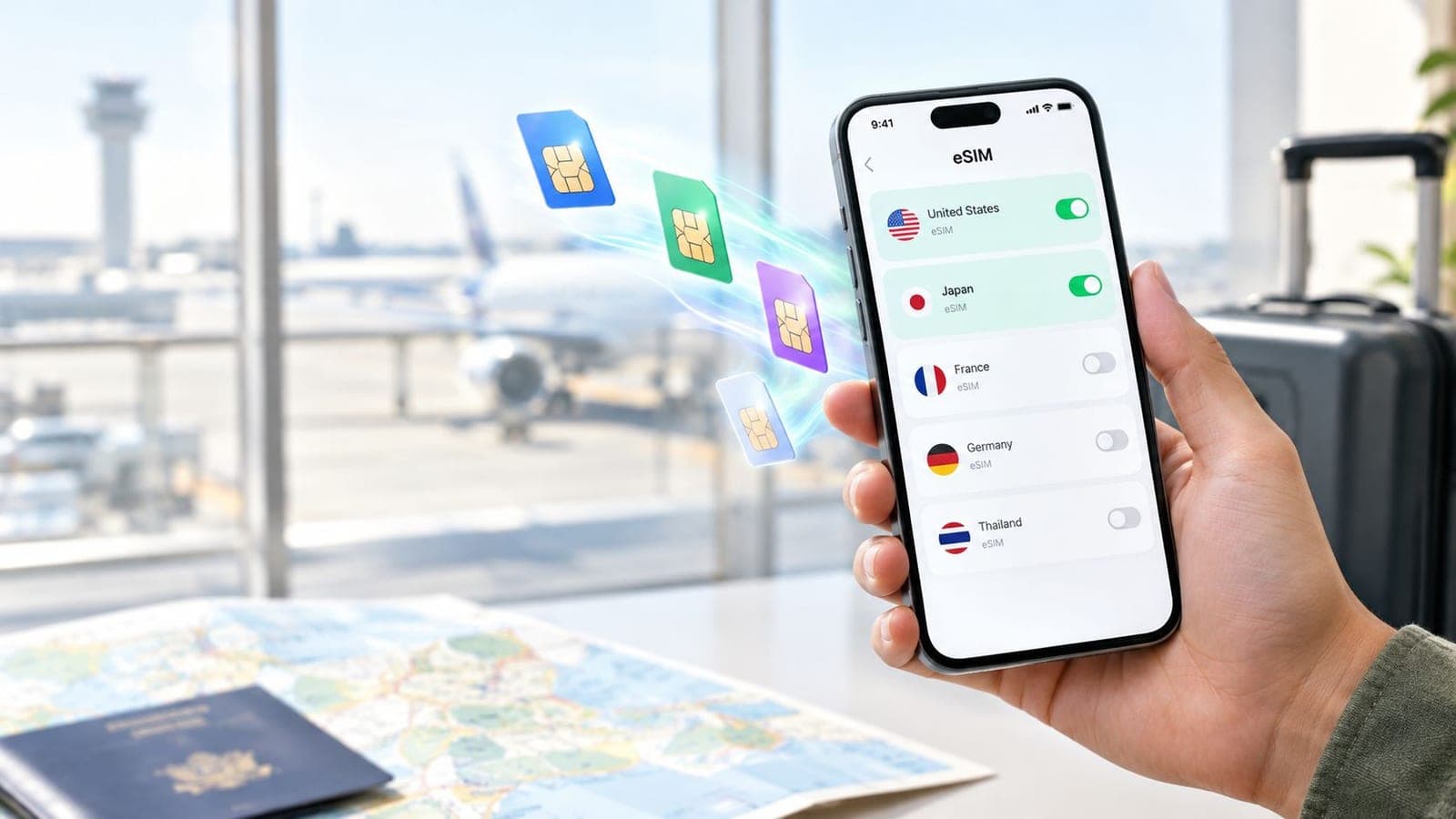
 Vietnam