You land, turn on your phone, and the first thing you need is simple: a map, a ride, and a message home. Instead, the connection crawls, your battery drops while apps keep retrying, and a “quick” check of roaming starts feeling like a trap. That's the core problem with T-Mobile international roaming charges, they're not just about price, they're about whether the connection is usable when you need it.
| Option | What you get | What happens after the allowance | Best fit |
|---|---|---|---|
| Standard roaming behavior | Included low-speed data and texting on qualifying plans | Data can fall to 256 kbps after the high-speed allotment is used, which is fine for basic messaging but weak for modern apps | Emergency use and light checking |
| 1-Day International Pass | 2GB high-speed data for $10, with unlimited calling in 215+ countries and destinations (T-Mobile international roaming plans) | Falls back after the cap is used | Short layovers and very light trips |
| 10-Day International Pass | 15GB for $50 (T-Mobile international roaming plans) | Slows down after the cap is used | Short trips with regular navigation and messaging |
| 30-Day International Pass | 30GB for $75, unlimited calling in 215+ countries and destinations (T-Mobile international roaming plans) | Falls back after the cap is used | Longer trips and heavier data use |
The Reality of T-Mobile International Roaming Charges
The hidden cost in roaming is not always the bill. It's the moment a traveler opens a rideshare app, watches the loading spinner stall, and realizes the connection is too weak to finish the job. That's when T-Mobile international roaming charges stop being a pricing question and become a workflow problem.
What the standard roaming experience really feels like
T-Mobile's current international setup is built around coverage in 215+ countries and destinations, but coverage alone doesn't guarantee a modern travel experience (T-Mobile international roaming plans). The company has also reset roaming voice pricing to $0.50 per minute effective June 25, 2026, which matters because voice is no longer the hidden freebie many travelers assume it is (T-Mobile international roaming plans).
Basic roaming is fine for emergency messages. It is not a plan for app-heavy travel.
That distinction matters because travelers don't just use phones for calls anymore. They use them for maps, hotel check-in, boarding passes, translation, banking, and work files. Once the connection degrades, every one of those tasks slows down or fails, and the cost of “included” roaming becomes time and stress rather than just dollars.
A traveler who expects standard roaming to behave like home data usually gets disappointed. The slower fallback is useful in a pinch, but it's not a real substitute for a modern data connection. That's why the exact charging model matters before the trip starts, not after the airport Wi-Fi has already become the backup plan.
Read how refund rules work when a plan doesn't suit the trip
Breaking Down T-Mobile International Passes and Speed Caps
T-Mobile's international passes are straightforward on paper, but the value changes fast by trip length. The clearest benchmark is the 30-day International Pass at 30GB for $75, which works out to $2.50 per GB before any throttling behavior matters (T-Mobile international roaming plans). The 10-day pass gives 15GB for $50, or $3.33 per GB, while the 1-day pass gives 2GB for $10, or $5.00 per GB (T-Mobile international roaming plans).
The math favors longer trips
That cost curve is the story. The shorter the pass, the more you pay per unit of data. The longer the pass, the better the efficiency. For a traveler who uses navigation, messaging, cloud docs, and occasional video calls, the longer pass is the only one that starts to make sense.
| Pass Duration | High-Speed Data | Total Cost | Cost Per GB |
|---|---|---|---|
| 1 Day | 2GB | $10 | $5.00/GB |
| 10 Days | 15GB | $50 | $3.33/GB |
| 30 Days | 30GB | $75 | $2.50/GB |
The hidden catch is the speed cliff after the allowance runs out. T-Mobile caps remaining data at 256 kbps after high-speed data is exhausted, while keeping unlimited texting and applying the standardized $0.50 per minute roaming voice rate in 215+ destinations (T-Mobile unlimited roaming SMS and data). That speed is enough for basic text and very light browsing, but it's the wrong tier for video, cloud sync, hotspot use, or any app that expects a stable connection.
Why the throttle matters more than the allowance
A lot of travelers focus on the number of gigabytes and ignore what happens after they're gone. That's a mistake. The central question is not whether the pass includes data, it's whether the data keeps your phone useful once the allowance is spent.
Practical rule: If a trip depends on maps, translation, file uploads, or tethering, the 256 kbps fallback is a warning sign, not a safety net.
See what slow-data behavior means in practice
Carrier Roaming Versus eSIM Alternatives
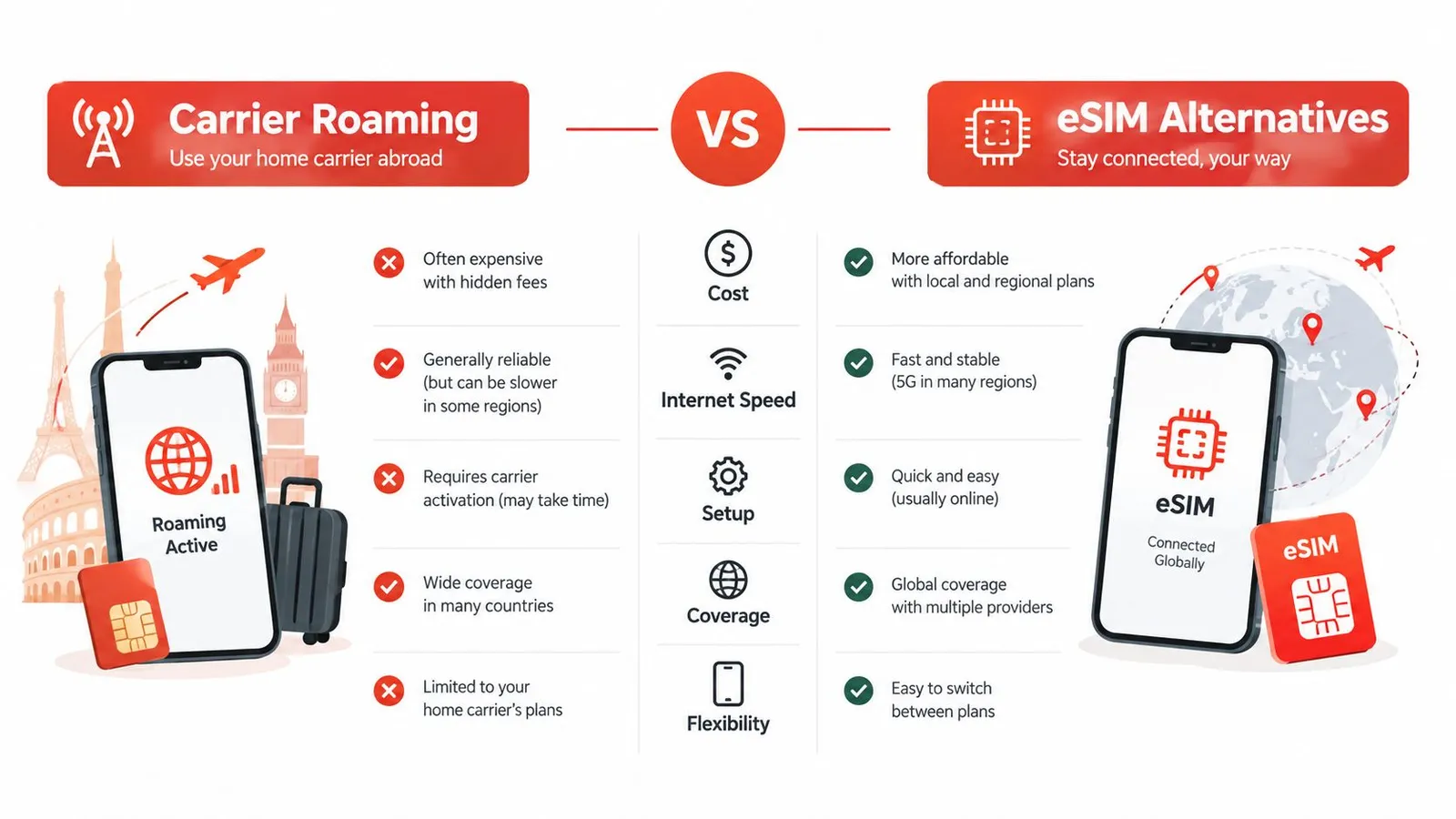
Carrier roaming feels simple because it's already attached to the home line. The traveler keeps the familiar number, the phone works abroad without much setup, and the carrier handles the billing. That convenience is real, but it comes with a trade-off, the connection is tied to the carrier's roaming rules, not the traveler's actual needs.
The real difference is control
A travel eSIM changes the setup. The traveler keeps the primary line active for calls and texts, but routes data through a separate plan. That means the data connection can be chosen for the destination, the trip length, and the actual usage pattern instead of being locked to one carrier's international package.
T-Mobile's own pass pricing gives a useful baseline. At $2.50 per GB on the 30-day pass, the carrier is competitive only when the trip is long enough to benefit from the larger bundle (T-Mobile international roaming plans). Once the trip becomes multi-country, work-heavy, or unpredictable, eSIM flexibility starts to matter more than convenience.
A travel eSIM also changes installation behavior. Instead of relying on a carrier pass after arrival, the traveler can load the data line before departure and switch immediately on landing. That's a cleaner setup for modern travel because it separates the voice identity from the data pipe.
Learn what an eSIM is and how it works
Which option wins in practice
Carrier roaming wins on simplicity. eSIMs win on control, flexibility, and data strategy. For light travelers on a single short trip, the carrier option can be enough. For anyone working from the road, crossing borders, or using the phone as a hotspot, a travel eSIM is the more rational choice.
Choosing the Right Data Strategy for Your Trip
The right plan depends on how the trip unfolds. A weekend in one city is not the same as a month across several countries, and a phone used for photos is not the same as a phone used for work. The mistake most travelers make is buying one roaming setup for every situation.
Match the plan to the trip
For a short trip where the phone mostly handles maps, messages, and occasional web access, T-Mobile's international pass can be enough. The 1-day pass is only sensible for a brief stop or a border crossing, while the 10-day pass fits travelers who need more than occasional access but still won't burn through a lot of data (T-Mobile international roaming plans).
For longer trips, the 30-day pass is the better carrier option because the cost per GB is lower (T-Mobile international roaming plans). But even then, it only makes sense if the traveler is comfortable with the fallback after the allowance is used.
A carrier pass is a temporary convenience. A travel eSIM is a better default for people who depend on the phone all day.
That matters most for multi-country itineraries. A regional eSIM can carry a traveler across borders without forcing a new purchase each time the train crosses a line on the map. RedSim offers country-specific, regional, and global eSIM plans, so a traveler can choose a setup that matches a single destination, a region, or a longer route through several countries.
Use trip style, not habit, to choose
The right question is not “What does the phone usually do?” It's “What will the phone need to do on this specific trip?” A leisure trip, a family holiday, and a remote work stretch need different levels of reliability and speed. If the answer includes file uploads, frequent navigation, tethering, or daily calls over data, the carrier-only approach is too limited.
Pick a plan based on destination and usage
How to Verify Coverage and Avoid Billing Pitfalls
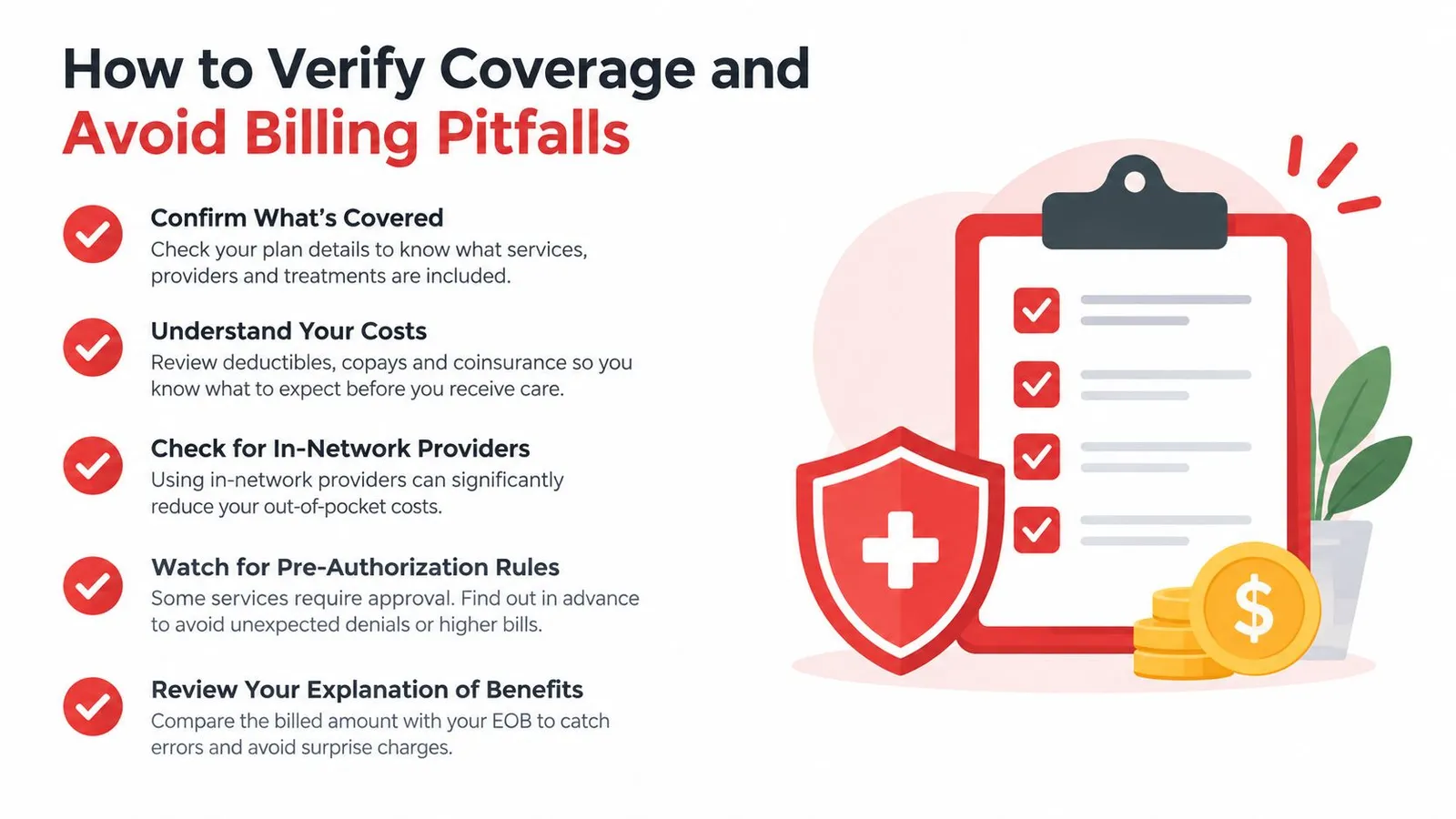
Roaming mistakes usually happen before departure, not after arrival. The traveler assumes the destination is covered, leaves settings untouched, and only notices the problem when the phone starts using the wrong line or background apps burn through the allowance. That's how surprise charges begin.
Verify the destination first
T-Mobile's roaming footprint reaches 215+ countries and destinations, but not every edge case behaves the same way (T-Mobile international roaming plans). Some less-traveled locations may have limited service, and the traveler should not assume every country will behave like a major European hub.
The safest move is to check coverage before packing the bag. Then confirm whether the trip needs carrier roaming, an eSIM, or both. If the trip includes a remote region, a cruise, or a border area, the decision should happen before the flight, not after the first failed connection.
Lock down the device settings
Once the destination is confirmed, the phone settings need the same attention. If a traveler is using an eSIM for data, the primary SIM should not keep roaming unattended in the background. That single mistake can turn a clean travel setup into a billing mess.
Use this checklist:
- Check the active data line: Make sure the phone routes data through the intended SIM before departure.
- Disable unnecessary roaming on the wrong line: Prevent accidental usage on the home carrier when the eSIM should carry data.
- Watch background activity: Turn down app refresh and automatic syncing where it matters most.
- Keep a fallback route: Save the carrier support option and confirm the eSIM is ready before the flight.
- Treat edge destinations differently: Cruise routes, remote islands, and unusual border zones need a separate review.
The goal is simple. Keep the device from doing anything by default that the traveler didn't explicitly choose.
Combining Wi-Fi Calling and eSIMs for Clear Communication
A hybrid setup gives travelers better control. Keep the home number available for identity, messaging, and important calls, then route everyday data through an eSIM. Wi-Fi calling can carry voice when a hotel, airport, or café offers dependable Wi-Fi, reducing the chance of paying carrier roaming rates for an avoidable call.
Keep voice on the home line, data on the eSIM
T-Mobile charges $0.50 per minute for roaming voice calls in 215+ destinations after high-speed data is used, while unlimited texting remains available on the roaming side (T-Mobile unlimited roaming SMS and data). Treat that voice rate as a billing risk, not the default communication method.
Set the eSIM as the phone's mobile data line before departure. Leave the home line active if you need its number for account verification, incoming texts, or selected calls. Then use Wi-Fi calling where the connection is reliable, and make data-based calls through the apps your contacts already use. This arrangement separates the phone number from the data bill and keeps work tools, maps, translation apps, and family messaging on the travel connection.
Check the device's dual-SIM settings carefully. Some phones allow data switching when the preferred line loses service, which can send traffic back through T-Mobile without you noticing. Turn that option off unless you deliberately want carrier roaming as a backup.
Compare eSIM plan options and device setup
Use the phone as a travel tool
A carrier pass can still suit a short trip with light usage. For longer stays, frequent calls, or work that depends on cloud services, an eSIM is the better foundation. Wi-Fi calling adds another route for voice, while the home number remains available for the conversations and verification messages that matter.
Test the setup at home. Confirm the eSIM has data, Wi-Fi calling works, and each line has the intended roaming setting before boarding. This short check prevents a small configuration mistake from becoming an international bill.
Final Recommendations for Stress-Free Travel Connectivity
The safest assumption is usually wrong here. Sticking with the home carrier feels comfortable, but it's not automatically the smartest way to travel. Once the connection drops to 256 kbps, the traveler is no longer dealing with a modern data experience, just a fallback that keeps texts alive and little else (T-Mobile unlimited roaming SMS and data).
The decision should be blunt
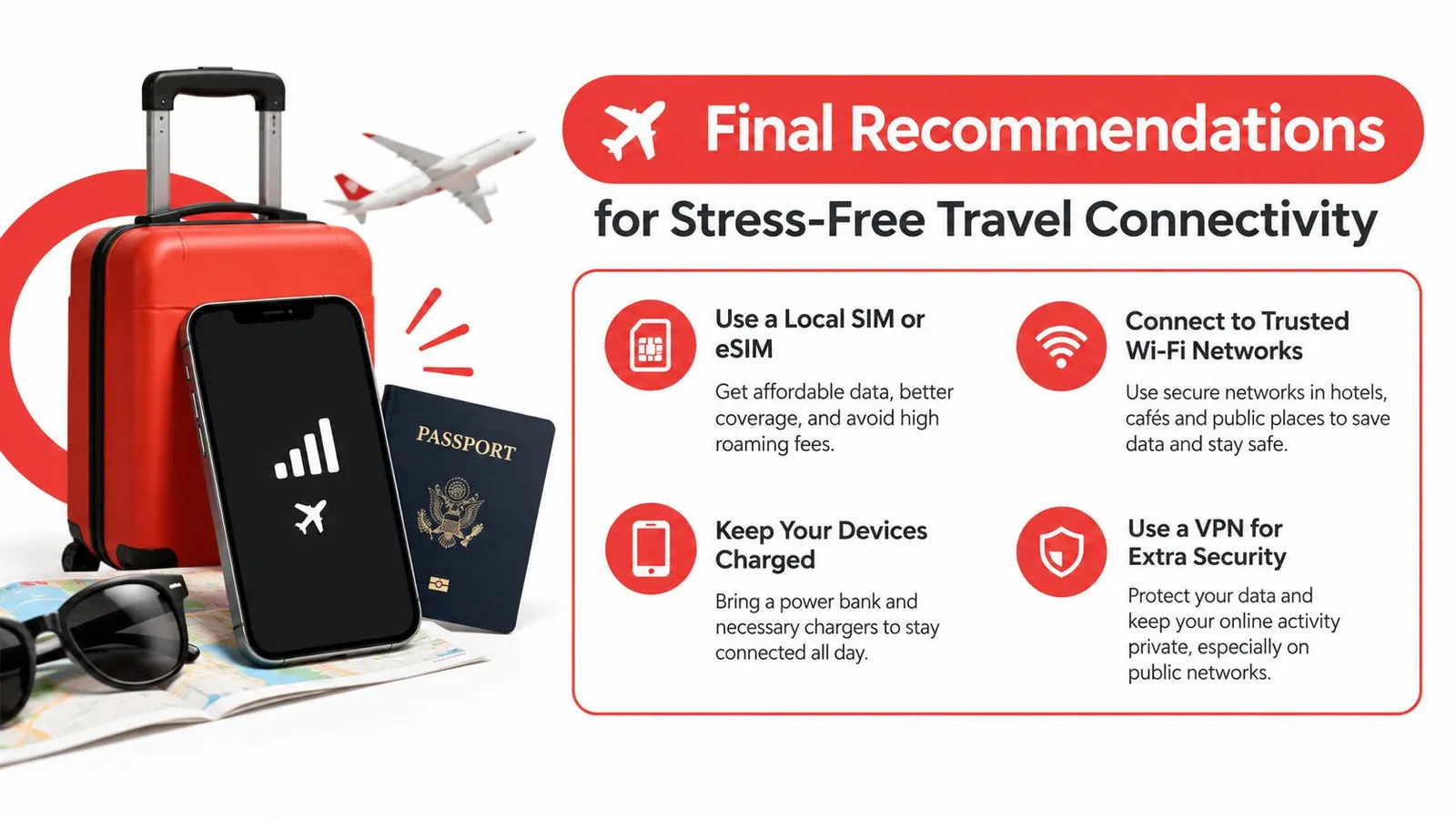
Use T-Mobile roaming for emergency texting and light fallback. Use Wi-Fi calling when voice matters. Buy a dedicated eSIM when the trip depends on reliable data, whether that means navigation, work, family sharing, or borderless travel.
That's the key takeaway. Carrier roaming is fine as a backup, but modern travel workflows need more than a fallback throttle. A traveler who relies on the phone for the day should not build the trip around a low-speed afterthought.
RedSim provides travel eSIM plans for more than 200 destinations, with instant digital delivery, regional and country-specific options, and support for hotspot sharing. Travelers who want predictable data abroad can review RedSim before the next trip and match the plan to the route instead of paying carrier roaming prices by default.